
July 9th Release Notes
Release NotesPOS
Orders:- In the old version, if two servers cash out the same ticket simultaneously on two different terminals, the payment will be duplicated. This bug is fixed in this version. [Ticket #184442]
- In the old version, if a happy hour item is ordered, then the order is edited and updated, using the ‘+’ button to add another item to the cart will result in the added item having a price of $0. [Ticket #186843]
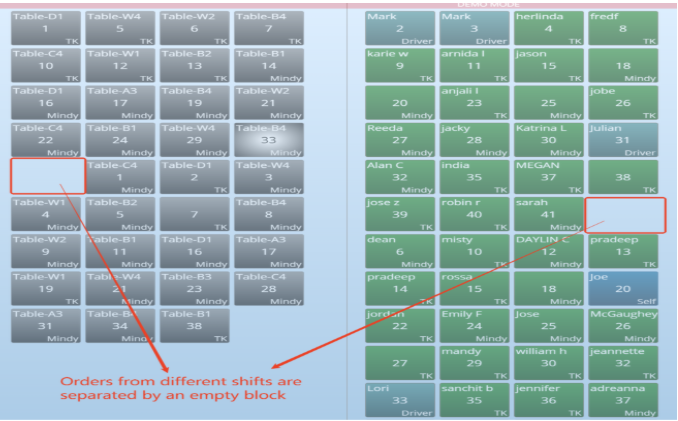
- In the old version, for manual shift, order history from the previous days were not fully displayed—it only showed orders from the last shift of the day. For example, if there were two shifts, only orders from the second shift would be visible. In the new version, the system will display all orders from the entire day (up to the extend hour)
- Drink Function Optimization:
2)The keyword “drink” can now have a customizable name, allowing flexibility in labeling the group.
Print:- Previously when the option to print the discount reason on customer receipts was enabled, splitting a ticket that had a discount caused an issue — only the first split ticket showed the correct discount reason, and all subsequent split tickets displayed “error” instead. Now, the correct discount reason is printed on all split tickets, not just the first one.
- In the old version, when using the star printer as an order printer, and set to starIMG model, updated items/Void items will not be printed out. This bug is fixed in the new version. [Ticket #176831]
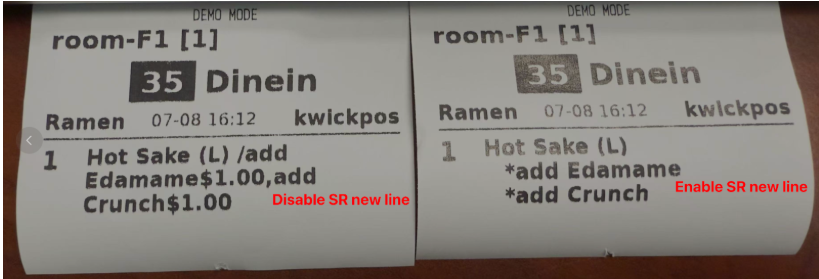
- In the new version, a setting called “SR New Line (New Mode)” has been added under Backoffice → Advanced → General. When enabled, it prints multiple special requests on separate lines. [Ticket #184223]
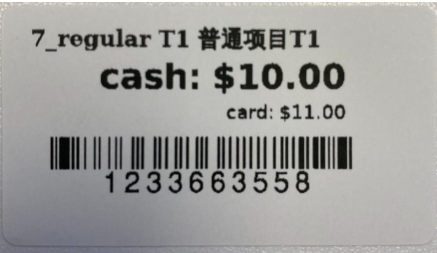
- In the new version, item labels can be printed with both cash and card prices. The card price will appear when a surcharge or cash discount is enabled. Additionally, dual-language for labels is supported.
- In the previous version, when using civilian time format, the monthly sales report will display 12pm's orders as 12am. This bug is now fixed in new version[Ticket #188010]
- In the previous version, New Back Office > Reporting > Item Sales > Export All could only export Item Sales. In the current version, it can export modifier Sales after the Item Sales. [Ticket #180017]
- In the previous version, when an item had sub items with local modifier auto selected, merchants were not able to add the subitem to the cart. This bug has been fixed.
- In this new version, we’ve added a feature to link gift card numbers with loyalty cards. After enabling Back Office > Loyalty > Settings > Basic > Automatically link the gift card with a loyalty card, any gift card purchase will automatically register the gift card as a loyalty card. When a customer makes a purchase using a loyalty-enabled gift card, points will be added automatically—there’s no need to link the loyalty card again.
- In the previous version, set ticket security to the cashier, waiters still can see online orders through the online button, this bug is fixed now in the new version.
In the previous version, if an item has a quantity and the price is modified using the price tool before entering the order, the quantity is not deducted correctly.
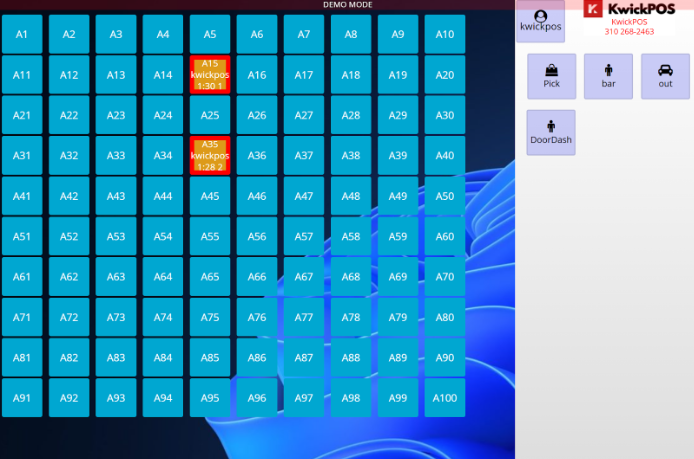
Some merchant request to manually add loyalty members in the back office, in the new version we can do this. merchant can go to the loyalty member page, and click on the add member to add the loyalty member[Ticket #183657]- In the new version, we add a switch to manually change the table border color, so that servers can know which table needs service based on border color. The setting is in New Back Office -> Orders -> MISC -> Show table border when long press on table [Ticket #183657]
- In the previous version, when using the return tool and scanning the ticket barcode, the auto-filled order ID started with 88 (e.g., 88202505230005). In the new version, the 88 prefix has been removed. [Ticket #174668]
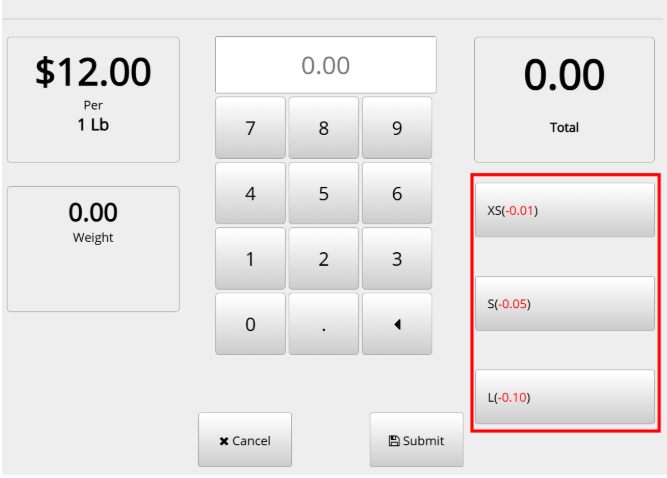
- In the previous version, when merchants set up Weigh Tares, it will not show on the right side of the weight item, in the new version we fix it.
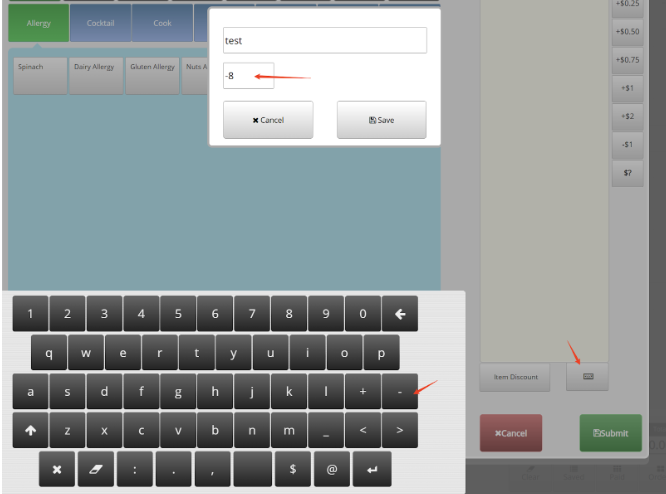
- In the previous version, it was possible to enter a negative price in the special request field by using the “-” sign on the virtual keyboard, which could result in an item having a negative price. In the new version, inputting the “-” sign has been disabled to prevent this. [Ticket #181298]
In the previous version, in some case, update the ticket and use the add button to add a new same happy item, this new added item price will be 0. In the new version we fix it. [Ticket #187211]
In the previous version, if no image was uploaded for the customer display, the system would show random pictures. In the new version, the system will display a specific default image in such cases.
In the current version, redeem for ticket discount allows a 100% discount.
In the previous version, when you modify the printer setting like font size or header, and save the setting, if the Print Price setting for this printer is checked, after saving, it will automatically unchecked, in the new version we fix this issue. [Ticket #189166]
In the new version, the Card payment option will be hidden from the kiosk if the kiosk terminal is not configured to link to any credit card terminal. [Ticket #183725]
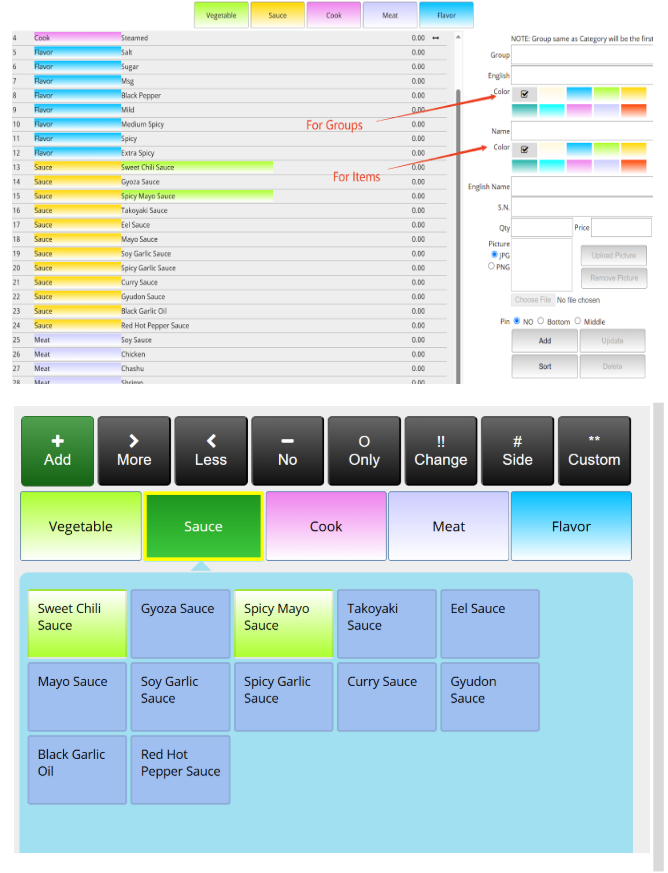
In the new version, you can assign different highlight colors to special request groups and individual special request items under Advanced > Menu > Special. These color settings will be reflected on the cart page.
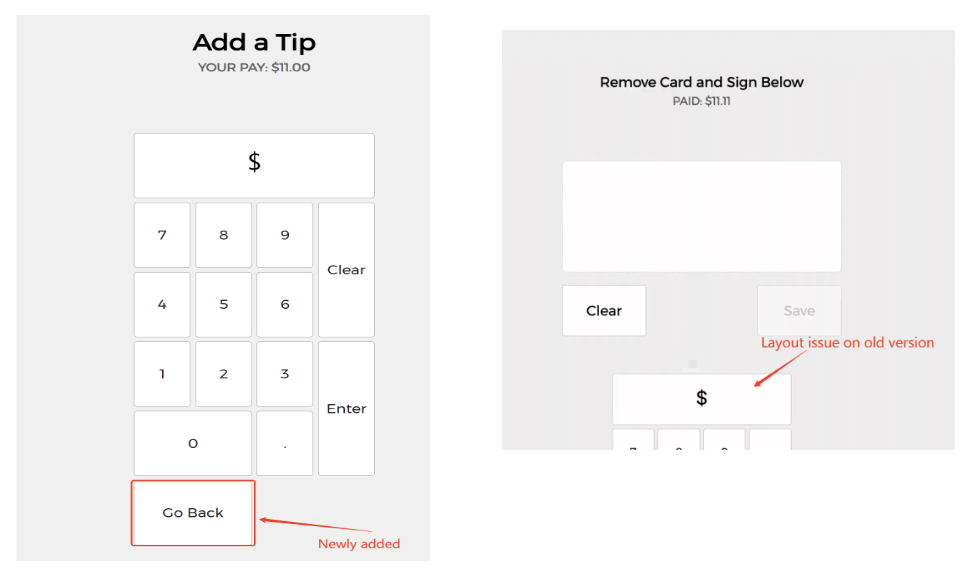
- In the new version, for the Customer Display - Customize Tip screen, a BACK button has been added to return to the tip options window. Additionally, the layout issue that occurred when refreshing the customized tip page has been fixed. [Ticket #181703]
- Changes on Kiosk [Ticket #181702]:
2) Modifier font size has been increased for better visibility
3) If a modifier group is configured as required or allows up to 2 selections, the group label is now displayed in red
4) Modifier prices are now shown on the checkout/pay screen
- In the previous version, when adding new items with quantity, it did not transfer the prices and UPC code to the inventory. In this new version, the respective information will be added correctly to the inventory. [Ticket #185560]
- In the earlier version, if a tip was added first, then payment was selected by card, and a discount was applied afterward, the system would calculate the tip and surcharge incorrectly. This bug has been fixed.
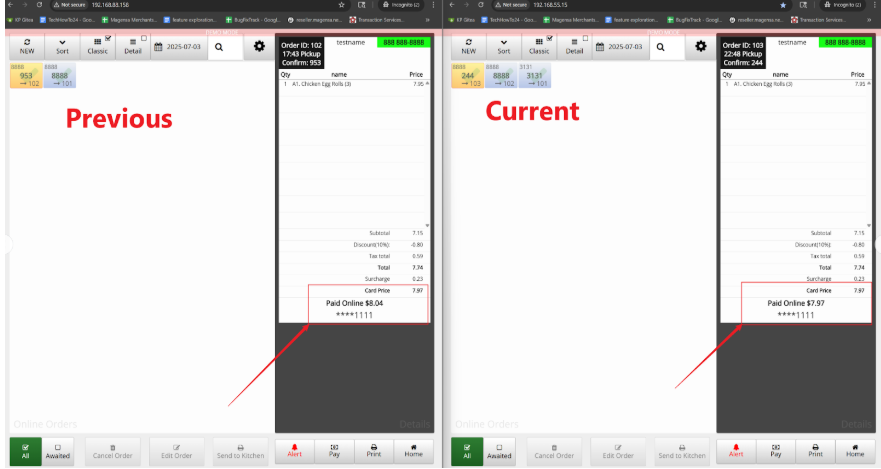
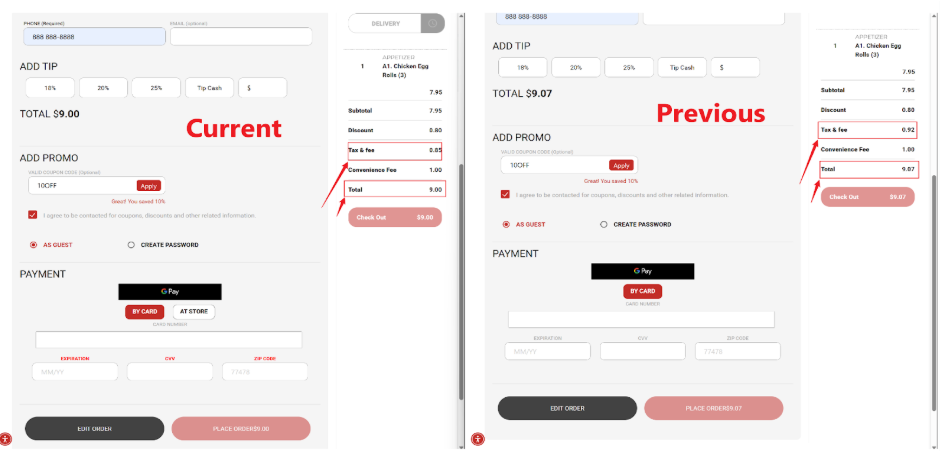
- In the previous version, applying a discount and then selecting "By Card" would trigger a tax recalculation that ignored the discount. This bug has been fixed.
- In this new version, we added a package fee feature. In Backoffice > App > Online Order > Add Package Fee, you can enable it by checking the option and adding an item named "Package Fee" (case-insensitive). The "Package Fee" item must exist in the menu for this feature to work. Once set up, the package fee will be automatically added whenever a customer checks out.
Our 24/7 support team can walk you through it.
Call (888) 355-6996