
July 23th Release Notes
Release NotesPOS
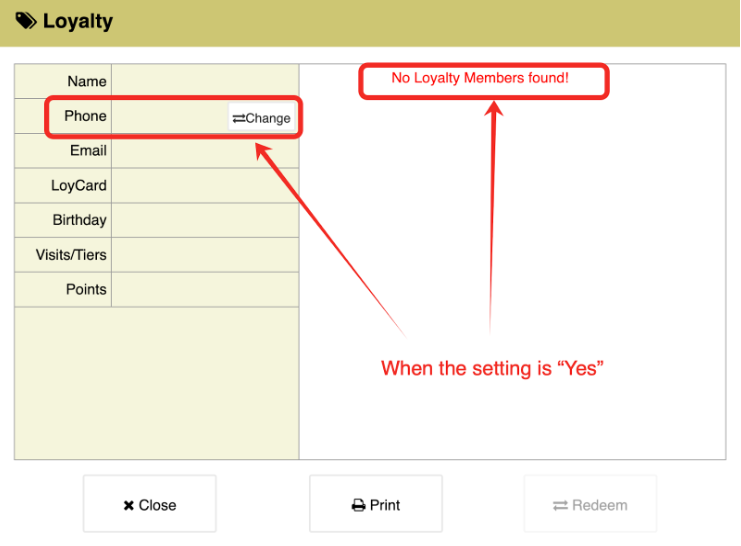
Orders:- In the current version, we've added a new feature: New Back Office > Loyalty > Setting > Basic > Disable auto add new members (On the payment page). When set to yes, the system will not automatically create a loyalty account if the entered phone number isn't pre-registered. Instead, it will display a prompt indicating that the customer is not a loyalty member.
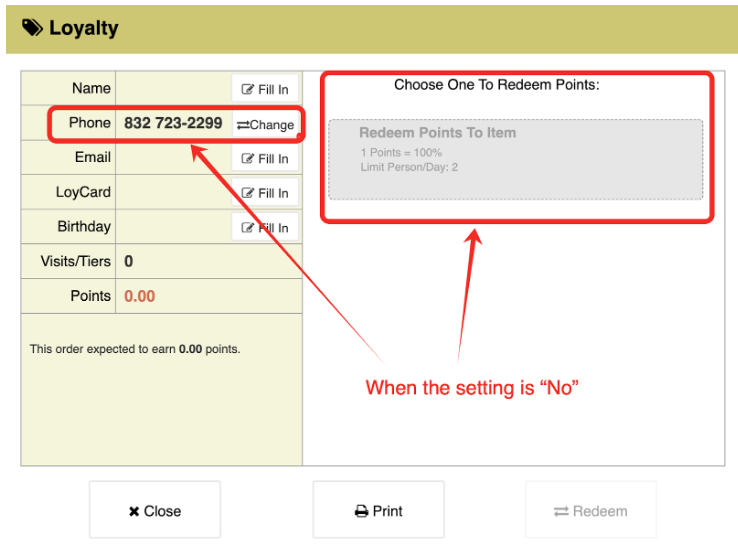
- When set to no, it will still automatically create a loyalty member with the phone number. [Ticket #189649]
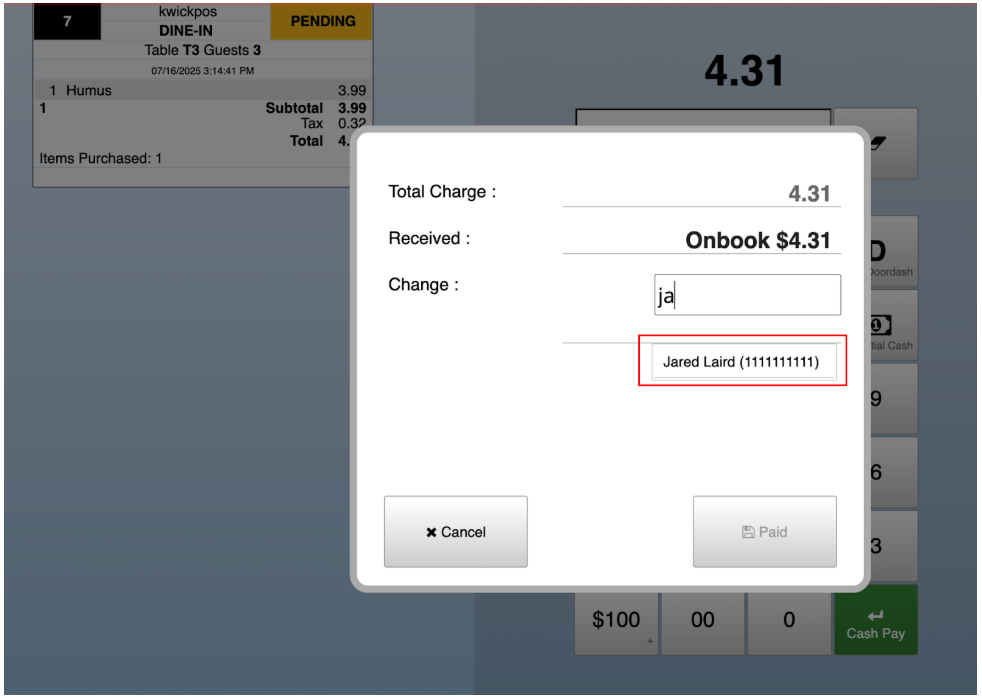
- In the previous version, payment could only be made using the OnBook ID, but in the new version, you can also search by the customer’s OnBook name to make a payment.
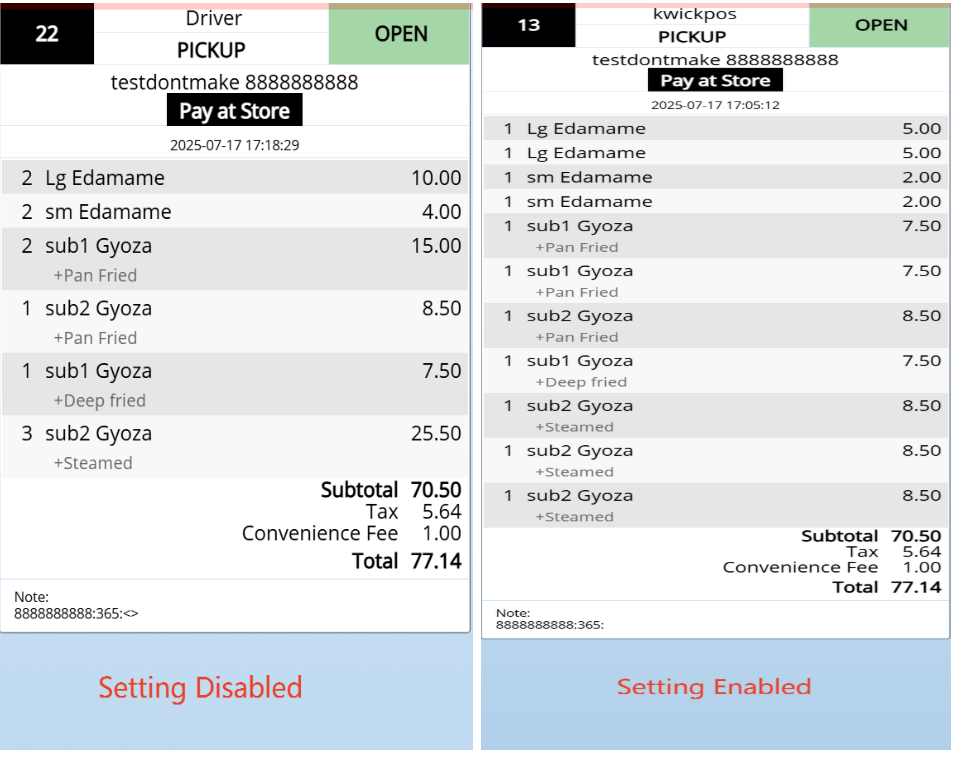
- In previous versions, online orders would group identical items together. In the new version, a setting has been added under Apps > Online Orders > Effective Item Group No. When enabled, all items in online orders will be listed separately, even if they are the same.
- In the previous version, it was not possible to move a ticket to another table that was already occupied. This issue has been resolved. [Ticket #185453]
- In the previous version, if the number of items in the category was large, then the quick menu buttons will block the bottom row of items. This issue has been resolved. [Ticket #190126]
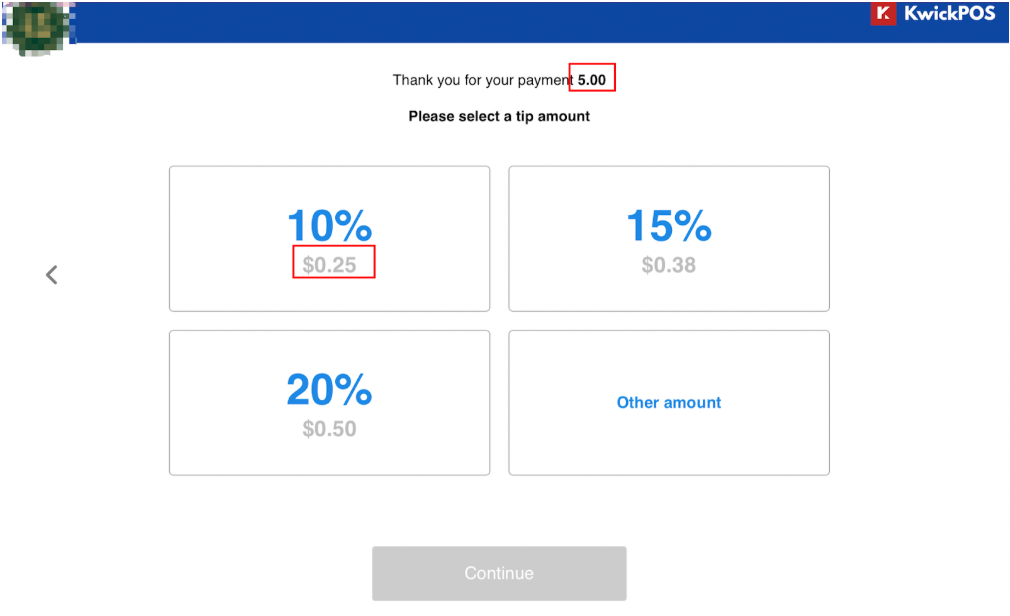
- In the previous version, use Magtek and even split tickets, the tip suggested on Magensa page will be half than the real amount. This issue is fixed in the new version. [Ticket #184400]
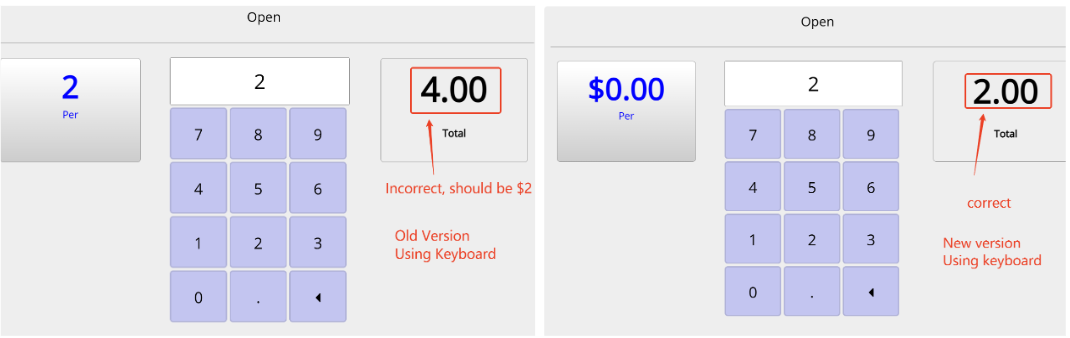
- In the previous version, when an item was priced at $0 and set as Variable Price/$-, it worked correctly with the virtual keyboard. However, when using a physical keyboard, the entered price would be incorrect—typically doubled. This issue was fixed in the new beta version. [Ticket #163029]
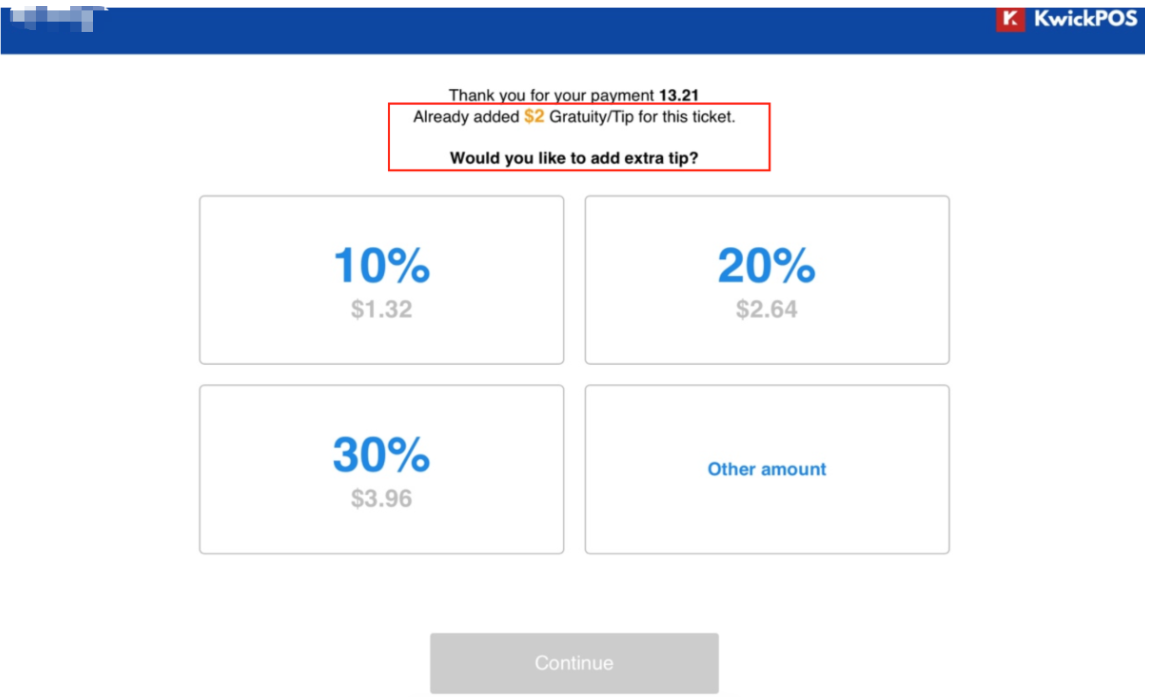
- In the new version, if a gratuity is already on the ticket, the Magtek tip page will show a reminder before the customer adds another tip.
- In the previous version, when placing an order and then using the second display for card payment, the customer name on the order would be overwritten with the name from the card. [Ticket #193984]
- In the previous version, when the dine-in send setting was set to “Update”, when pay first enabled and clicking “Pay” would automatically print by the front printer. This bug is fixed in the new Beta version.
- In the previous version, when you edit an order by adding an open item with a special request $2, then update, the price of the open item printed on the kitchen receipt did not include the price of the special request. This issue has been resolved in the new beta version. [Ticket #187141]
In the previous version, if an item has the special character ‘/’ in its name, then when printing the item out to the dot matrix printer, the item name will jump to a new line at the ‘/’ character. This issue has been resolved. [Ticket #190180]
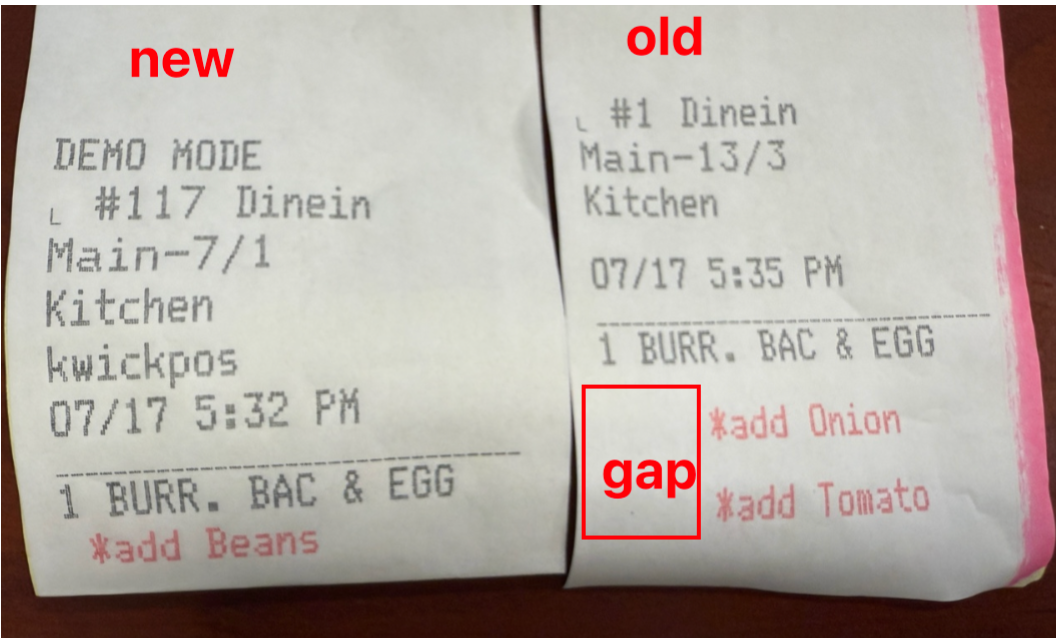
In the previous version, When enabling modifier print control and using "End Lrg" font on the Dotmatrix., it will cause too much gap on the left side of special requests.
- In the current version, we have added a new “Print CC” button on the Payment page, allowing guests to independently choose whether to print the Credit Card Payment Receipt. [Ticket #189619]
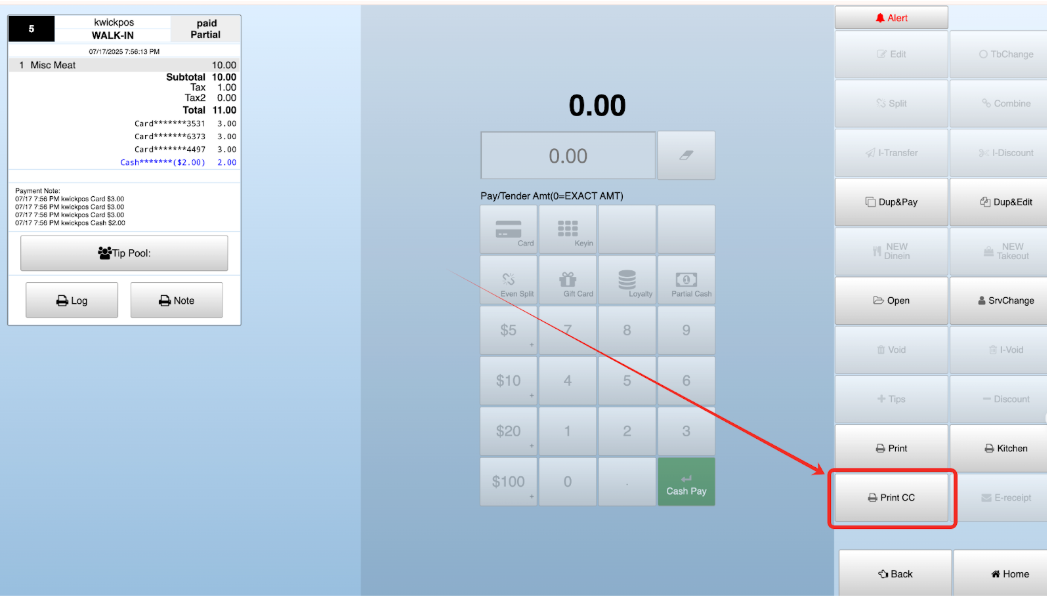
- This above button will only be displayed after the ticket has been closed, and printing is only available for card payments. If there are multiple payments for the same order, all credit card receipts will be printed. [Ticket #190944]
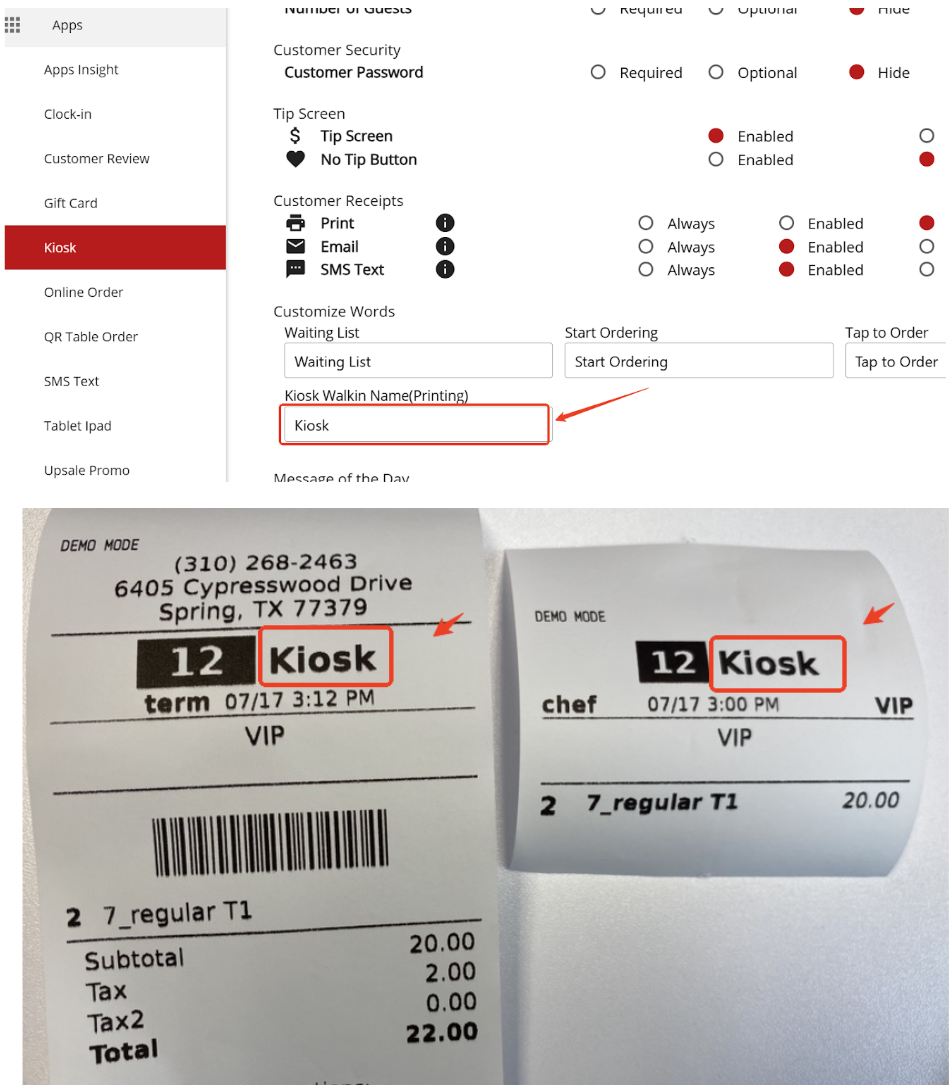
- In the new version, you can customize the name of the walk-in order type that appears on the receipt for kiosk orders. This can be configured under Apps > Kiosk > Kiosk Walk-in Name (Printing).
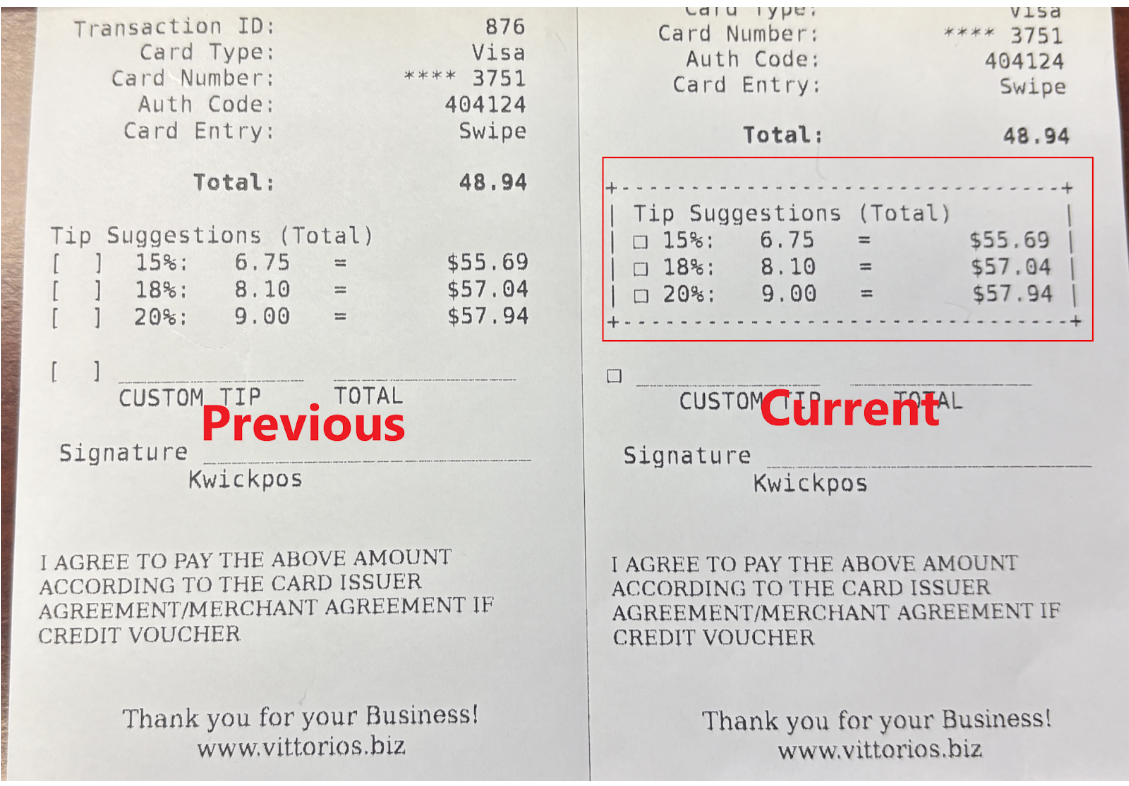
In the current version, we've added a new switch to control print tip suggestions on the credit card receipt, it is located at Setup -> Tips -> Print tip suggestions on credit card receipt, when enabled, cc receipt will not print the tip suggestions.
In this new version, after check setup > tips > multiple lines with total and selection box, print tip suggestion on credit card receipt, tip selection box uses square, and tip selection area has an outer box, the tip suggestion on credit card receipt will be enclosed in a box.
- In the new version, a setting has been added to control the number of blank lines printed at the top of dot matrix kitchen receipts. This can be configured under Setup > Order > MISC > Dotmatrix Printer Header Gap. [Ticket #189332]
In the old version, for dot matrix printers, if the “Modifier” setting was set to New, any item name containing a / would be split into two separate lines at the slash. This issue has been fixed in the new version. [Ticket #190103]
- In the previous version, the clock-in report sometimes showed "Inactive" even when the inactive setting was turned off. This was caused by a missing server_id. The bug has now been fixed. [Ticket #192812]
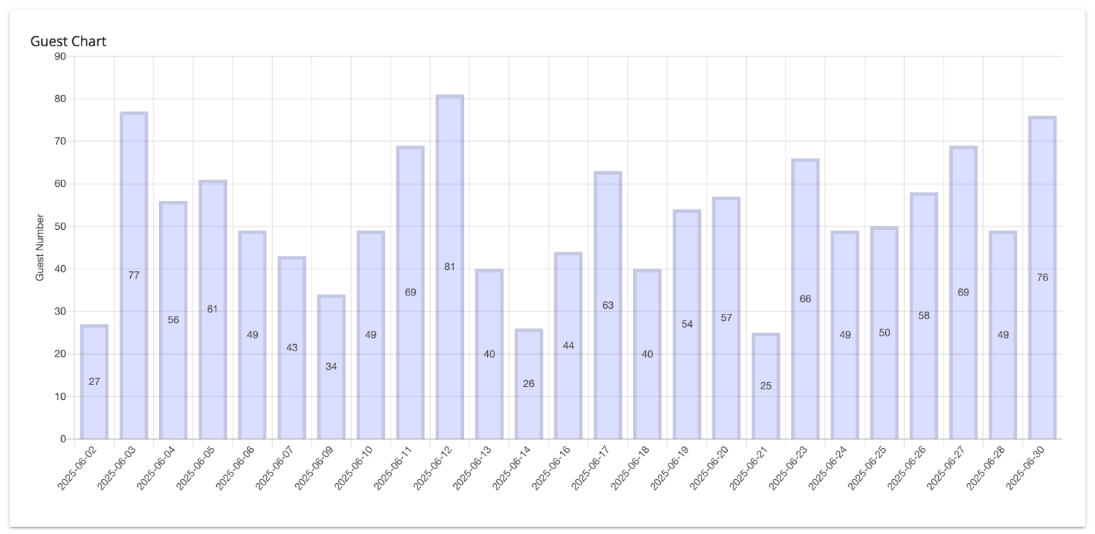
- In the new version, we can display guest count information in the Sales Overview report.
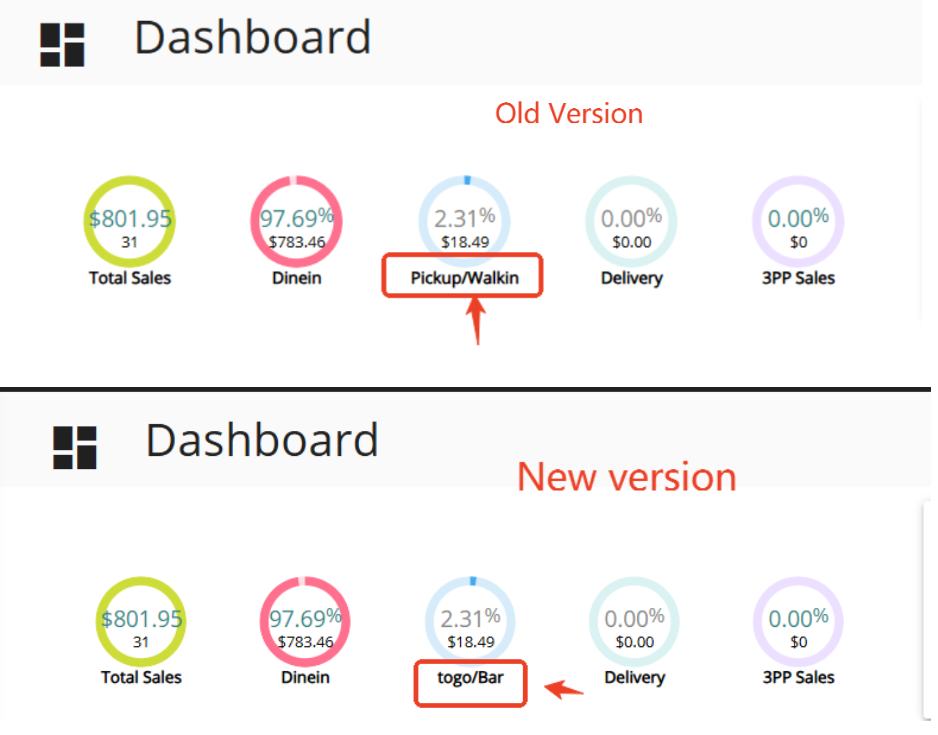
In the reporting dashboard, the Takeout section displays the combined total of Walk-in and Pickup orders. In the old version, if the names for these order types have been customized, the dashboard will not display the updated names accordingly. This issue has been fixed in the new version. [Ticket #190999]
- In the previous version, auto email reports were sent multiple times to the same email address within an hour. This occurred for both sending email 3 hours after the extend hour and sending at customized sending times. This issue has been resolved in the new version. [Ticket #193002 #193029]
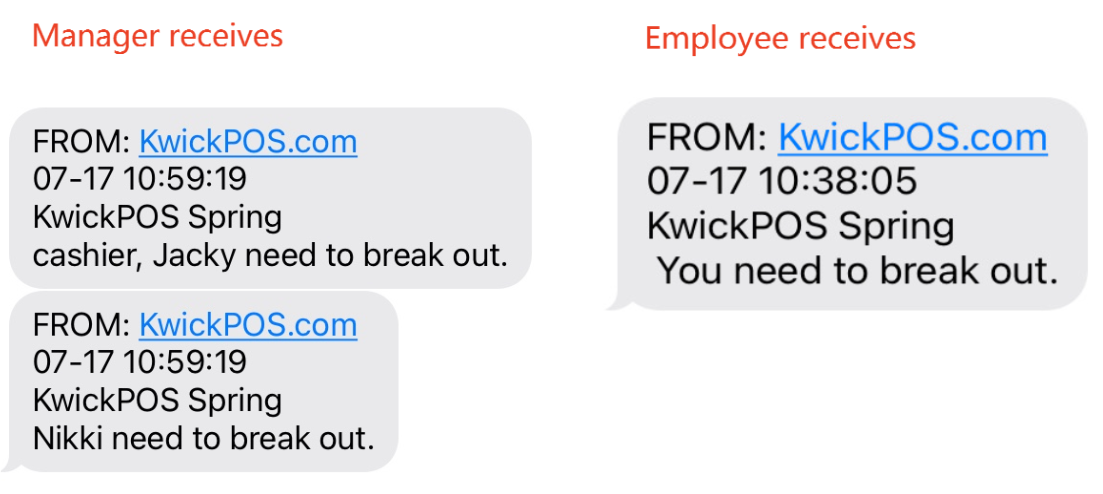
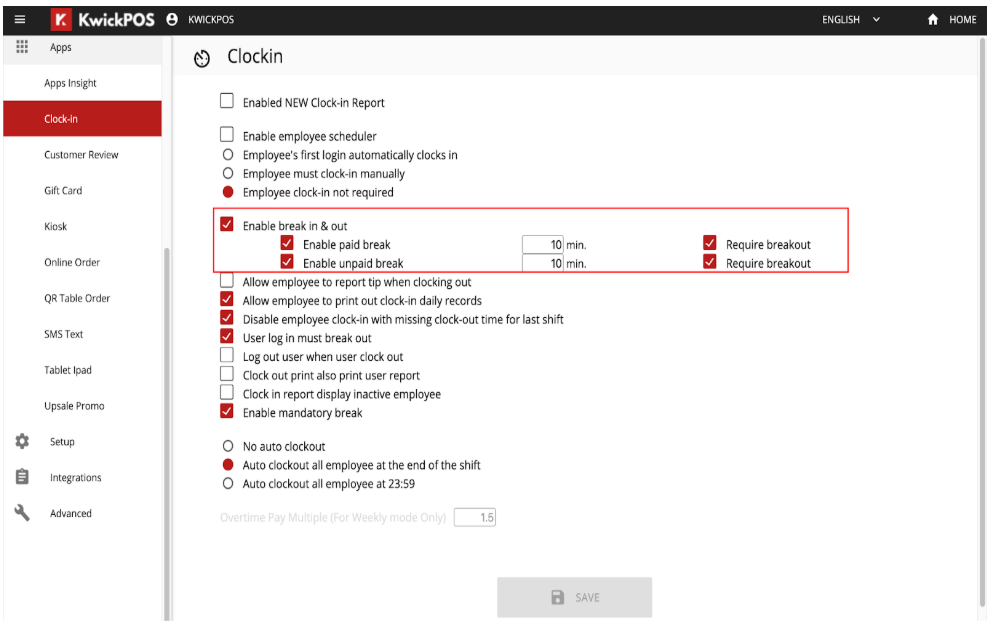
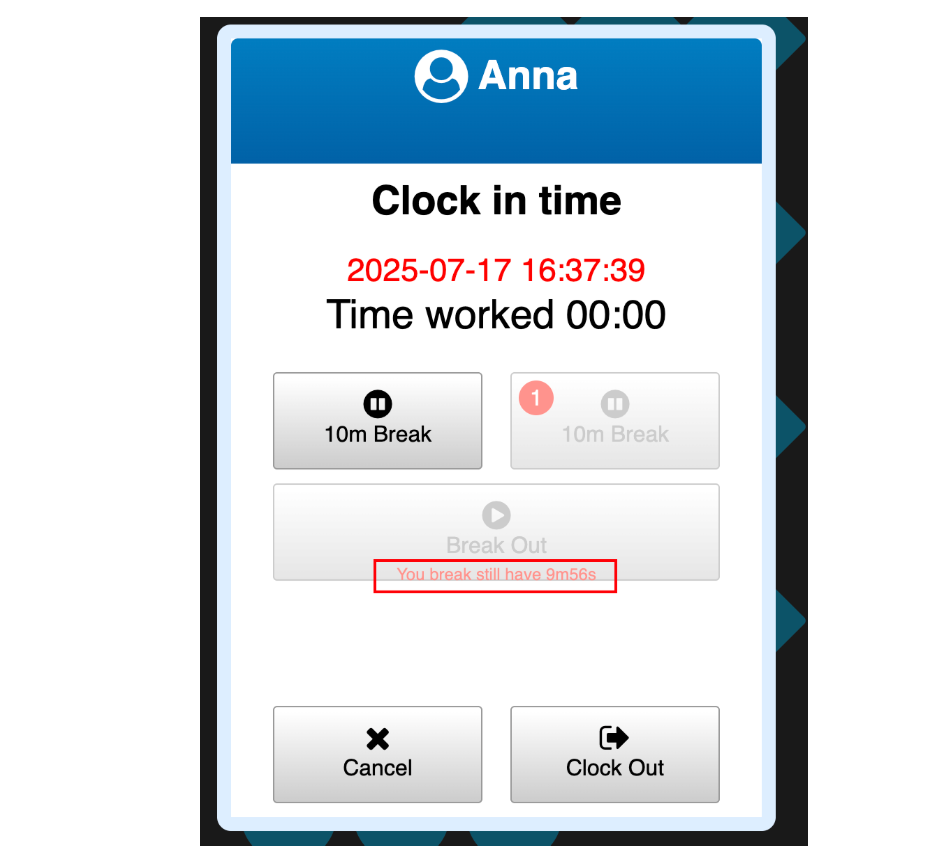
In the new version, we added a new function: If an employee does not break out on time, the system will send a reminder SMS to both the manager and the employee.
Steps to setup:
- In Employees > Users > Edit, select Real Time Alerts > Break In/Out SMS(This alert setting is available under manager / owner users only)
- In Employees > Users > Edit, set phone number for both manager and employee who need to receive alert messages
- In Apps > Clock-in, set Enable break in & out, Enable paid/unpaid break, and select Require breakout
When selling multiple gift cards with a $0 amount but bonus value only, the system either prevented access to the payment page or allowed only one gift card to be processed. This issue has been resolved in the new beta version. [Ticket #191177]
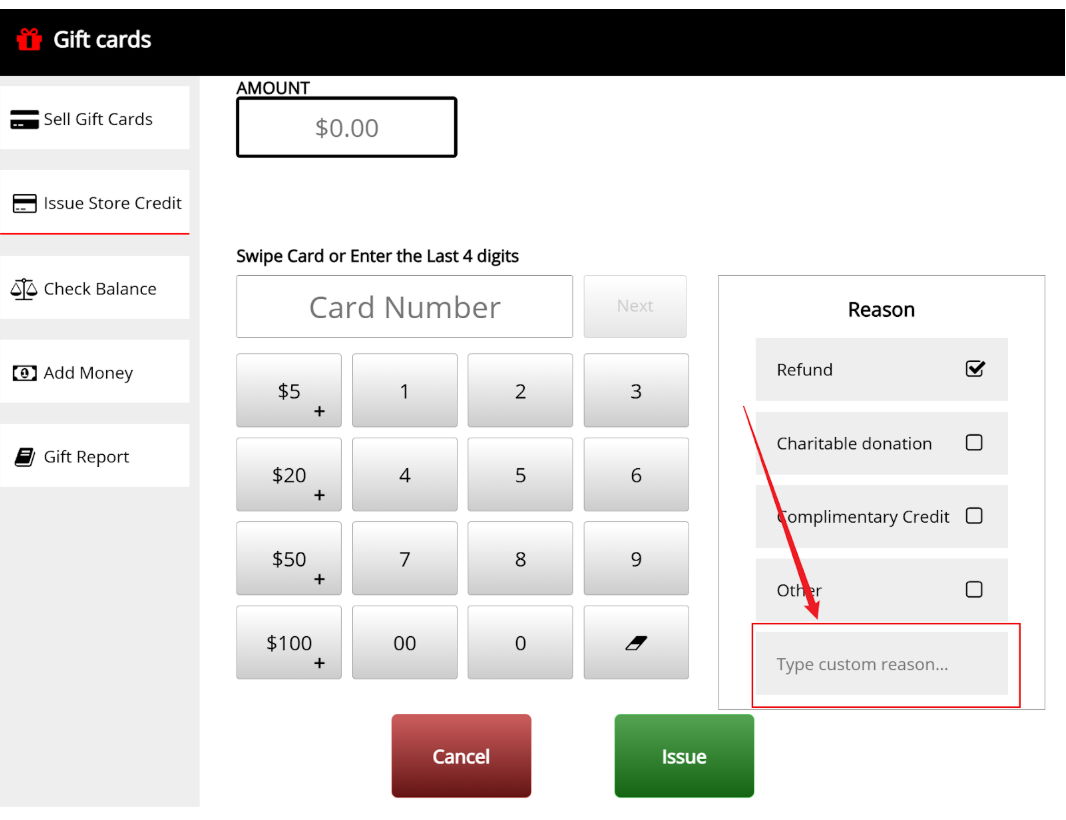
In this new version, merchants can input custom reasons when issuing store credit to the gift cards. [Ticket# 183653]
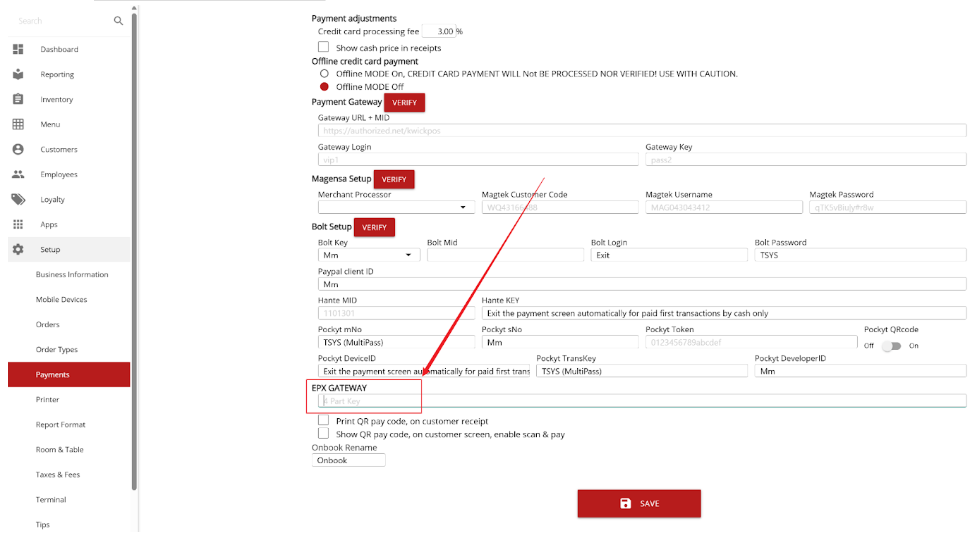
- With EPX token in set up > payment >credit setting > EPX gateway, Pax machine can void and recharge.
- In this new version, merchants can enforce a mandatory break duration in the system. Time period can be set up in New Backoffice > Apps > Clock in. [Ticket# 181802]
- In the previous version, when multiple users use the scanner to input products into inventory at the same time, one user’s submission causes the page to refresh for others. This bug is fixed in the new version. [Ticket# 187403]
- In the previous version, modifiers in backoffice had duplicate display ids. This bug has been fixed.
- In the previous version, when use new loyalty program redeems an item that has a local modifier, it will create a new item, instead of redeem that item, in the current version, we fixed it.
- In the previous version, when we used the price tool to adjust price, if that item name had ' symbol, it would cause the enter fail, in the current version, we fixed it.[Ticket# 190114]
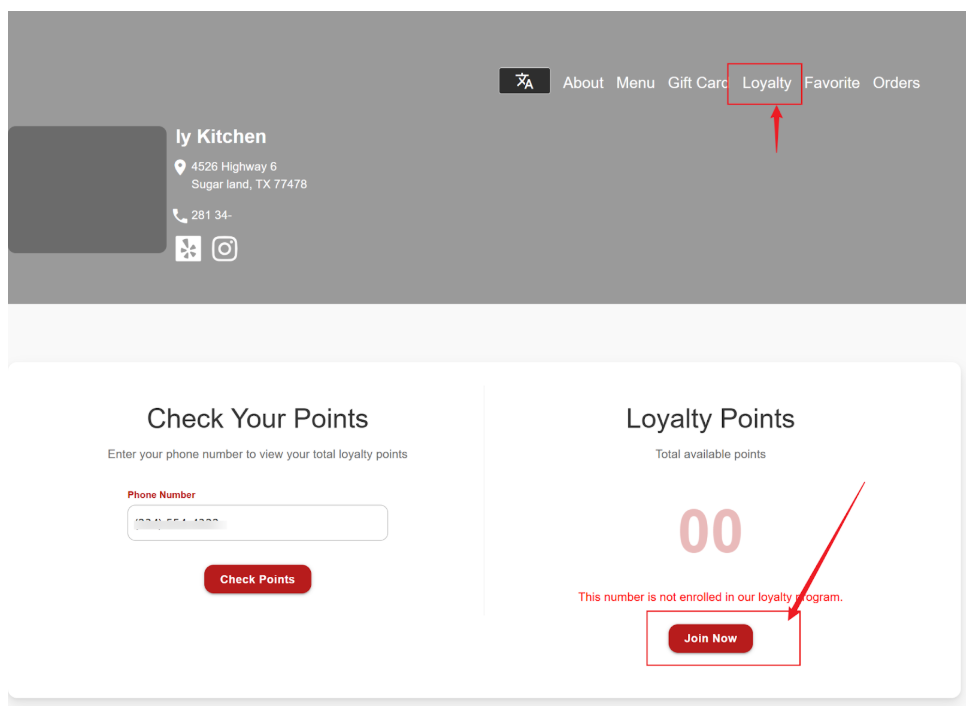
In the new version, we will provide a QR code for joining the loyalty program in backoffice > loyalty > setting > Join Loyalty QR Code Generate, will redirect user to online join loyalty program, please refer to Online Other #2 [Ticket #180097]
In this new version, merchants can use the return tool to process multiple returns. However, this only applies to cash payments and MagTek card payments. For MagTek card payments, the first return can be processed either to the original card or as cash. Any subsequent returns must be done in cash.[Ticket #178178]
In this new version, using the open tab and running transactions, a pop up window will ask for signature on MageneFlex.[Ticket #191365]
In the previous version, when E-receipt was set to Yes, the button would become greyed out after the order was closed, making it unclickable. In the new version, the E-receipt button remains enabled even after the order is paid, allowing it to be used post-payment.[Ticket #193093]
In the previous version, if the "Manual Bump Ticket off KDS/PDS" option was enabled under Setup > Orders > KDS, clicking the "X" button to remove tickets would not close the tickets as expected—the tickets would reappear on the KDS/PDS after a refresh. This issue has been fixed in the new version. [Ticket #193908]
A new setting Setup > Misc > Hide Skip Tip When Using 2nd Display has been added. When enabled, the "Skip Tip" option will be hidden from the main display during payment (when using the second display) [Ticket #193984]
In the new waiting list, when you unseat a table, if that ticket is empty, then it will be void automatically.
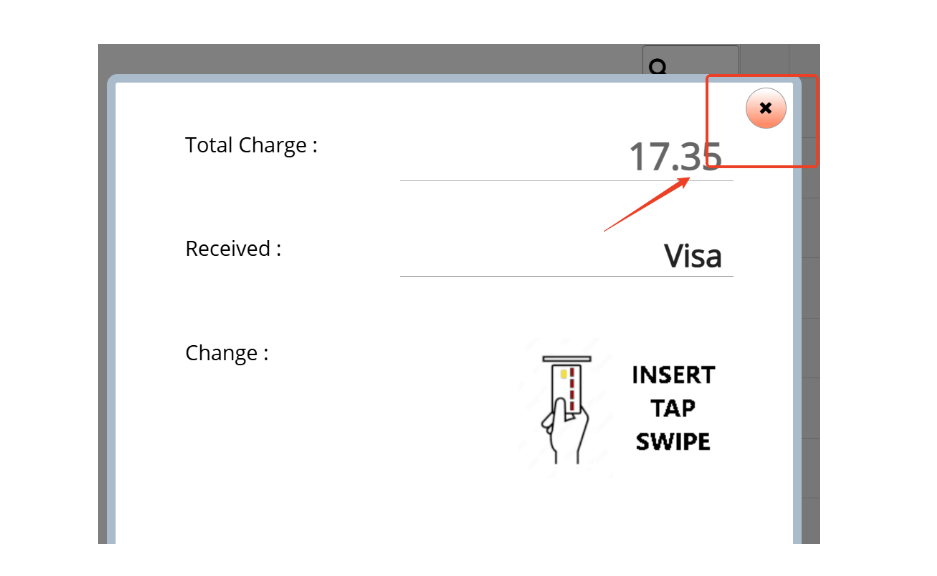
In the new version, when paying with a card on the payment page, if there is no response for more than 60 seconds, an "X" button will appear in the top-right corner of the panel. This allows the user to either cancel the current payment or close the page.
- In this new version, customers will be able to join the loyalty program online, but POS must have a version later than 2025/07/23.
- In the previous version, when the online payment type had the digital wallet method, the online default tip didn't work. This bug has been fixed.
Our 24/7 support team can walk you through it.
Call (888) 355-6996