Restaurant Software in Montreal
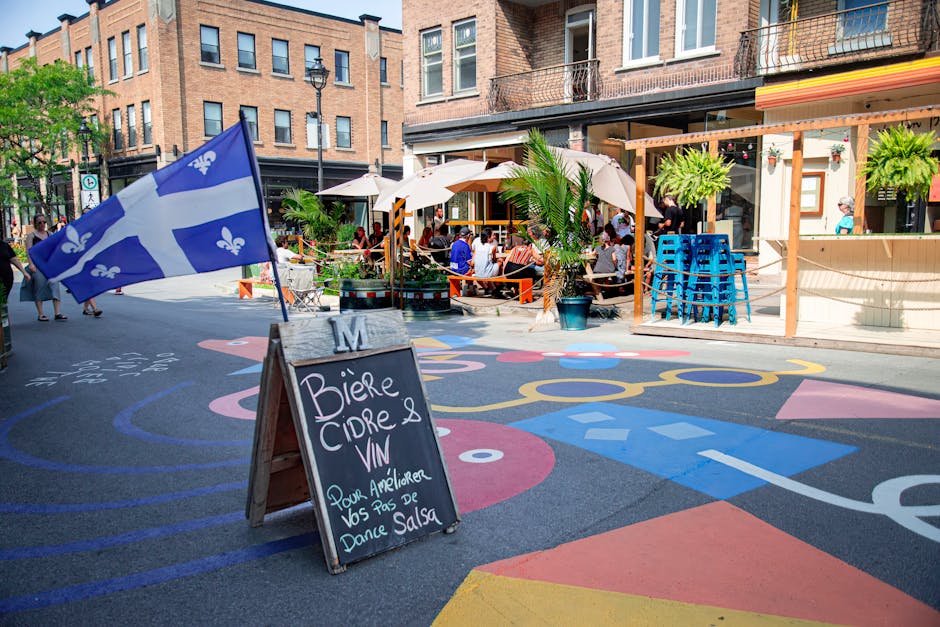
Montreal: Your Restaurant's Success, Powered by KwickPOS
Montreal's culinary landscape is a vibrant tapestry woven from classic French traditions, innovative fusion cuisine, and a deep love for local ingredients. From the poutine palaces of the Plateau Mont-Royal to the upscale dining experiences in Old Montreal, and the bustling ethnic eateries of Park Extension, a restaurant's success hinges on efficiency, adaptability, and a deep understanding of its clientele. The short, intense summer patio season followed by long, harsh winters presents unique challenges, requiring a POS system that can handle fluctuating customer volumes, adapt to seasonal menus, and remain reliable even during power outages caused by winter storms. We at KwickPOS understand these nuances, and we’ve designed our restaurant software with Montreal's unique demands in mind.
KwickPOS: Built for Montreal Restaurants
We know that choosing the right POS system is critical for streamlining operations and maximizing profitability. That's why KwickPOS offers features specifically tailored to the needs of Montreal's diverse restaurant scene. Here are three key differentiators that set us apart:
1. Unwavering Reliability with Offline Mode
Montreal's weather can be unpredictable. Ice storms, heavy snow, and even summer thunderstorms can knock out power and internet connectivity. For restaurants, this can mean lost sales and frustrated customers. Our offline mode ensures that your restaurant can continue operating smoothly even when the internet is down.
- How it works: KwickPOS stores transaction data locally on your device. You can continue taking orders, processing payments (if using a compatible offline payment terminal), and managing your kitchen operations without interruption.
- Montreal example: Imagine your restaurant in Little Burgundy is packed on a Saturday night when a sudden power outage hits. With KwickPOS, you can still take orders, print receipts, and keep your kitchen running while your competitors are scrambling to figure out what to do. Once the power is restored, the data automatically syncs to the cloud, ensuring that your reports are always accurate.
2. Seamless Bilingual Interface for Montreal's Diversity
Montreal is a bilingual city, and your POS system should be too. KwickPOS offers a fully bilingual interface, allowing your staff to switch between English and French with ease.
- Why it matters: This ensures clear communication between staff members, reduces errors, and provides a more welcoming experience for your customers. Whether you're serving up smoked meat sandwiches on Saint-Laurent Boulevard or offering fine dining in Westmount, KwickPOS caters to your diverse clientele.
- Montreal example: A server in a busy restaurant in the Quartier des Spectacles can easily switch between English and French to take orders from tourists and locals alike, ensuring accurate order entry and minimizing misunderstandings. The system can also print receipts and kitchen tickets in the customer's preferred language.
- Accessibility: Our KwickOS platform ensures seamless management of your restaurant from anywhere, in either language.
3. Freedom of Choice with Processor Independence
Unlike some POS systems that lock you into using their proprietary payment processor, KwickPOS gives you the freedom to choose the processor that best suits your needs and budget.
- Why it matters: This allows you to negotiate better rates and avoid hidden fees. You can work with a local Montreal payment processor you trust, or choose a national provider that offers the best terms.
- Montreal example: A small cafe in Mile End can shop around for the best credit card processing rates from local Montreal providers, saving potentially thousands of dollars per year compared to being locked into a proprietary system. This flexibility is crucial for maintaining profitability in a competitive market. We also offer excellent payment processing options directly, so you can choose what is best for your bottom line.
KwickPOS vs. The Competition: A Transparent Comparison
We believe in transparency and honesty. Here's a comparison of KwickPOS to some of the other popular POS systems used in Montreal:
| Feature | KwickPOS | Toast | Square | Clover |
|---|---|---|---|---|
| Offline Mode | Yes (Full functionality) | Limited (Requires specific hardware) | No | Yes (Limited functionality) |
| Bilingual Interface | Yes (Full interface) | Limited (Menu only) | No | No |
| Processor Choice | Yes | No (Toast Payments only) | No (Square Payments only) | Limited (Approved processors only) |
| Hardware Flexibility | High (Android-based, wide range of devices) | Limited (Specific Toast hardware) | Limited (Square hardware) | Limited (Clover hardware) |
| Pricing | Competitive, transparent | Can be expensive with add-ons | Simple, but transaction fees can add up | Can be expensive with add-ons |
| Strengths | Offline mode, bilingual, processor choice | Restaurant-focused features, strong reporting | Easy to use, good for small businesses | Wide range of hardware options |
| Weaknesses | Newer brand recognition | Processor lock-in, hardware costs | Limited features for complex operations | Processor limitations, can be expensive |
While Toast offers robust restaurant-specific features and Square provides a simple entry point for very small businesses, KwickPOS stands out with its critical offline functionality, fully bilingual interface, and the freedom to choose your payment processor – all features particularly valuable for Montreal restaurants. Clover offers a wide range of hardware, but their processor restrictions and potential costs can be limiting. We encourage you to explore a Request Demo and see KwickPOS in action.
KwickPOS May Not Be Right For You If…
We want you to make an informed decision. KwickPOS is a powerful and versatile system, but it's not for everyone. Here are a few scenarios where KwickPOS might not be the best fit:
- You only need a very basic payment processing solution: If you're a small food truck that only accepts cash and a few credit card transactions per day, Square might be a simpler solution. However, if you plan to grow, KwickPOS offers more scalability.
- You're committed to using Toast's specific hardware ecosystem: While KwickPOS offers a wide range of compatible Android-based hardware, if you're already deeply invested in Toast's hardware ecosystem and are happy with their payment processing terms, switching might not be worth it.
- You don’t need offline functionality: If you have extremely reliable internet and power and are not concerned with downtime, other systems may suffice. However, given Montreal's weather patterns, we highly recommend offline functionality.
Serving Montreal's Diverse Neighborhoods
KwickPOS is proud to serve restaurants across Montreal, from the historic streets of Old Montreal to the trendy eateries of Griffintown. Here are just a few of the neighborhoods we serve:
- Old Montreal: From fine dining establishments serving classic French cuisine to cozy cafes offering croissants and coffee, KwickPOS helps Old Montreal restaurants manage their operations efficiently. Our Gift Cards and Loyalty Program features can help attract and retain customers in this tourist-heavy area.
- Plateau Mont-Royal: Known for its eclectic mix of restaurants, including poutine joints, bagel shops, and international cuisine, the Plateau requires a flexible POS system. KwickPOS's Online Ordering capabilities are essential for catering to the Plateau's takeout-friendly culture.
- Mile End: This trendy neighborhood is home to innovative restaurants and cafes. KwickPOS helps Mile End establishments manage their menus, track inventory, and streamline their operations. Consider using our Self-Ordering Kiosk to speed up service during peak hours.
- Little Italy: This vibrant neighborhood is known for its authentic Italian restaurants. KwickPOS helps Little Italy restaurants manage their tables, track orders, and provide excellent customer service.
- Griffintown: This rapidly developing neighborhood is home to upscale restaurants and bars. KwickPOS helps Griffintown establishments manage their high volume of customers, track sales, and generate detailed reports.
- Downtown Montreal: This bustling area is home to a wide variety of restaurants, from fast food chains to fine dining establishments. KwickPOS helps downtown restaurants manage their diverse menus, track inventory, and streamline their operations.
- Saint-Henri: With its mix of traditional diners and modern bistros, Saint-Henri restaurants can benefit from KwickPOS’s adaptability and feature set, especially the Kitchen Display System for smooth order flow.
KwickPOS Features: Powering Your Restaurant's Success
KwickPOS is packed with features designed to streamline your operations, improve customer service, and boost your bottom line. Here are some of the key features:
- Order Management: Easily take orders, modify items, and split bills.
- Table Management: Manage your tables efficiently, track seating times, and optimize table turnover.
- Inventory Management: Track your inventory in real-time, receive low-stock alerts, and manage your vendors.
- Reporting & Analytics: Generate detailed reports on sales, inventory, and customer behavior.
- Employee Management: Track employee hours, manage payroll, and control access permissions.
- Customer Relationship Management (CRM): Build customer profiles, track purchase history, and send targeted marketing campaigns.
- Online Ordering: Integrate with your website and social media to offer online ordering to your customers via KwickMenu.
- Kitchen Display System (KDS): Streamline your kitchen operations with a digital KDS that displays orders in real-time.
- Payment Processing: Accept all major credit cards, debit cards, and mobile payment options.
- Loyalty Program: Reward your loyal customers with points, discounts, and other perks.
- Gift Cards: Sell and redeem gift cards to attract new customers and boost sales.
- Self-Ordering Kiosk: Allow customers to place their own orders at a kiosk, reducing wait times and freeing up staff.
Getting Started with KwickPOS in Montreal
Ready to experience the KwickPOS difference? Here's how to get started:
- Request a Demo: Schedule a personalized demo with one of our product specialists to see KwickPOS in action and learn how it can benefit your restaurant.
- Choose Your Hardware: Select the hardware that best suits your needs, from tablets and touchscreen terminals to printers and barcode scanners. We can guide you through the selection process.
- Customize Your System: Configure your menus, pricing, and settings to match your restaurant's specific needs.
- Training & Support: Our team will provide comprehensive training and ongoing support to ensure that you get the most out of KwickPOS.
- Go Live: Start using KwickPOS to streamline your operations and improve your customer service. We also have a great Partner Program for those who would like to resell our products.
KwickPOS 2026: AI-Powered Features for Montreal Restaurants
Customer Reservation & Waitlist Management
Long wait times on busy nights mean lost customers. KwickPOS's reservation system lets customers book tables online through KwickMenu — pick a date, time, and party size. The system manages table assignments automatically and sends confirmation plus reminder notifications. During peak hours, switch to waitlist mode: customers scan a QR code to join the queue, see their position in real-time, and get notified when their table is ready. VIP members can get priority seating or reserved tables. Turn "wait frustration" into "organized experience."
Automatic Purchasing & Inventory Replenishment
KwickPOS tracks inventory consumption in real-time using recipe-level ingredient mapping. When stock hits your preset threshold, the system auto-generates a purchase order based on projected demand for the next 3 days. Review it, approve with one tap, and it's sent to your supplier. When delivery arrives, scan to receive — the system auto-verifies quantities and prices against the PO. Discrepancies flagged instantly. This cuts purchasing admin from 2 hours to 15 minutes daily.
Smart Employee Scheduling
Overstaffing burns money. Understaffing burns customers. KwickPOS's scheduling system analyzes your historical traffic patterns — down to the hour — and recommends optimal staffing levels for every shift. Employees submit availability via a mobile app, and the system auto-generates schedules that balance coverage needs with labor costs. Clock-in/clock-out with fingerprint or facial recognition (no buddy punching), automatic overtime calculation, and real-time labor cost monitoring. Many restaurants save $500-$1,500/month just by eliminating scheduling inefficiency.
POS-Integrated Scale — Weigh and Price in One Step
BBQ duck by the pound, live lobster by weight, hot pot ingredients by the ounce — many Chinese restaurants price items by weight. KwickPOS connects directly to commercial scales: place the item, weight reads into POS automatically, price calculates instantly. Supports pricing by pound, by liang (两), or by kilogram. Eliminates manual entry errors and speed up checkout for weight-based items.
AI Voice Ordering — Just Say It
Imagine a customer sitting down and simply saying: "One Kung Pao Chicken, one Egg Drop Soup, two bowls of rice." KwickPOS's AI voice ordering system recognizes the speech in English or Chinese, matches menu items, and generates the order — no server needed, no touchscreen required. For elderly customers who struggle with self-service kiosks, voice ordering is a game-changer. For busy parents juggling kids, speaking is ten times faster than browsing a menu. This isn't future tech — KwickPOS makes it available today.
Digital TV Menu Boards — Every Screen Sells for You
Replace static paper menus and basic menu boards with dynamic digital displays. KwickPOS's TV menu system showcases stunning food imagery, real-time pricing, and promotional highlights on your restaurant's screens. Content switches automatically — lunch combos during the day, dinner specials in the evening, happy hour drinks at 5 PM. Update prices or menu items from the back office and every screen updates instantly. The system even integrates with your POS data: overstocked items get promoted more heavily, items running low quietly fade from the display.
Tableside Payment & NFC
Traditional checkout: customer asks for the check → server walks to POS → prints bill → brings it back → takes payment → runs to terminal → returns with receipt. Five trips, 5-8 minutes per table during rush hour. KwickPOS tableside payment: server handles everything at the table with a handheld tablet — swipe, tap (Apple Pay, Google Pay, Samsung Pay via NFC), or scan QR code. Total time: 30 seconds. Or place a payment terminal right on the table for customer self-checkout. Faster table turns = more revenue per night.
Frequently Asked Questions (Montreal Edition)
Here are some frequently asked questions from Montreal restaurant owners:
- Q: How does KwickPOS handle the Quebec Sales Tax (QST) and Goods and Services Tax (GST)?
- A: KwickPOS is fully compliant with Quebec's tax regulations. You can easily configure the system to automatically calculate and apply the correct QST and GST rates to your sales.
- Q: Can KwickPOS integrate with my existing accounting software, such as QuickBooks?
- A: Yes, KwickPOS integrates with popular accounting software like QuickBooks, allowing you to seamlessly transfer your sales data and simplify your accounting processes.
- Q: Does KwickPOS offer support in both English and French?
- A: Absolutely! Our support team is fluent in both English and French and can provide assistance via phone, email, or chat.
- Q: How does KwickPOS handle different tipping practices in Montreal?
- A: KwickPOS allows you to customize your tipping options to suit Montreal's tipping culture. You can set default tip percentages, allow customers to enter custom tip amounts, and easily distribute tips among your staff.
- Q: What type of hardware is compatible with KwickPOS, especially considering Montreal's harsh winters and potential for power outages?
- A: KwickPOS is compatible with a wide range of Android-based hardware. We recommend ruggedized tablets and terminals that can withstand the rigors of a busy restaurant environment. For power outages, we recommend using a UPS (Uninterruptible Power Supply) to keep your hardware running temporarily, allowing you to continue operating in offline mode. We can advise on the best hardware options for your specific needs.
Ready to transform your Montreal restaurant with KwickPOS? Call us today at (888) 355-6996 to learn more!