Online Ordering for Restaurants in Toronto
Toronto's Evolving Restaurant Scene: Embracing Online Ordering with KwickPOS
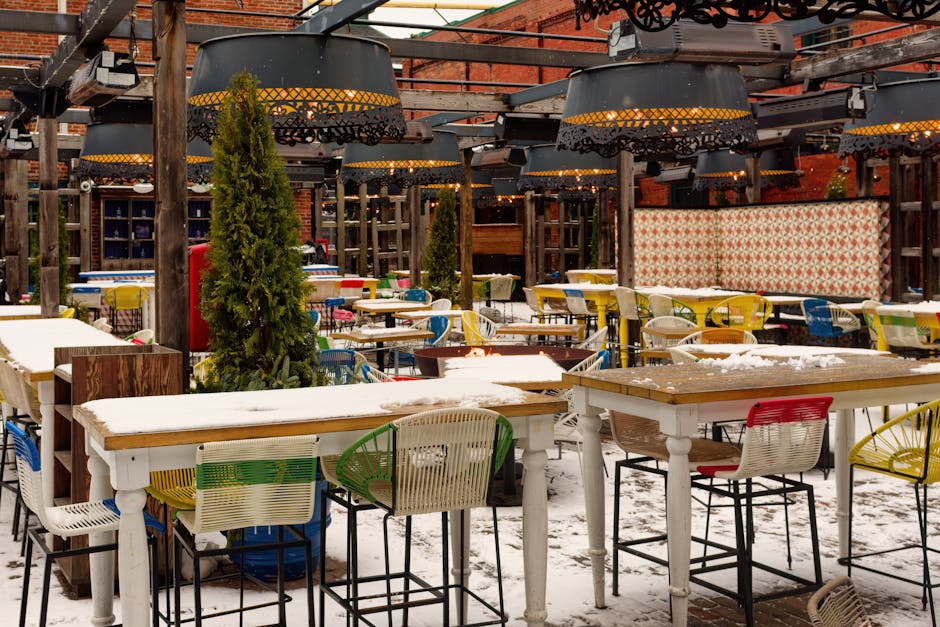
Toronto's culinary landscape is a vibrant tapestry, woven with influences from every corner of the globe. From the bustling dim sum houses of Chinatown to the trendy bistros of Yorkville, and the late-night shawarma joints in Greektown, the city's diverse population demands a diverse range of dining experiences. The past few years have presented unique challenges, accelerating the adoption of online ordering and delivery services. Toronto restaurants, known for their resilience and innovation, are now seeking robust and reliable solutions to thrive in this new reality. The brief summer patio season, the long, cold winters, and the increasingly unpredictable weather patterns all underscore the need for a seamless online ordering system that can handle fluctuating customer traffic, whether it's a flood of patio orders on a sunny day or a surge in takeout during a snowstorm. We understand these nuances, and KwickPOS is designed with Toronto's unique restaurant needs in mind. Our Online Ordering solution integrates directly with our POS to ensure smooth order flow.
KwickPOS: Built for Toronto Restaurants
We know you have choices when it comes to POS systems. Here's what sets KwickPOS apart, especially for restaurants operating in Toronto:
1. Uninterrupted Service: Offline Mode is a Must-Have
Toronto's aging infrastructure and occasional power outages (especially during winter storms) can cripple restaurants relying on cloud-based systems. Imagine a busy Saturday night in Kensington Market, the power goes out, and your entire operation grinds to a halt. With KwickPOS's offline mode, you can continue taking orders, processing payments (if using a compatible payment terminal with offline capabilities), and keeping your kitchen running smoothly. This is crucial for maintaining customer satisfaction and minimizing revenue loss during unexpected disruptions. Cloud-based systems can be great when things work, but Toronto restaurants need the assurance of knowing they can still operate even when the internet and power grid don't cooperate.
2. Bilingual Interface: Catering to Toronto's Diversity
Toronto is one of the most multicultural cities in the world. Many restaurants in areas like Scarborough, North York, and Etobicoke serve a predominantly non-English speaking clientele. A bilingual interface, offering both English and another language (like Simplified Chinese, Tamil, Urdu, Italian, or Portuguese), empowers your staff to communicate effectively with all customers, regardless of their language proficiency. This not only improves order accuracy and customer service but also creates a more welcoming and inclusive environment. KwickPOS offers an easy-to-switch bilingual interface that can be customized based on your specific needs.
3. Processor Independence: Your Choice, Your Savings
Many POS systems lock you into using their proprietary payment processing services, often with hidden fees and inflated rates. We believe you should have the freedom to choose the payment processor that best suits your business needs. Whether you're using Moneris, Chase Paymentech, or another local provider, KwickPOS integrates seamlessly with a wide range of processors, allowing you to negotiate the best rates and save money on transaction fees. This is especially important for restaurants with high transaction volumes, such as those in the Entertainment District or around the Rogers Centre during sporting events. We don't take a cut of your transactions, which means more money stays in your pocket.
KwickPOS vs. the Competition: A Transparent Comparison
We believe in transparency. Here's an honest comparison of KwickPOS against some of the other popular POS systems in Toronto:
| Feature | KwickPOS | Toast | Square | Clover |
|---|---|---|---|---|
| Offline Mode | Yes | Limited (certain functions) | Limited (certain functions) | Limited (certain functions) |
| Bilingual Interface | Yes (Customizable) | No | No | Limited (requires apps) |
| Processor Independence | Yes | No (Mandatory Toast Payments) | No (Mandatory Square Payments) | Limited (often requires Fiserv) |
| Hardware Options | Flexible, works with various hardware | Limited to Toast hardware | Limited to Square hardware | Limited to Clover hardware |
| Initial Cost | Competitive, varies based on setup | Higher (hardware and software) | Lower (hardware), higher software | Mid-range (hardware and software) |
| Monthly Fees | Competitive, varies based on modules | Higher | Lower | Mid-range |
| Ease of Use | User-friendly, intuitive interface | Generally user-friendly | Very easy to use | Generally user-friendly |
| Reporting | Comprehensive reporting features | Robust reporting features | Basic reporting features | Decent reporting features |
| Strengths | Offline mode, bilingual support, processor independence, flexible hardware | Robust features, strong ecosystem | Simplicity, ease of setup | Integration with Fiserv, app market |
| Weaknesses | Less brand recognition than competitors | Processor lock-in, higher cost | Limited features, processor lock-in | Processor dependencies, app clutter |
Please note: This table provides a general overview and features may vary depending on specific plans and add-ons. Always confirm details with each provider.
KwickPOS May Not Be Right For You If...
We want to be upfront. KwickPOS isn't the perfect solution for every Toronto restaurant:
- You require highly specialized industry-specific features not commonly found in general POS systems. For example, if you run a very niche operation with unique requirements, a more specialized system might be a better fit.
- You are solely focused on the lowest possible upfront cost and are willing to sacrifice flexibility and long-term savings. While we offer competitive pricing, some providers might offer deeply discounted hardware in exchange for locking you into their processing services.
- You're a very small pop-up shop that only operates a few days per month and only processes a handful of transactions. In that case, a very basic mobile payment solution might suffice.
- You absolutely need a POS system with an extremely large and mature app marketplace for very specific integrations. While our KwickOS platform is constantly evolving, we may not have every single integration available compared to more established systems.
Serving Toronto's Diverse Neighborhoods
We're proud to support restaurants across Toronto, including:
- Downtown Core: From fine dining establishments near the CN Tower to quick-service restaurants catering to office workers, we help businesses manage high volumes and streamline operations. Our Kitchen Display System is perfect for keeping orders organized.
- Little Italy: Supporting the traditional trattorias and modern Italian eateries with features like table management and efficient order processing.
- Kensington Market: Helping eclectic cafes, vegan restaurants, and international food stalls manage diverse menus and cater to a diverse customer base. Our KwickMenu online ordering platform helps attract online orders.
- Greektown: Assisting the vibrant Greek restaurants with features like customer loyalty programs and efficient takeout ordering. Consider our Loyalty Program to boost repeat customers.
- Chinatown: Providing bilingual support and efficient order management for busy dim sum restaurants and traditional Chinese establishments.
- Leslieville: Serving the trendy cafes and brunch spots with features like online ordering and integrated payment processing.
- The Beaches: Supporting beachfront restaurants and cafes with reliable offline mode and flexible hardware options.
KwickPOS: Feature-Rich and Ready for Toronto
Here's a glimpse of what KwickPOS offers:
- Point of Sale (POS): Intuitive interface for fast and accurate order taking.
- Online Ordering: Seamless integration with your POS system for efficient order management.
- Table Management: Efficiently manage table availability and track customer orders.
- Inventory Management: Real-time tracking of ingredients and supplies to minimize waste.
- Customer Relationship Management (CRM): Build customer profiles and personalize marketing efforts.
- Reporting & Analytics: Gain insights into sales trends, popular menu items, and customer behavior.
- Employee Management: Track employee hours, manage permissions, and streamline payroll.
- Menu Management: Easily update menus, prices, and descriptions across all platforms.
- Payment Processing: Securely process credit card, debit card, and mobile payments.
- Kitchen Display System (KDS): Streamline kitchen operations and improve order accuracy.
- Loyalty Program: Reward repeat customers and encourage loyalty.
- Gift Cards: Increase revenue and attract new customers with our Gift Cards.
- Self-Ordering Kiosk: Reduce wait times and improve order accuracy with our Self-Ordering Kiosk.
Getting Started with KwickPOS in Toronto
- Request Demo: Schedule a personalized demo to see KwickPOS in action and discuss your specific needs.
- Consultation: We'll work with you to understand your restaurant's requirements and recommend the best solution.
- Setup & Training: Our team will handle the installation and configuration of your KwickPOS system, and provide comprehensive training for your staff.
- Ongoing Support: We offer ongoing technical support to ensure your KwickPOS system runs smoothly.
- Consider our Partner Program if you're an IT solutions provider.
KwickPOS 2026: AI-Powered Features for Toronto Restaurants
Customer Reservation & Waitlist Management
Long wait times on busy nights mean lost customers. KwickPOS's reservation system lets customers book tables online through KwickMenu — pick a date, time, and party size. The system manages table assignments automatically and sends confirmation plus reminder notifications. During peak hours, switch to waitlist mode: customers scan a QR code to join the queue, see their position in real-time, and get notified when their table is ready. VIP members can get priority seating or reserved tables. Turn "wait frustration" into "organized experience."
GPS Delivery Driver Management
If your restaurant runs its own delivery fleet, KwickPOS gives you Uber-level fleet management. Track every driver's location on a real-time map, see their current delivery status, and get accurate ETAs for each order. The system intelligently assigns orders based on driver proximity and route optimization — no more sending a driver across town when another one is two blocks away. Customers get automatic delivery progress notifications: "Your order has left the restaurant" → "Driver is 5 minutes away" → "Delivered." Professional delivery experience, fraction of the cost of third-party platforms.
Nail Salon & Beauty Industry Solution
KwickPOS isn't just for restaurants — our platform fully supports nail salons, spas, and beauty businesses. Manage service menus (not food menus), technician scheduling and commission tracking, appointment booking with specific technician selection, and membership packages (visit cards, monthly plans, annual packages, prepaid cards). If you operate both a restaurant and a beauty business, one KwickPOS platform manages both.
Tableside Payment & NFC
Traditional checkout: customer asks for the check → server walks to POS → prints bill → brings it back → takes payment → runs to terminal → returns with receipt. Five trips, 5-8 minutes per table during rush hour. KwickPOS tableside payment: server handles everything at the table with a handheld tablet — swipe, tap (Apple Pay, Google Pay, Samsung Pay via NFC), or scan QR code. Total time: 30 seconds. Or place a payment terminal right on the table for customer self-checkout. Faster table turns = more revenue per night.
Smart Employee Scheduling
Overstaffing burns money. Understaffing burns customers. KwickPOS's scheduling system analyzes your historical traffic patterns — down to the hour — and recommends optimal staffing levels for every shift. Employees submit availability via a mobile app, and the system auto-generates schedules that balance coverage needs with labor costs. Clock-in/clock-out with fingerprint or facial recognition (no buddy punching), automatic overtime calculation, and real-time labor cost monitoring. Many restaurants save $500-$1,500/month just by eliminating scheduling inefficiency.
Supplier Management — Control Your Supply Chain
Most restaurants juggle 10-15 suppliers — produce, meat, seafood, dry goods, beverages, supplies. Whose prices went up? Who shorted your last delivery? How much did you spend with each supplier this month? KwickPOS centralizes all supplier data: contact info, order history, price tracking, payment records. One-click price comparison across suppliers for any ingredient. Track on-time delivery rates and quality records. Combined with auto-purchasing, the entire procurement cycle goes digital.
Automatic Purchasing & Inventory Replenishment
KwickPOS tracks inventory consumption in real-time using recipe-level ingredient mapping. When stock hits your preset threshold, the system auto-generates a purchase order based on projected demand for the next 3 days. Review it, approve with one tap, and it's sent to your supplier. When delivery arrives, scan to receive — the system auto-verifies quantities and prices against the PO. Discrepancies flagged instantly. This cuts purchasing admin from 2 hours to 15 minutes daily.
Frequently Asked Questions (FAQs) for Toronto Restaurant Owners
- Q: Does KwickPOS integrate with popular Toronto delivery services like Uber Eats and DoorDash?
A: Yes, KwickPOS integrates with many popular third-party delivery services. This allows you to manage all your orders from a single platform, streamlining your operations and reducing errors. We understand the importance of these integrations in Toronto's competitive delivery market.
- Q: Can KwickPOS handle the complexities of Toronto's alcohol licensing regulations (e.g., Smart Serve certification)?
A: Yes, KwickPOS has features to help you comply with Toronto's alcohol licensing regulations, including prompts for age verification and integration with ID scanners.
- Q: What kind of support do you offer for Toronto-based restaurants, especially during peak hours on weekends?
A: We provide 24/7 technical support, including phone, email, and online chat. We understand that Toronto restaurants are busiest on weekends, so we have dedicated support staff available to assist you when you need it most. You can call us at (888) 355-6996.
- Q: Does KwickPOS offer solutions for managing patios during the summer months, such as splitting bills and tracking table turnover times?
A: Yes, KwickPOS offers robust table management features that are perfect for managing patios. You can easily split bills, track table turnover times, and manage server assignments to optimize your patio operations.
- Q: Is KwickPOS PCI compliant to ensure the security of customer data in Toronto?
A: Absolutely. KwickPOS is fully PCI compliant, ensuring the security of all customer data. We use encryption and other security measures to protect your customers' information and prevent fraud.