
Special Requests
Guides & How-Tos- Special Requests: Allows you to make special requests to an order like Add, More, Less, No, Only, Change, Side, Custom
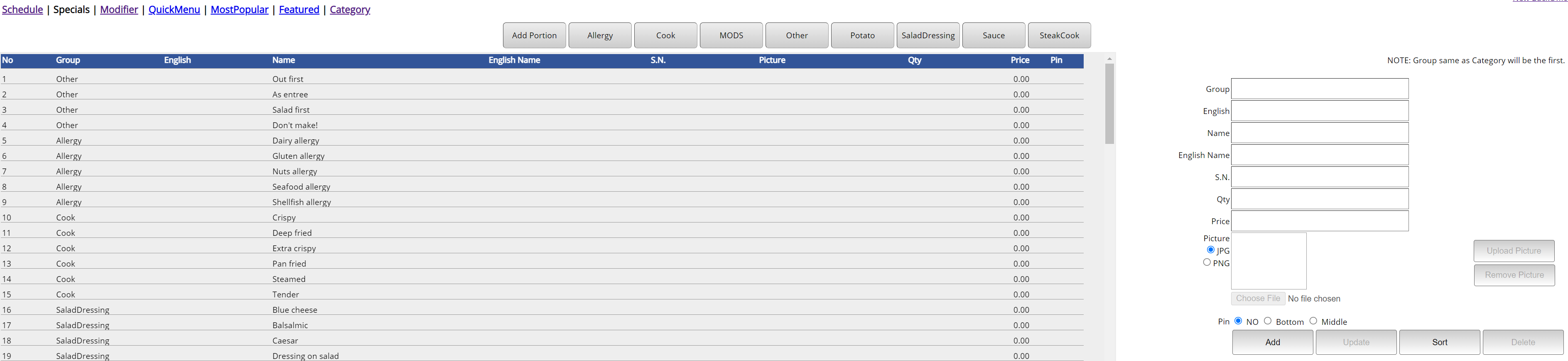
- Go to Tools->Back Office->Advanced->Menu->Specials
- Group: Group name of Special Requests. It must be all one word
- English: If you will change the language, write the Group Name in desired language
- Name: Name of the Special Request
- English Name: If you will change the language, write the Item Name in desired language
- S.N: Serial Number of the Item
- Qty: Quantity amount of Item
- Price: Price of Item
- Picture: Can upload a picture
- Sort: Sorts the Special Requests alphabetically
Still need a hand?
Our 24/7 support team can walk you through it.
Call (888) 355-6996