
Modify Print Ctrl
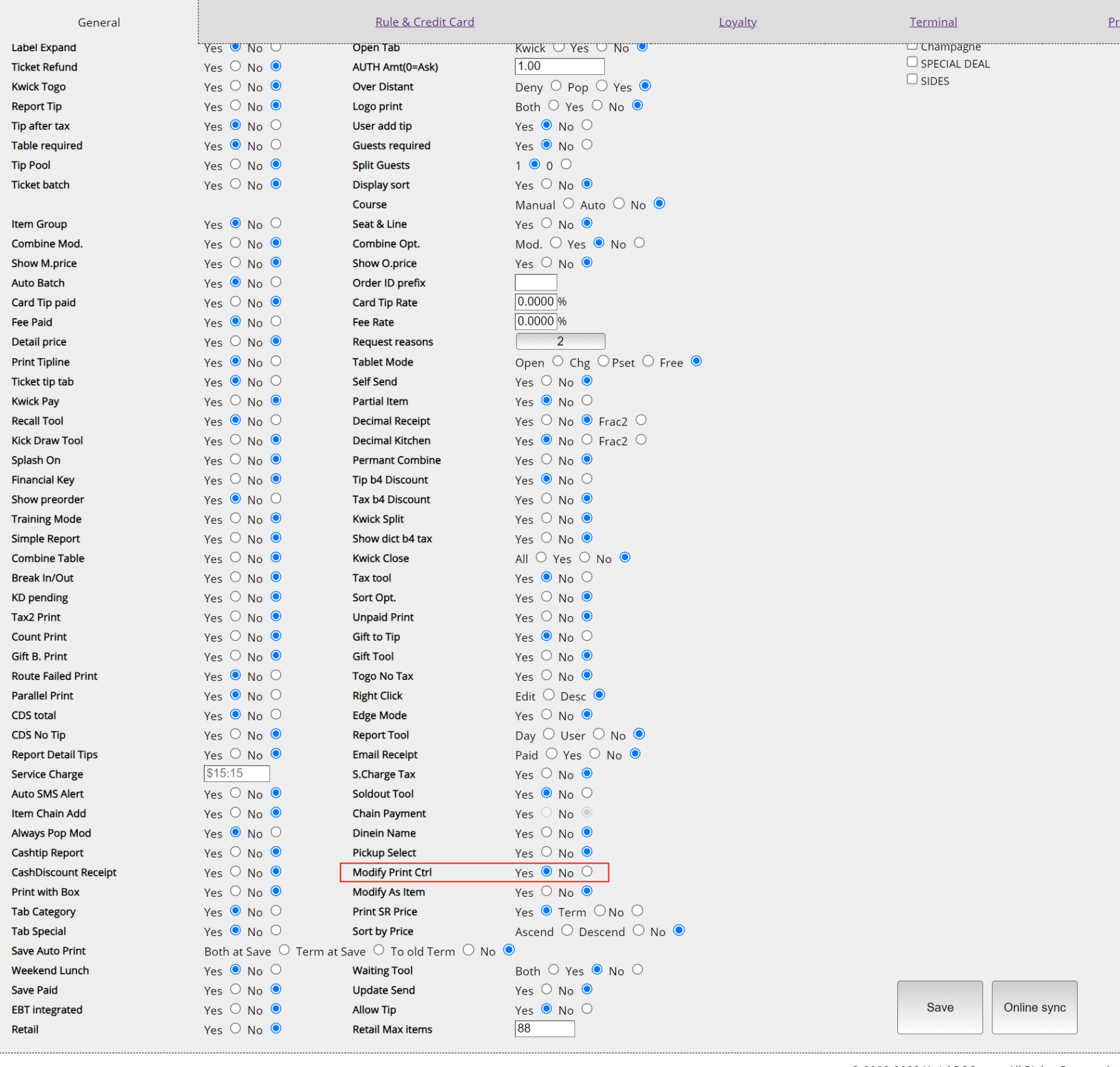
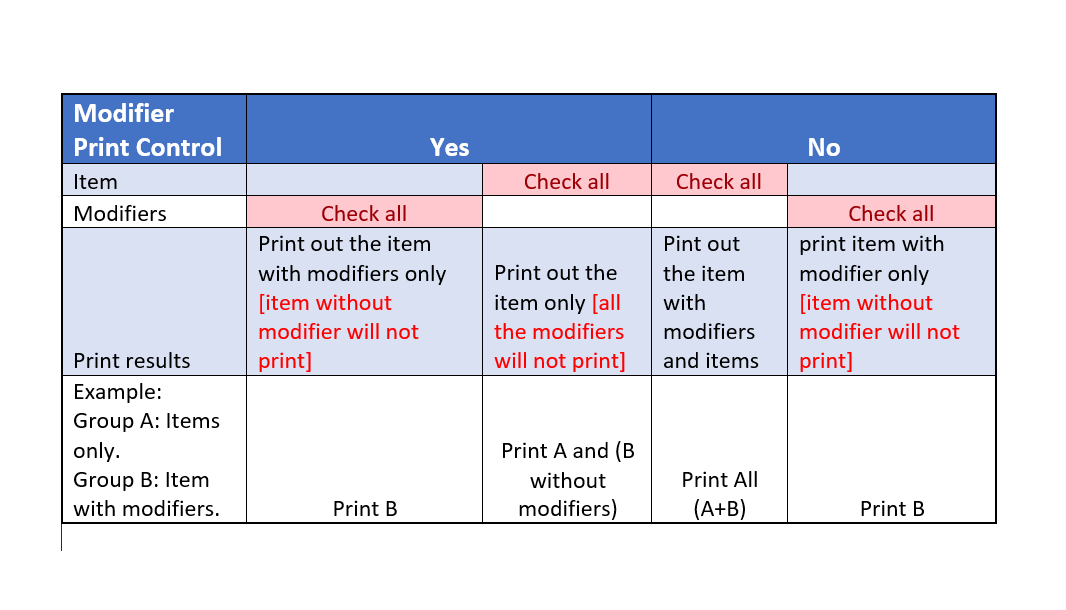
Menu & ItemsThis is a function using modifier to control the kitchen printer receipts. Enable it need go to Tools--> Back office--> Advanced--> General.
You need to go to the Tools--> Back office--> Setup --> Printer, choose a kitchen printer and edit it. Then go to the item selection of this printer to make it works.
Still need a hand?
Our 24/7 support team can walk you through it.
Call (888) 355-6996