
Day Sales Report
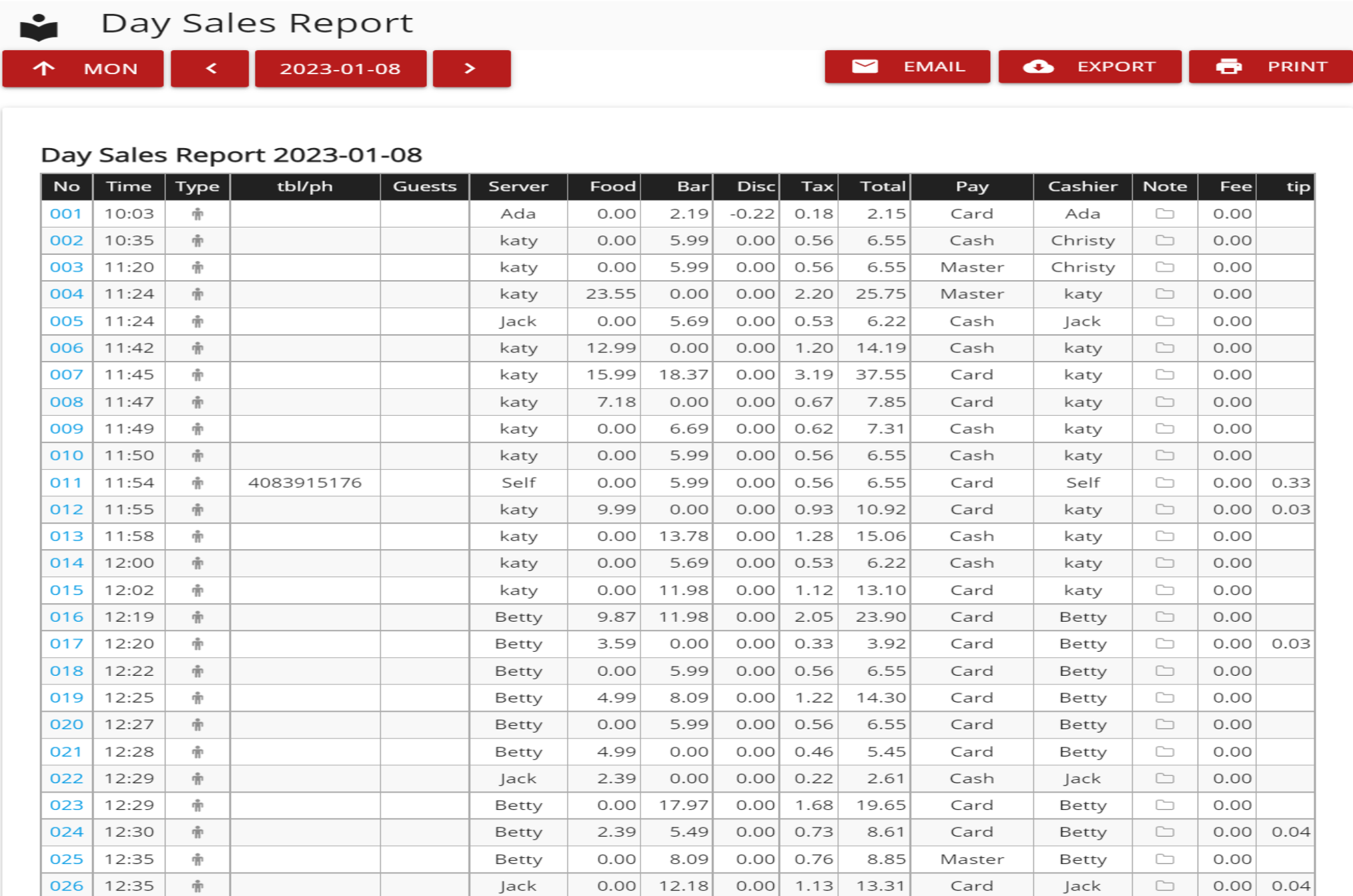
Reports- Lists all orders of the day and shows details including food sales, bar sales, taxes, total, payment types and tips.
- Open Day Sales Report: Go to Tools->Back Office->Reporting->Month Sales->Select Day
Still need a hand?
Our 24/7 support team can walk you through it.
Call (888) 355-6996