
Break In Report
ReportsUsed by employees:
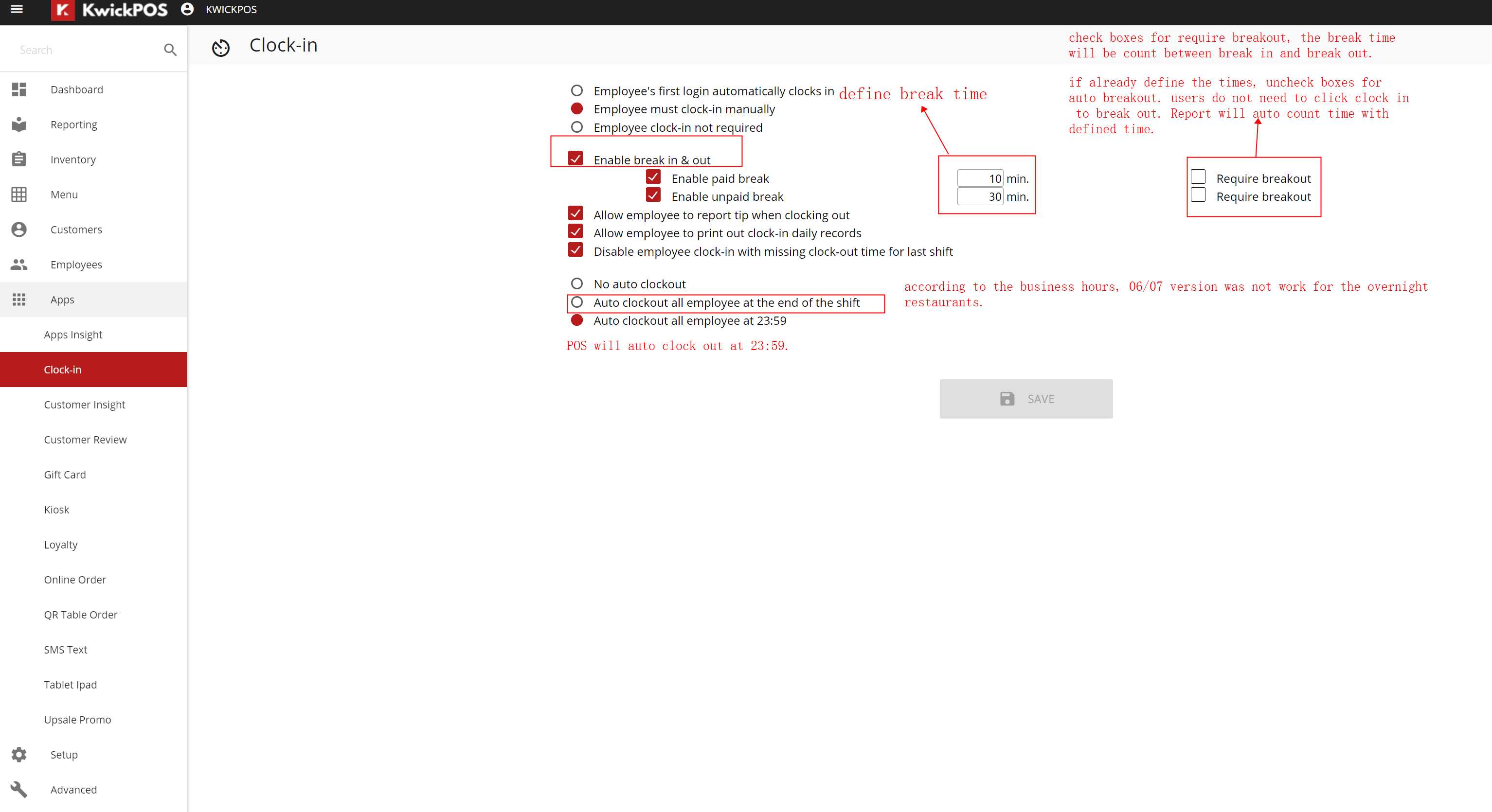
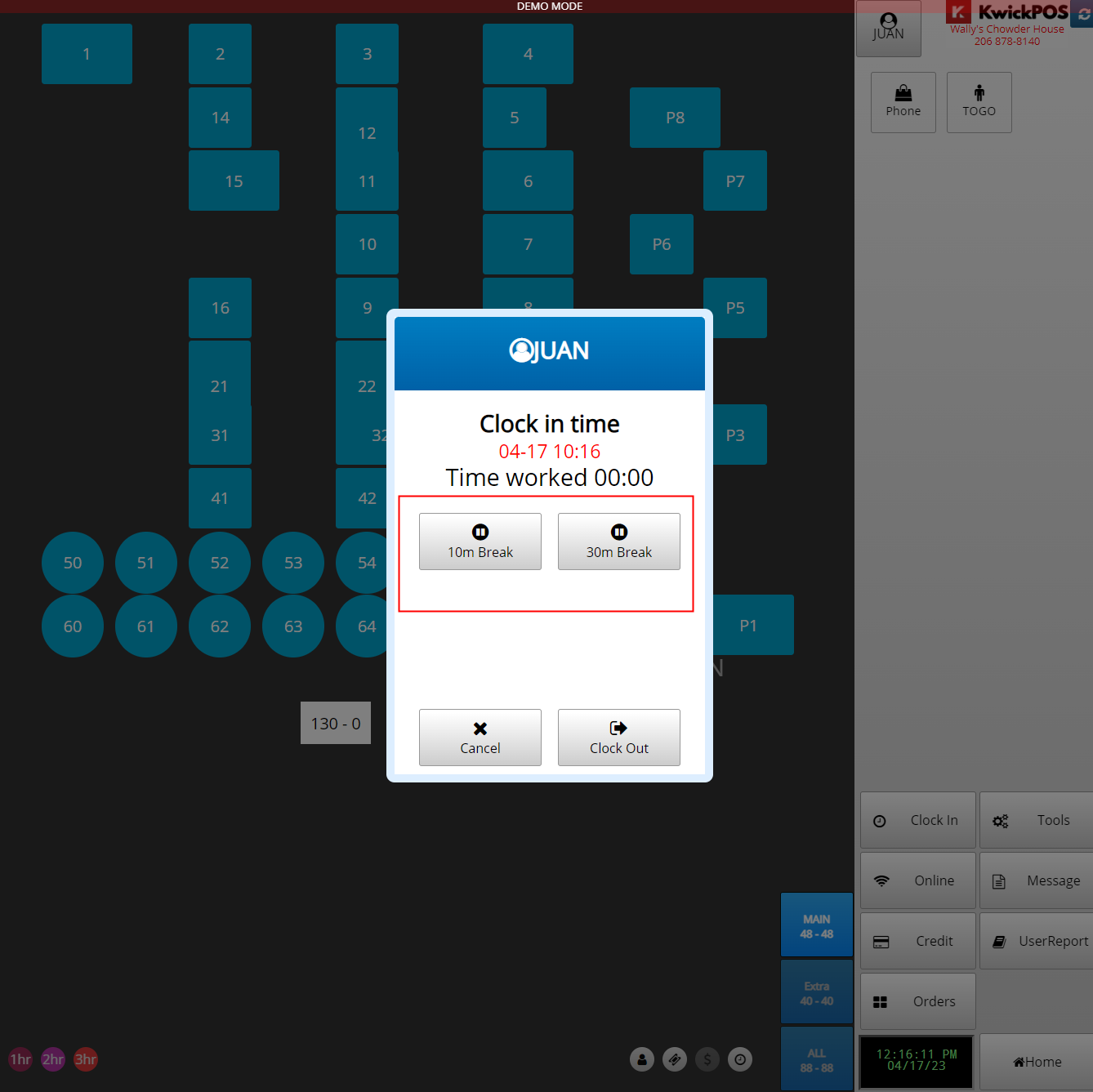
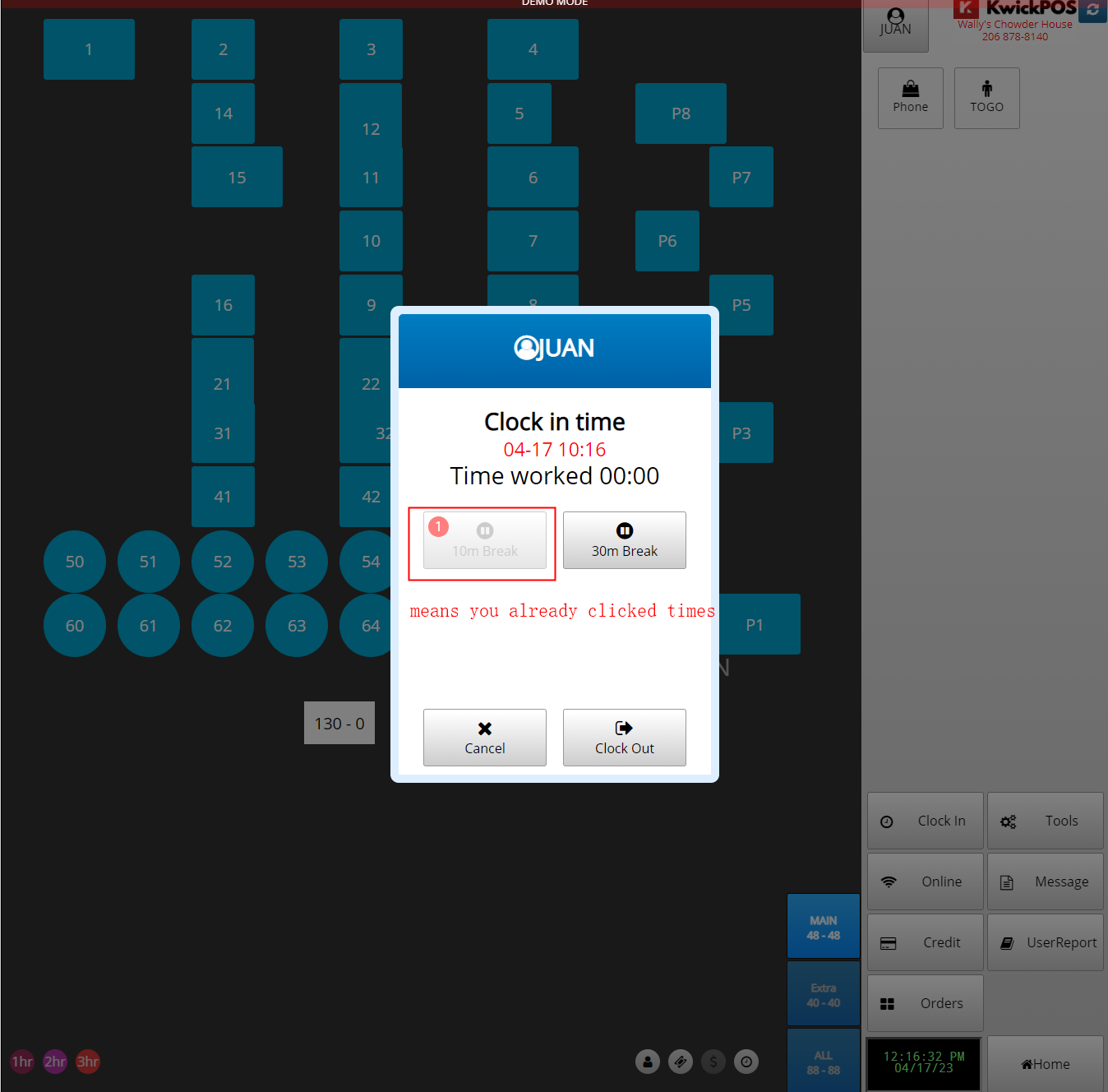
1. They only need to clock in, and when they need a break, they need to click break times, and the system will automatically report it.
2. They also need to click break out when they return to work after they click break in time.
Used by Manager:
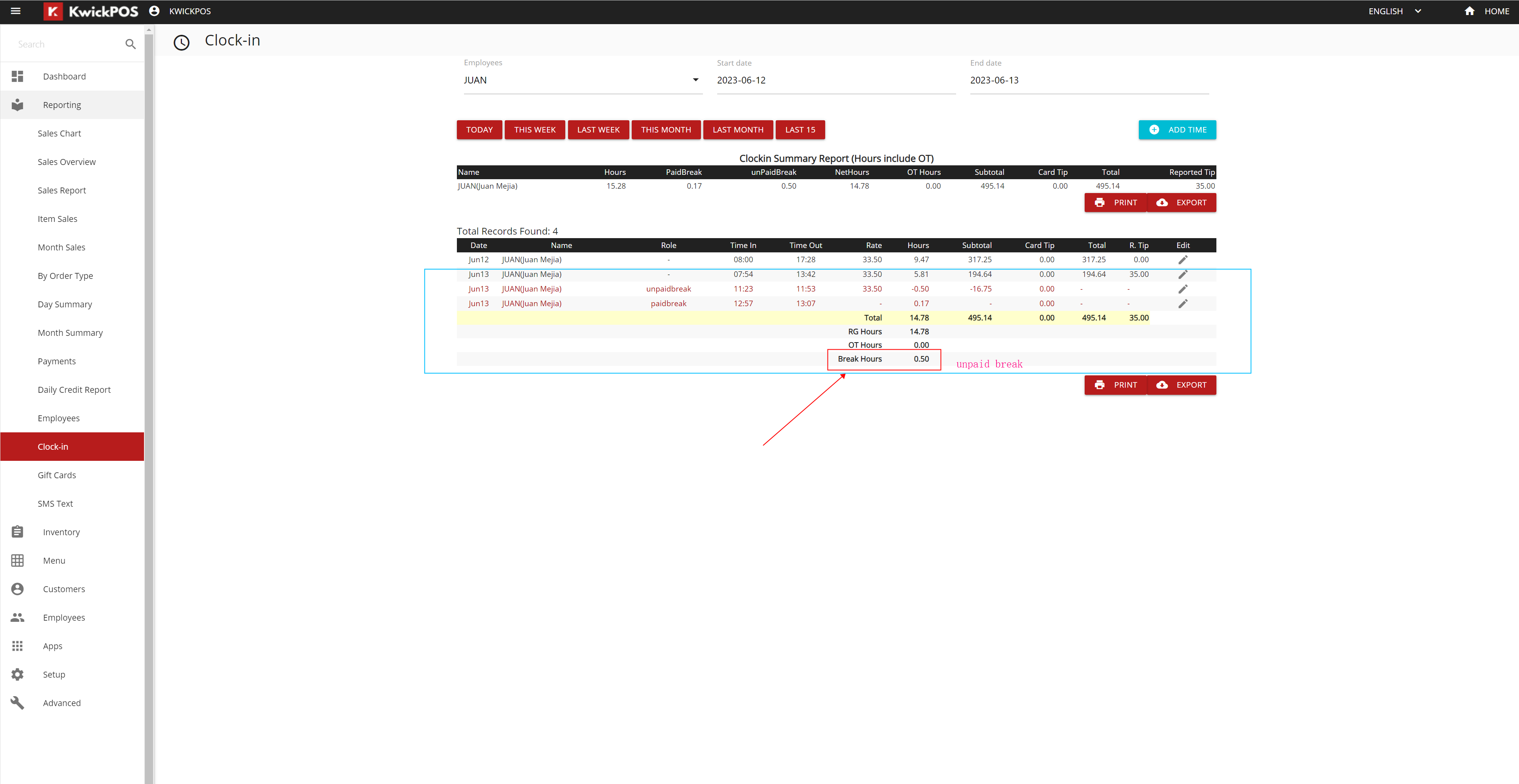
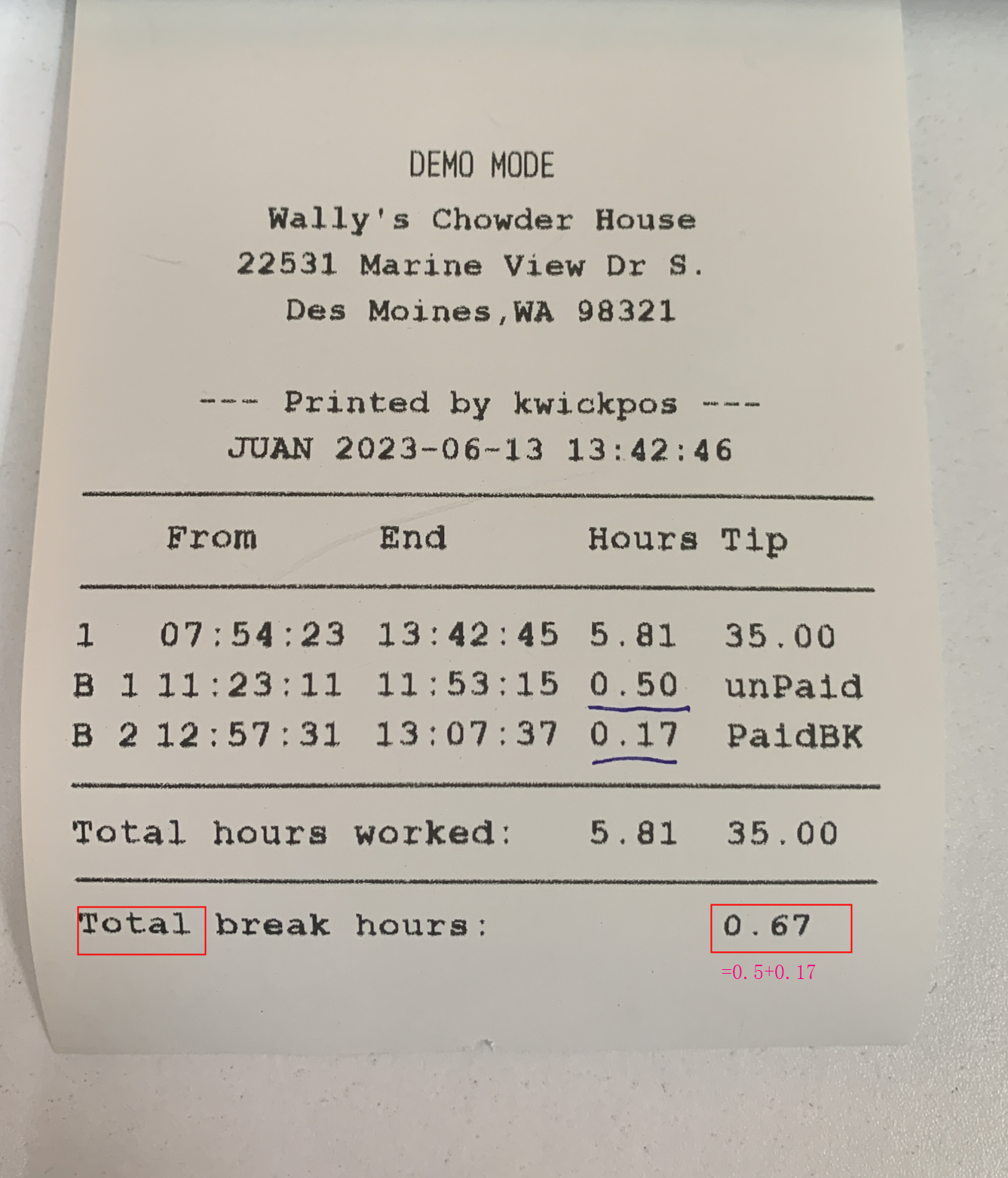
1. Managers can check the break-in and out time report in the clock in a summary report and individual summary report.
2. Managers can print out and export the Excel files for analysis and payroll.
Still need a hand?
Our 24/7 support team can walk you through it.
Call (888) 355-6996