
Release Notes 09/02/2026
Release NotesPOS:
Orders:
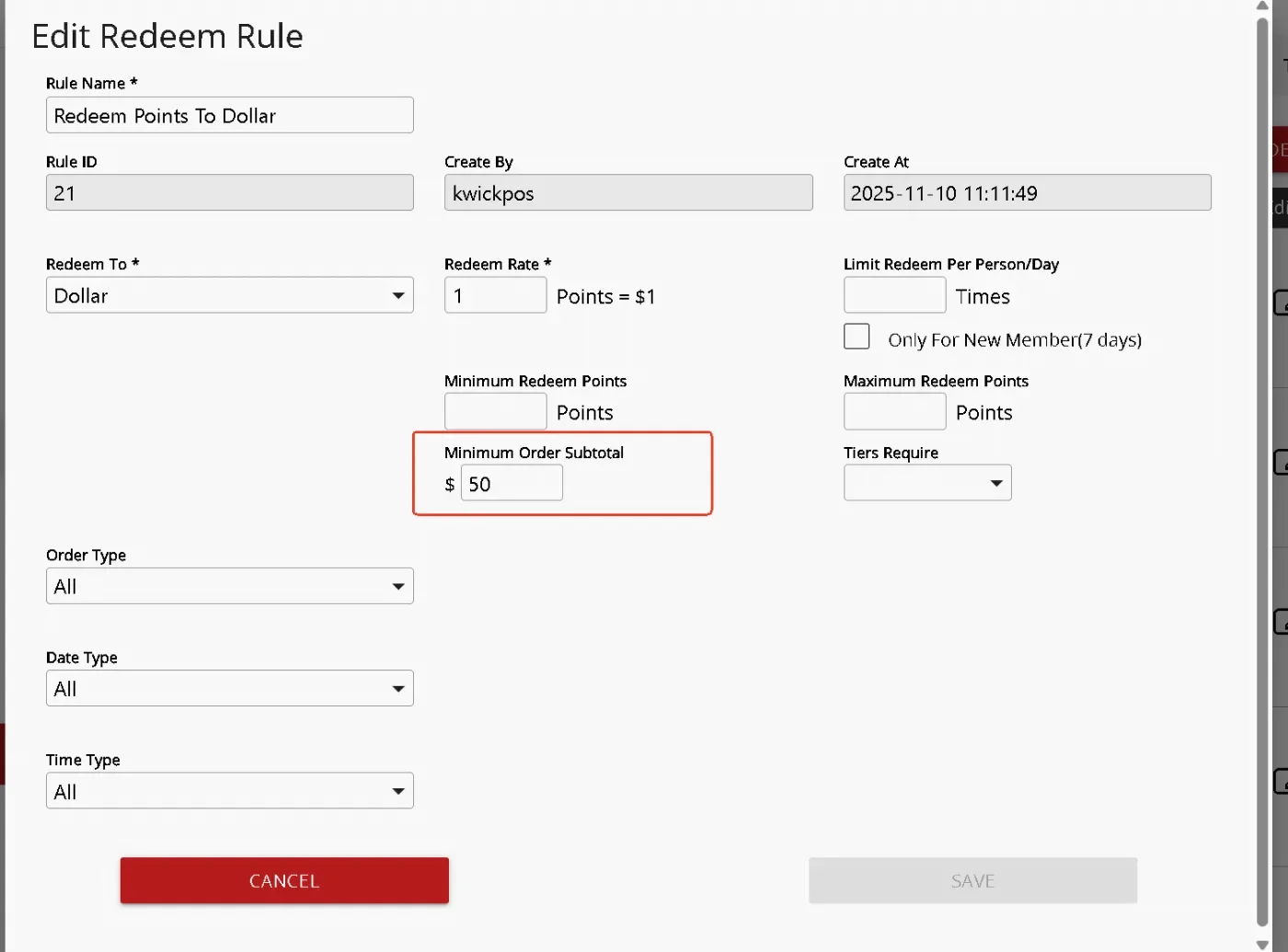
- In the new version, we added a Minimum Order Subtotal threshold for Loyalty Redeem Rule. Customers can only redeem the reward if the order subtotal reaches the configured minimum amount. This setting does not apply to online orders.[Ticket #142105]
Print:
- In the new version, when Setup > Payments > Credit Setting > Surcharge collected by PAX is enabled, debit card payments will not print credit surcharge fee or credit price on the receipt. [Ticket #346156]
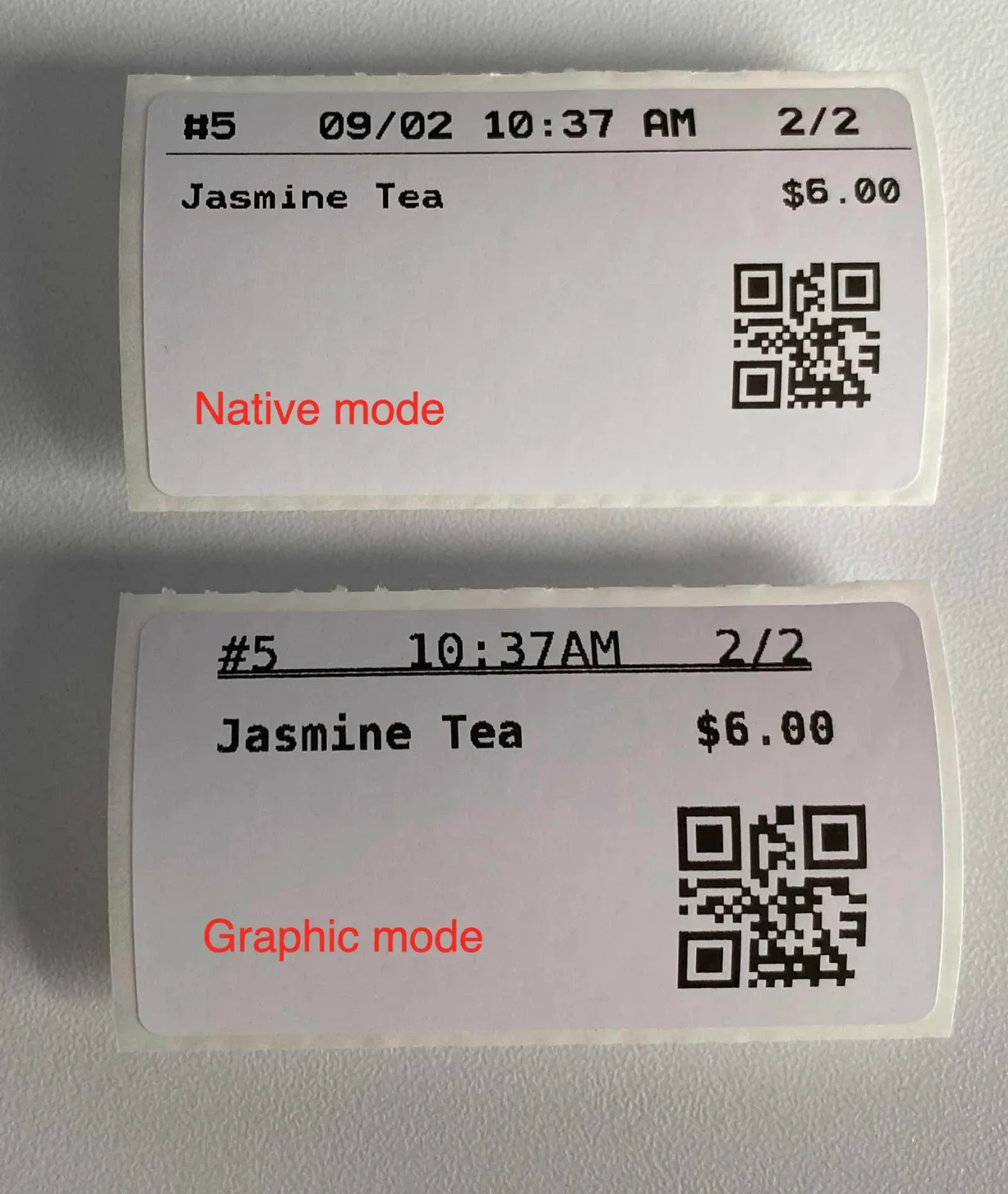
- In the new version, label printing now supports printing an SKU QR code using the item UPC code. This feature can be configured under Setup > Orders > Printing > Print SKU QR Code on Label. After the setting is enabled, items with a UPC code will print a QR code on Zebra label printer labels when these items are ordered.
- In the new version, users can hide free special requests on customer receipts while still printing paid special requests. This feature can be configured under Setup > Order > Printing > Do Not Print Free Special Requests and requires Setup > Order > Printing > Do Not Print SR on Customer Receipt to be enabled. [Ticket #337071]
- In the previous version, when printing an order with multiple items, each item was printed on a separate label, but labels starting from the second item could print blank. In the new version, this issue has been fixed so all labels print correctly. [Ticket # 341168]
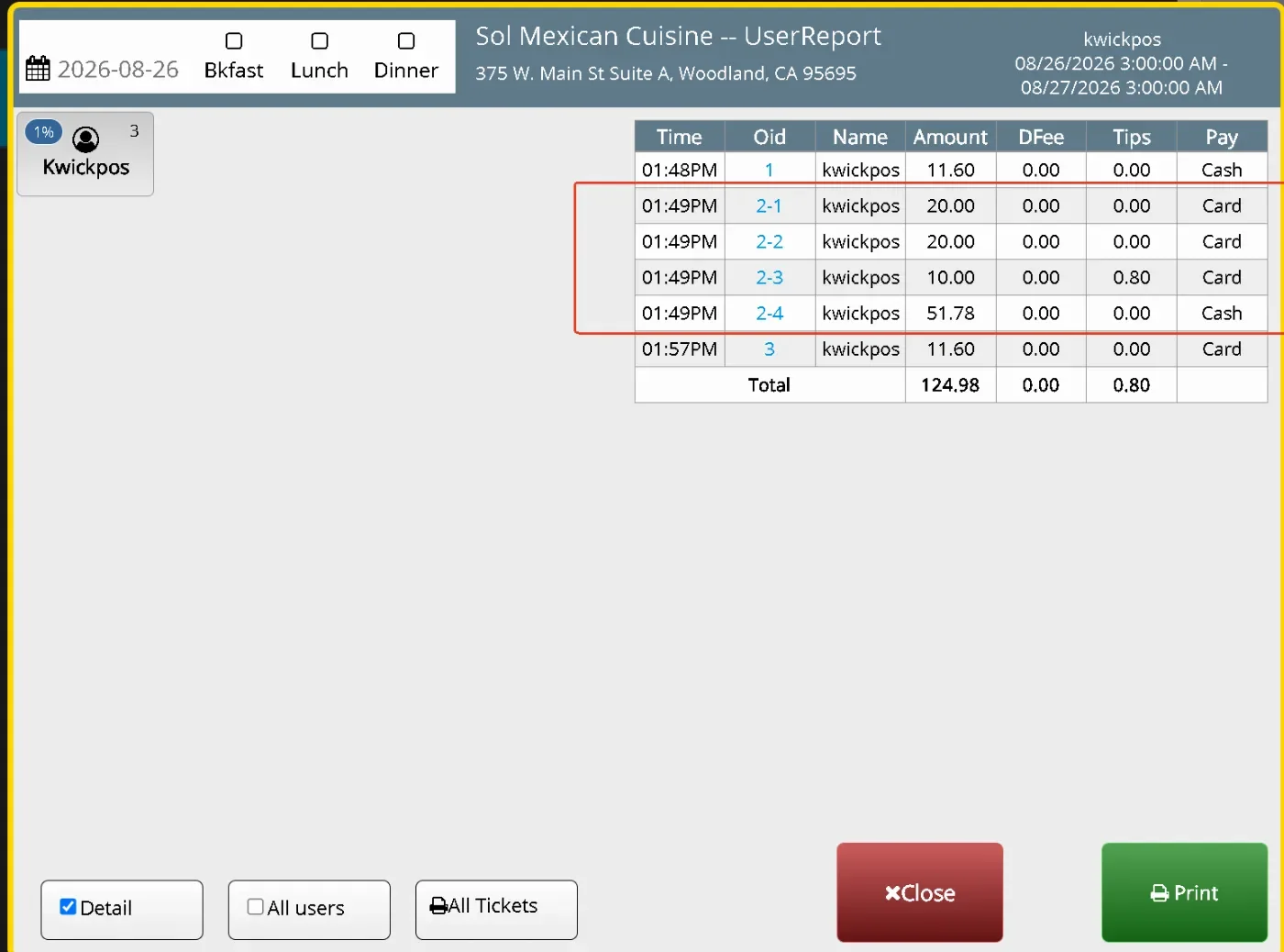
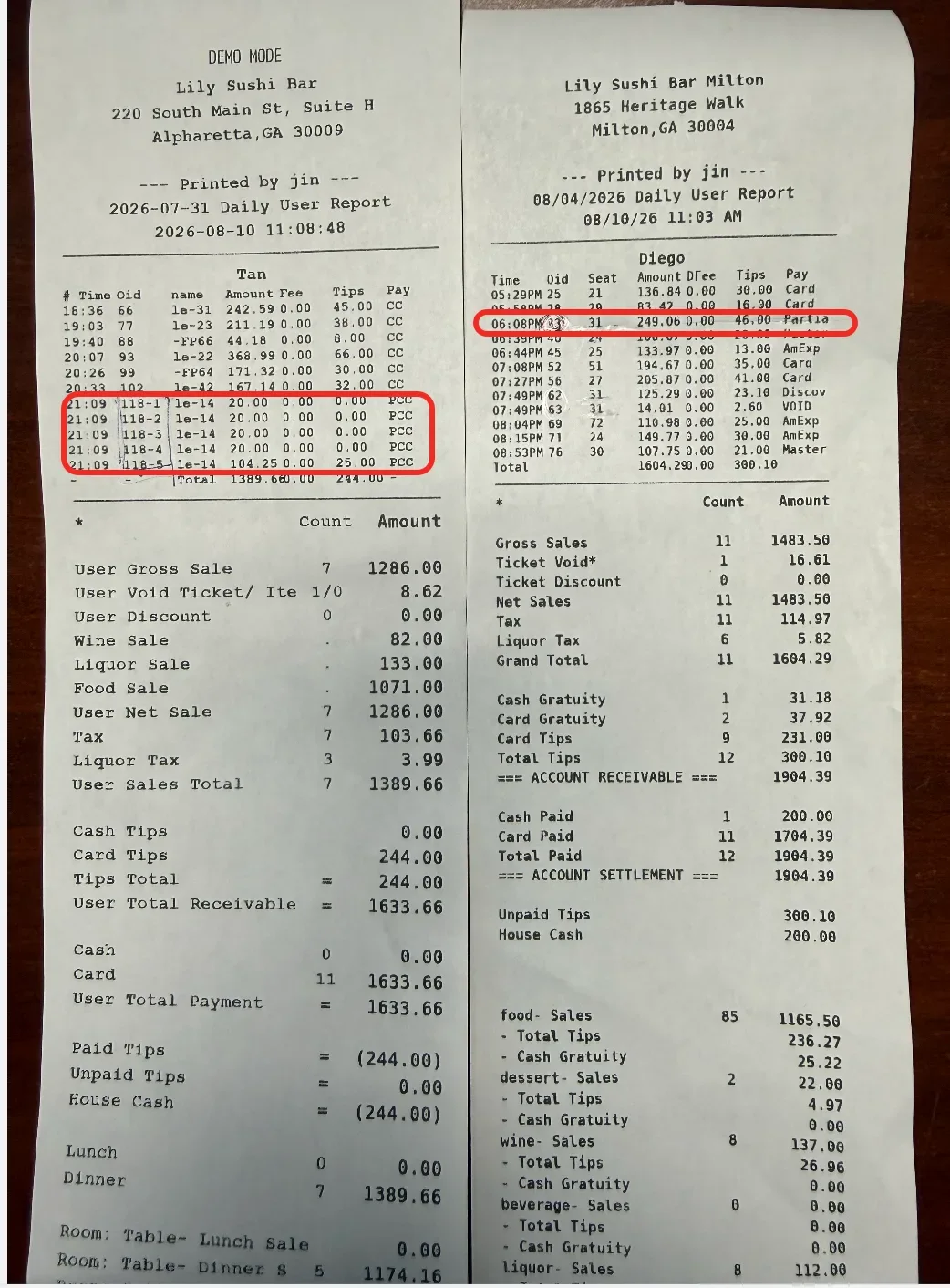
- In the new version, we added an option to show and print each partial payment separately in the User Report Detail, so each partial payment can be reviewed individually instead of being combined into one total. Configure at: Set Up > Report format > User report > Partial Payment Detail.[Ticket # 338110]
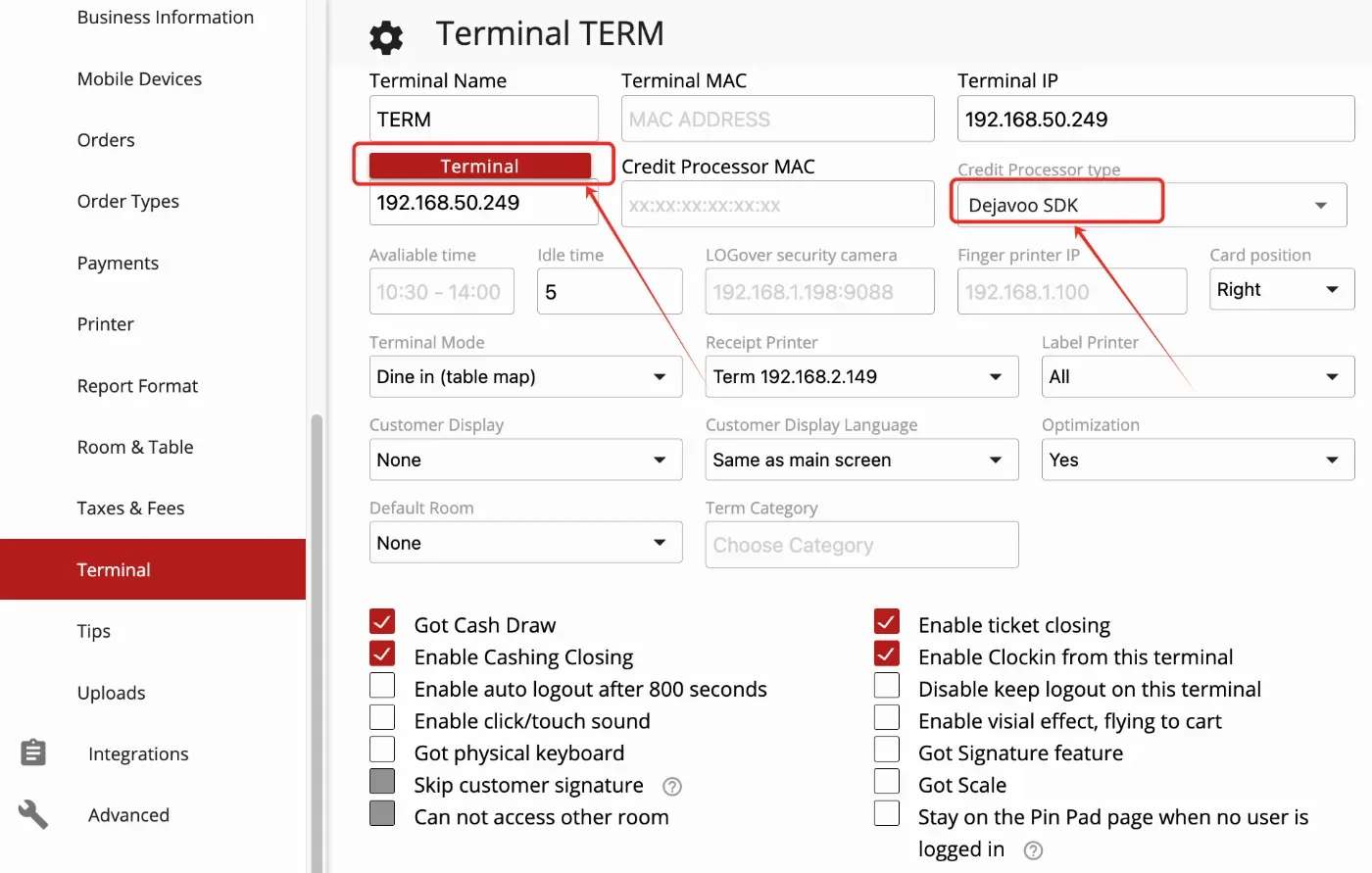
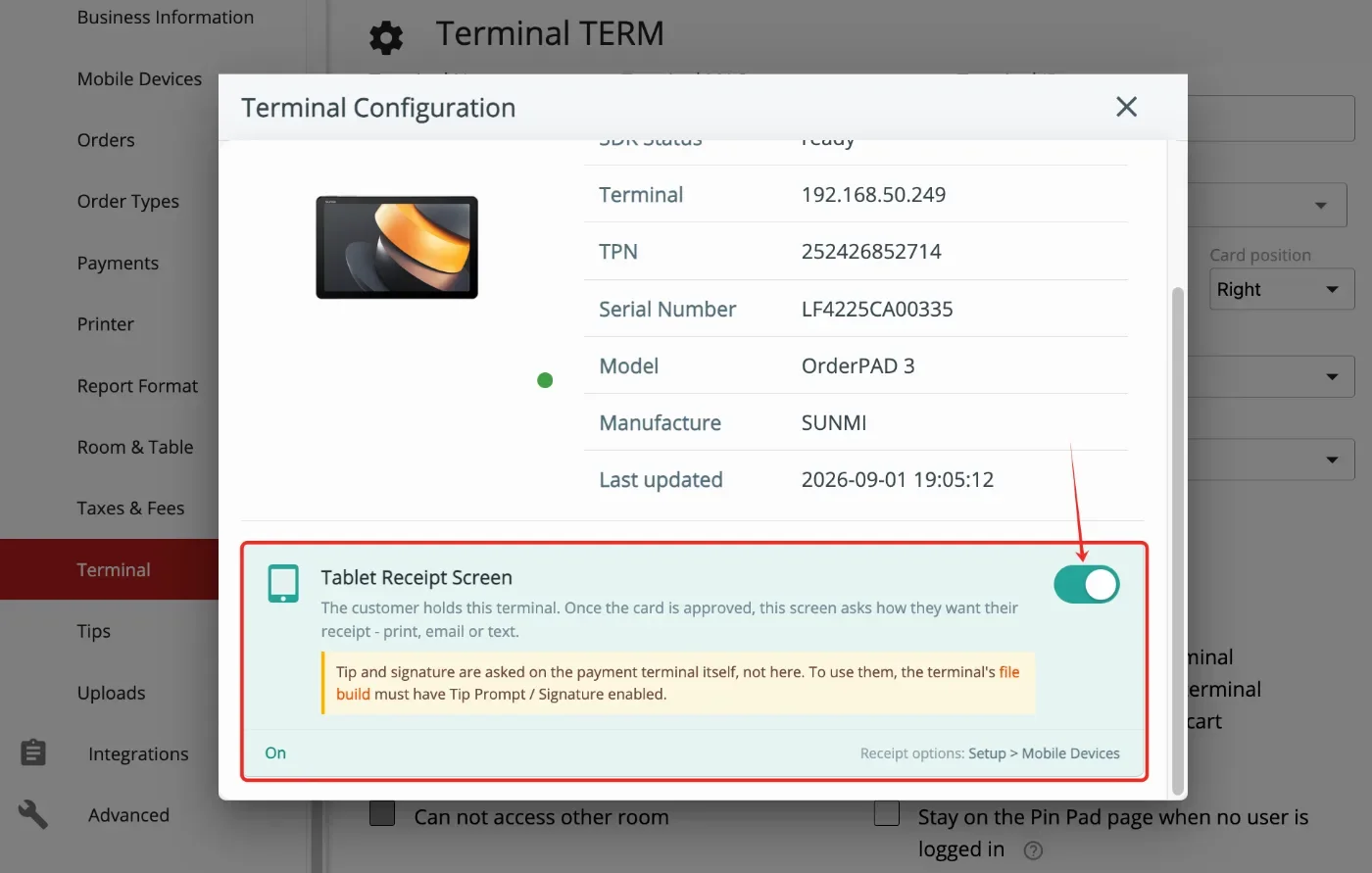
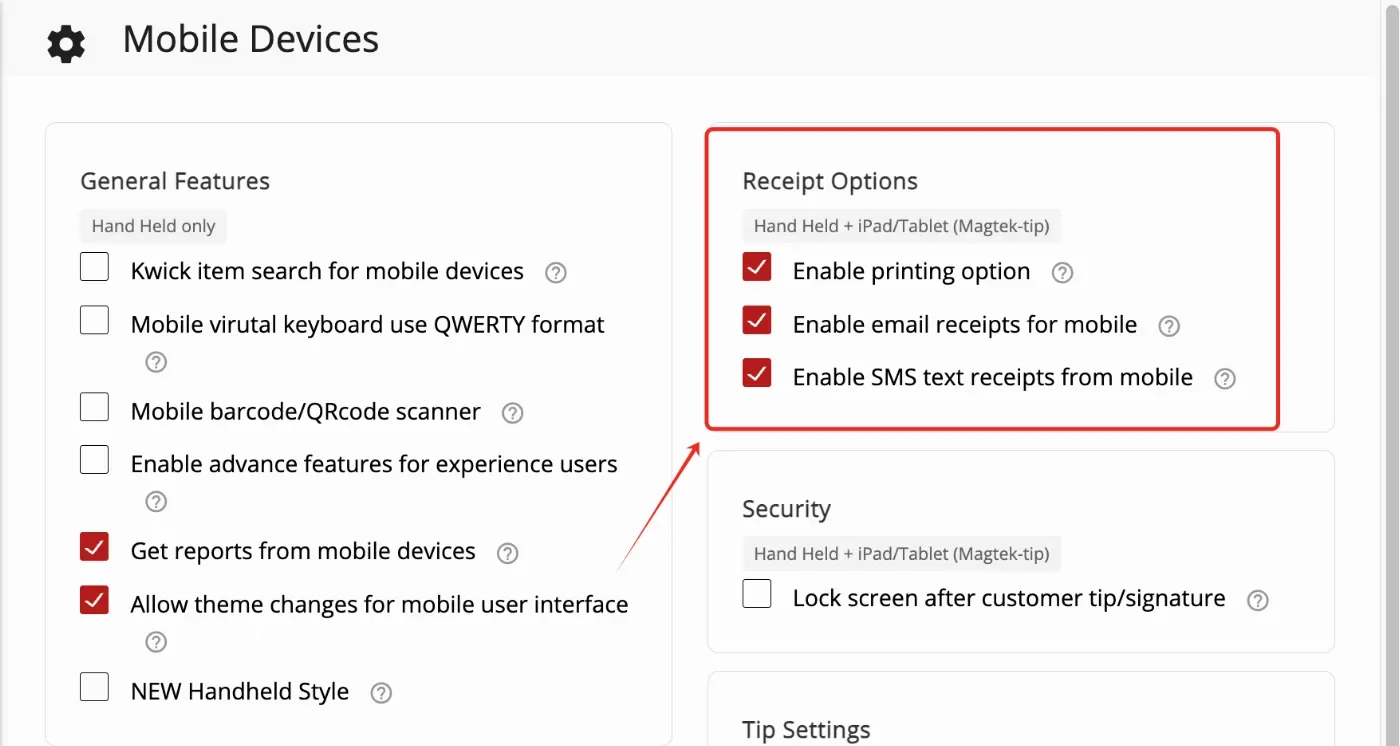
- In the new version, CPad 8.7 (Dejavoo SDK) and CPad Pay 11(Sunbay) include a new option to print the credit card receipt after payment. This feature can be configured under Setup > Terminals > Terminal Configuration. The receipt options that will display after payment can be set up under Setup > Mobile Devices > Receipt Options.
Payment:
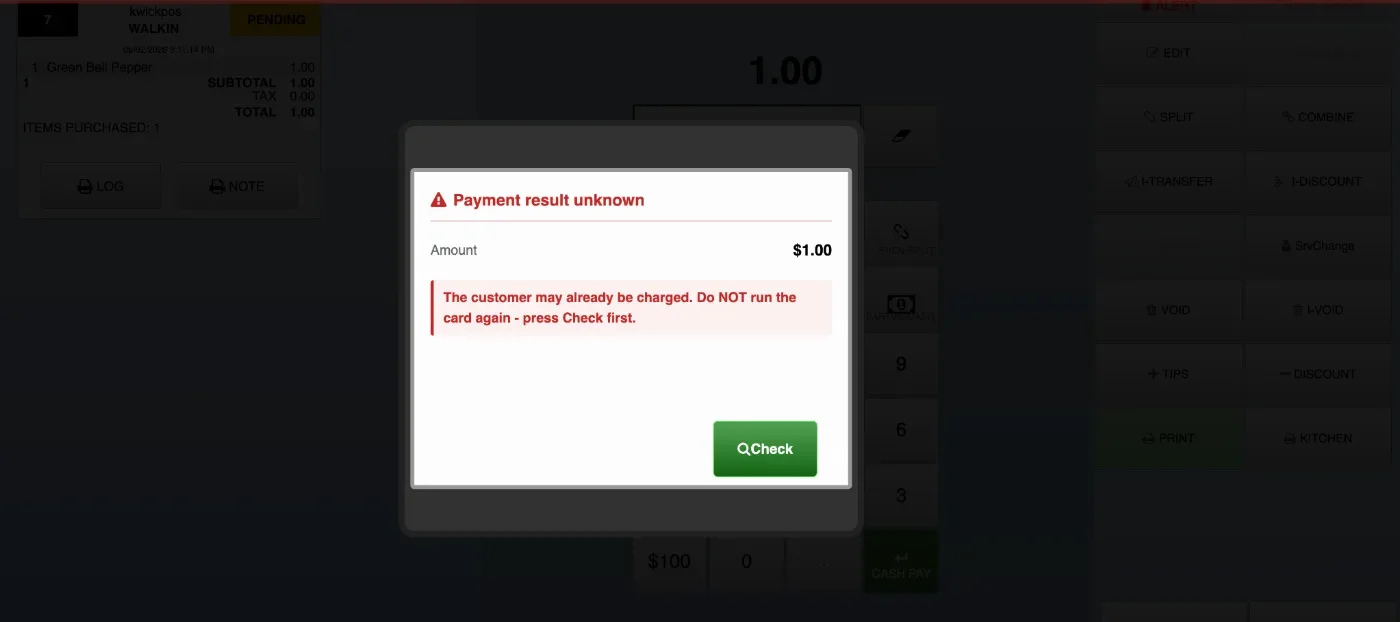
- In the new version, when using Dejavoo payment, if the transaction times out or returns an unknown response, the POS will display a Payment result unknown warning and prompt merchants to click Check to re-verify if the payment went through before attempting a second payment.
Report:
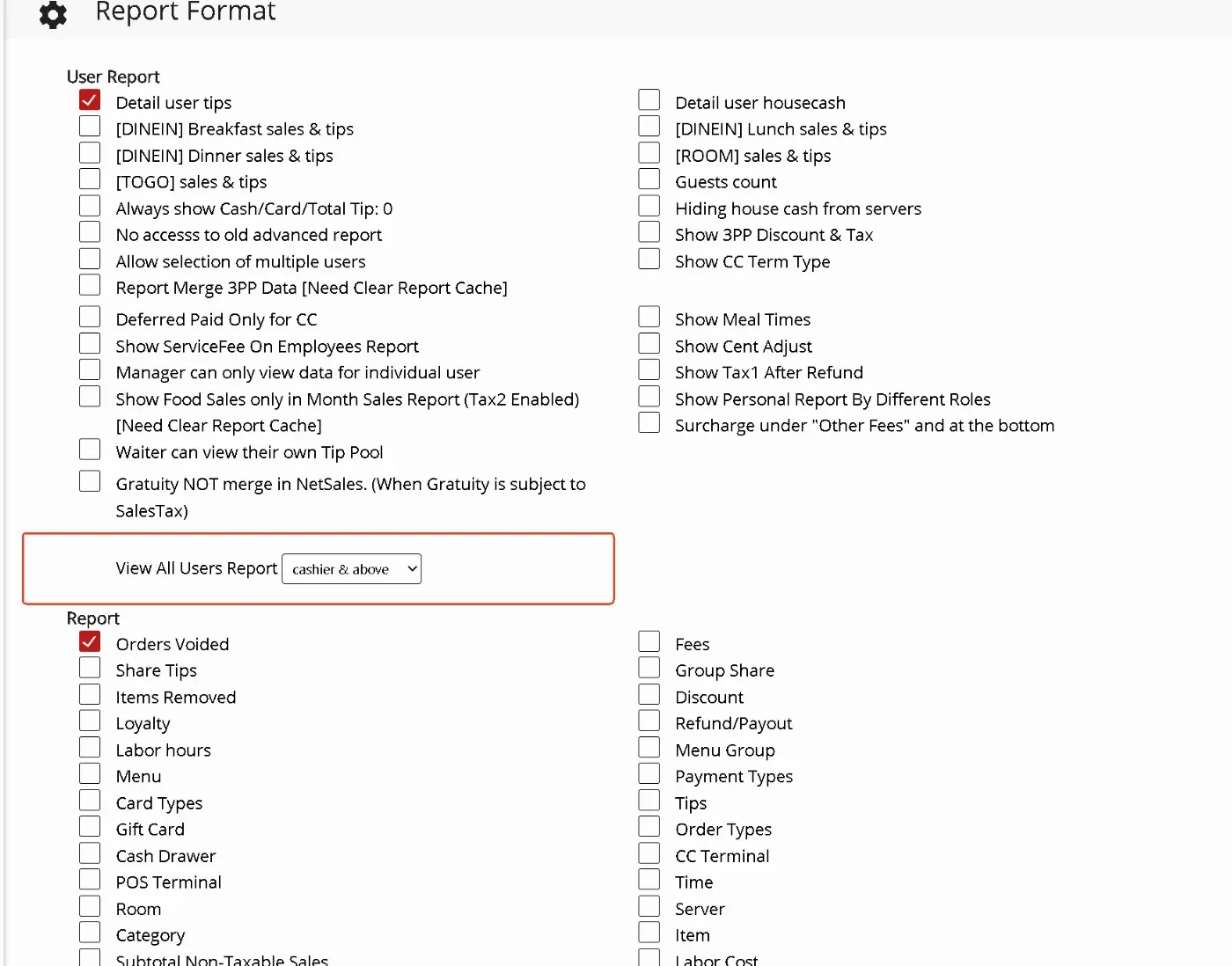
- In the previous version, access to View All Users Report was limited to Manager/Owner roles. In the new version, users can configure which staff roles are allowed to view all user reports, including Cashier & Above and Waiter & Above. Configure at: Setup > Report Format > View All Users Report.
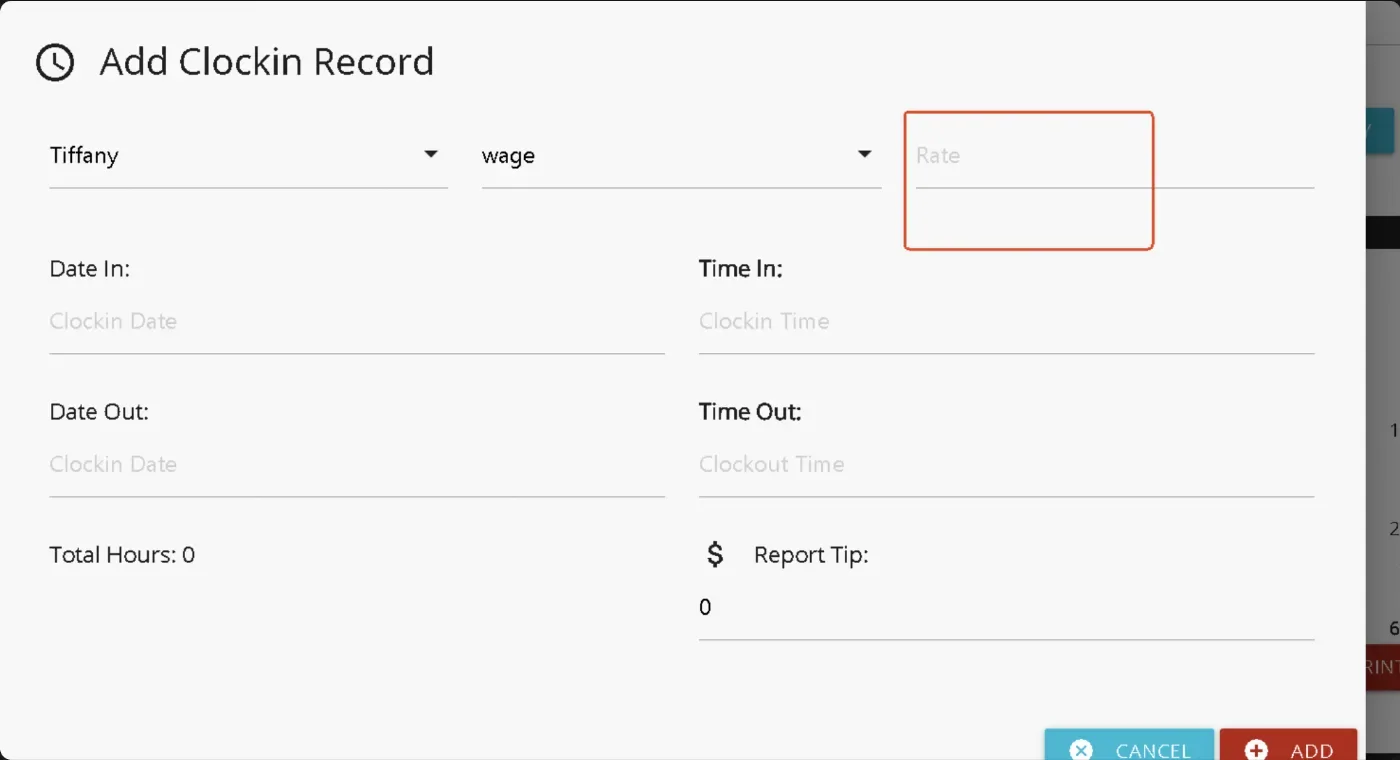
- In the previous version, adding a new clock-in from the Clock-In Report did not automatically fill in the wage rate. In the new version, the wage rate will automatically populate when a specific server is selected. When editing an existing record that already has a rate, the original rate will not be overwritten. This update is supported in both the old and new Clock-In Reports.
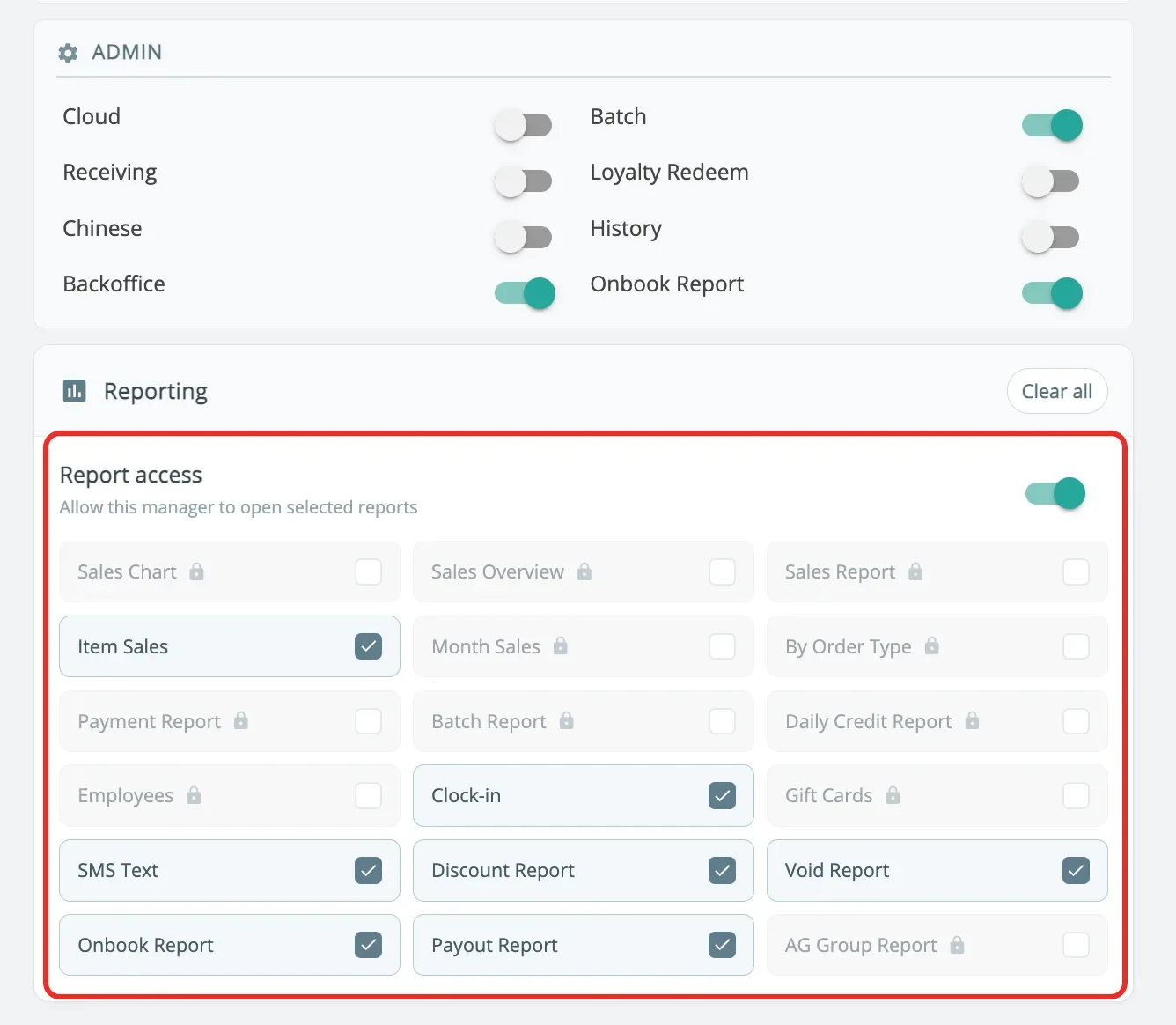
- In the new version, granular report access permission settings for reports under Back Office > Reporting have been added for the Manager role. Managers can now be limited to specific reports, such as only Clock-In or Employee reports, instead of having access to all reports by default. This can be configured in Employee > Permission > Card View only. Some reports will be locked if the manager does not have History permission.
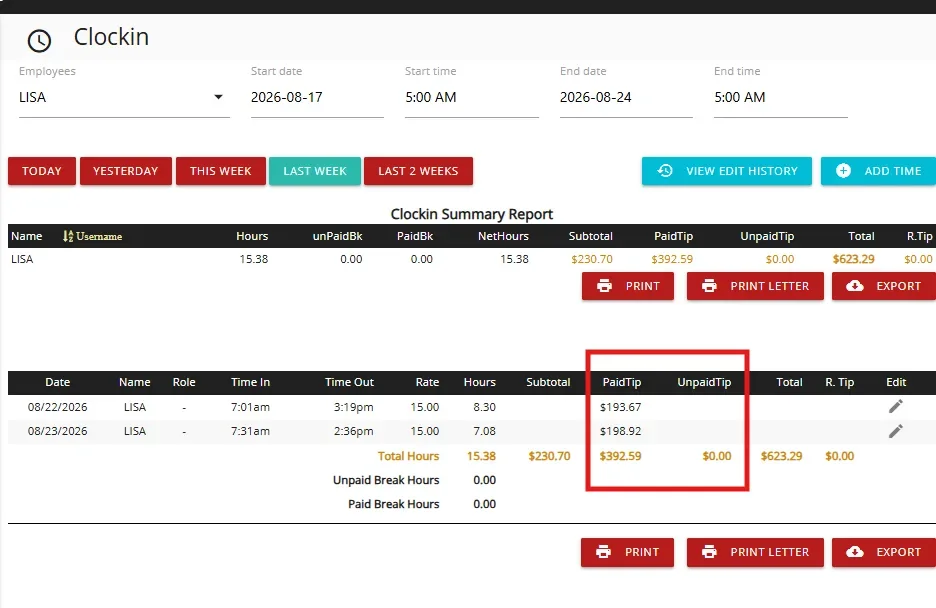
- In the new version, we added an option to hide the Paid Tip, Unpaid Tip, and Total columns from the new Clock-in report, including when the report is printed or exported. Configure at: Apps > Clock-in > Hide PaidTip / UnpaidTip / Total columns on Clockin report. [Ticket #345347]
Other:
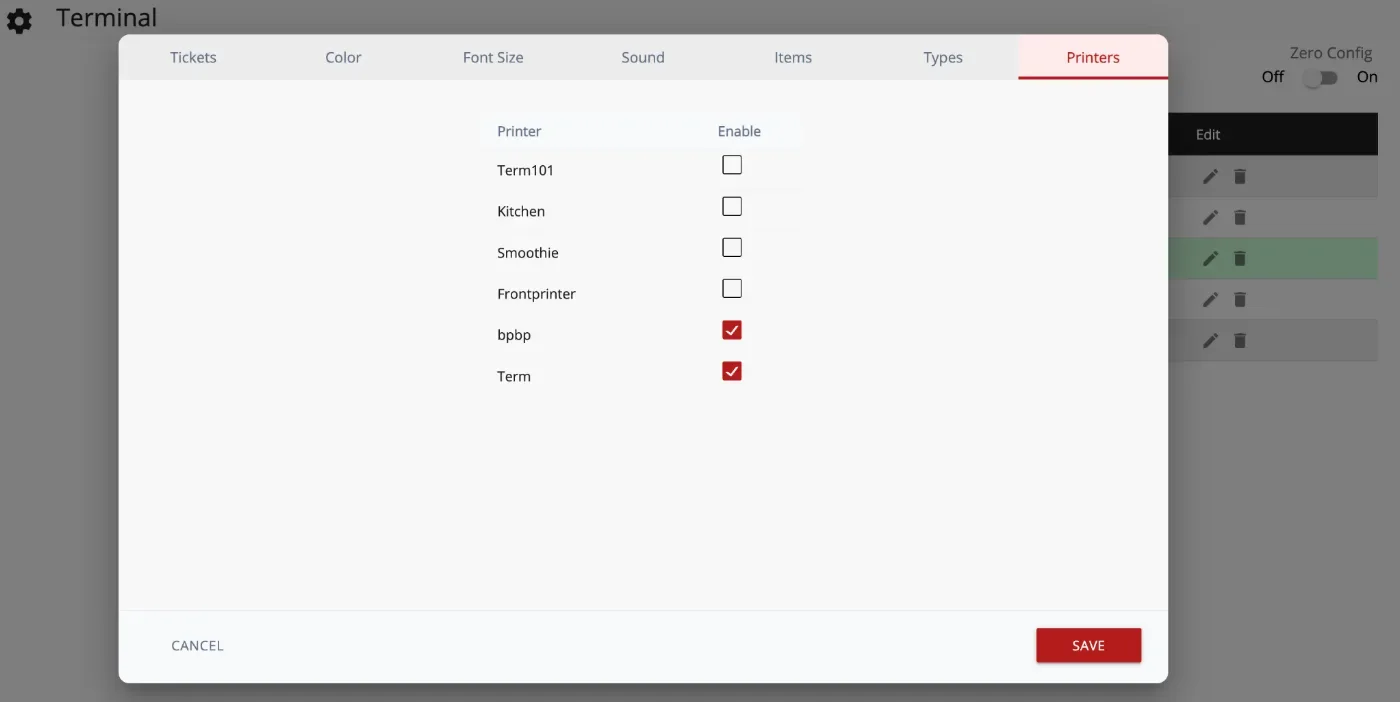
- In the new version, checking an item on the KDS will print that item to the printer assigned to that KDS. Configure at: Setup > Order > KDS > Print item when checked on KDS.
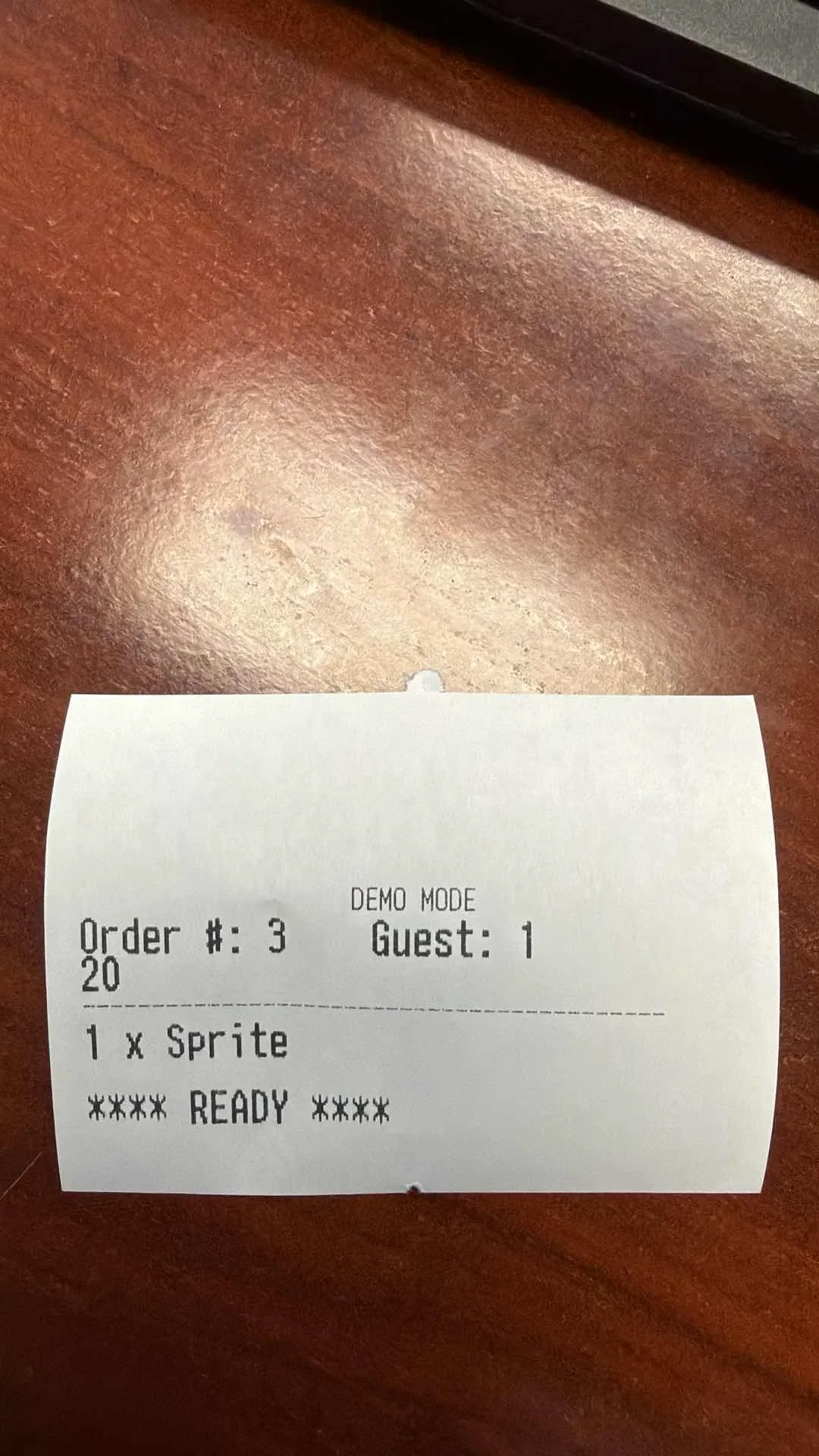
- In the new version, for Salon Check-in terminal mode, users can select multiple services and then assign technicians to each service. [Ticket #345675]
- In the new version, Sunmi T3 with an integrated card reader and P3 Mix card reader now support swiping gift cards and employee cards.
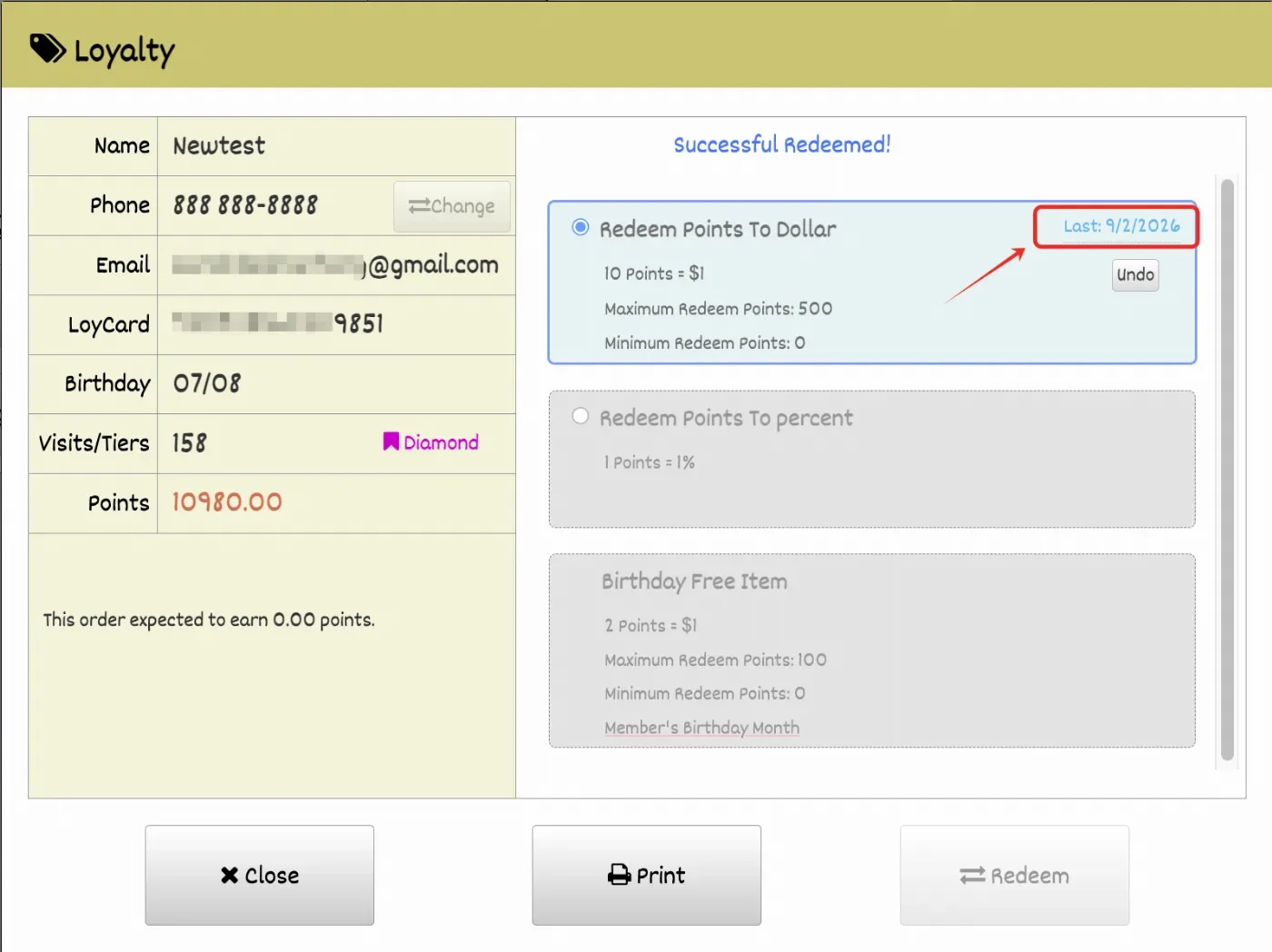
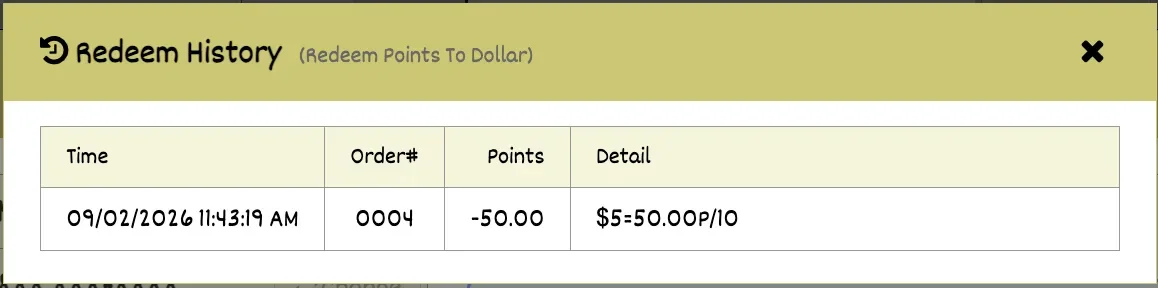
- In the new version, the Loyalty screen displays a redeem log for each redeem rule, allowing users to view a customer’s redeem history. If no tier exists, up to 5 redeem records will be displayed from all available data. If a tier exists, up to 5 redeem records will be displayed starting from the tier’s effective date after the last time the tier was cleared. This feature can be enabled under Loyalty Settings > Show Last Redeem Date.
- In the new version, CDS allows customers to add a tip without requiring a signature. This setting can be enabled under Setup > Terminal > Edit Terminal > Skip Signature after payment on CDS.[Ticket #327153]
Online:
KwickMenu.com:
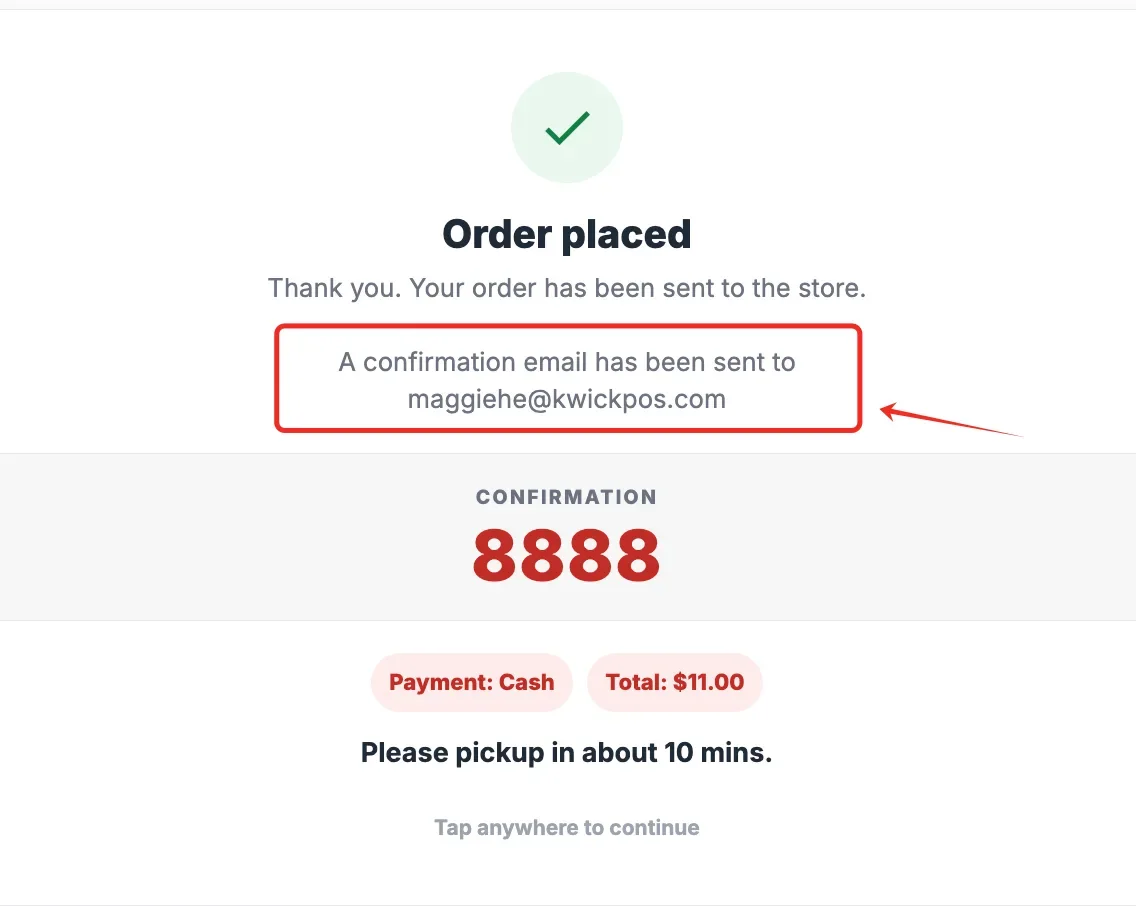
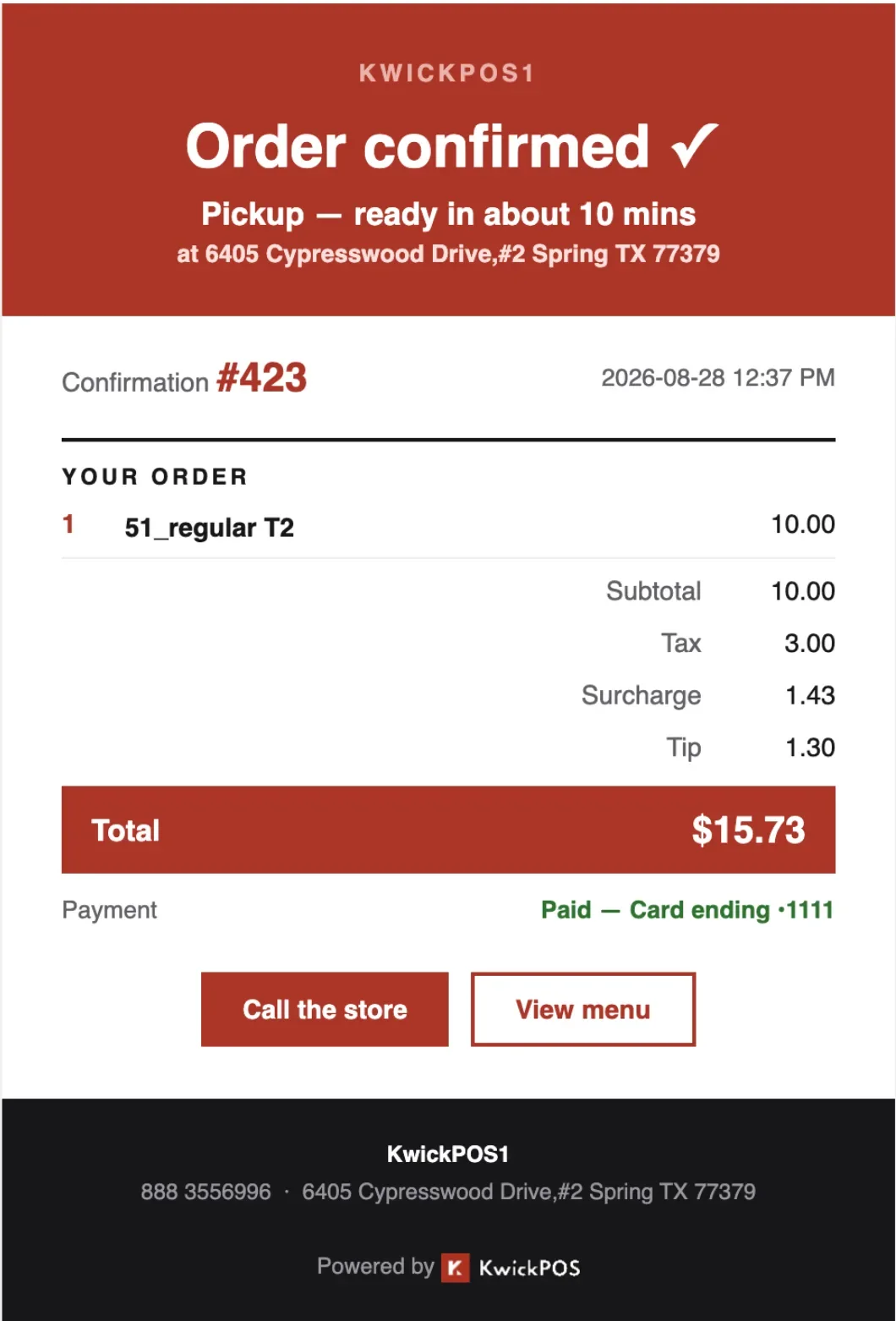
- In the new version, the online email receipt UI has been improved with a cleaner, more modern layout. A confirmation message has also been added to the order confirmation modal to let customers know when a confirmation email has been sent to their email address.
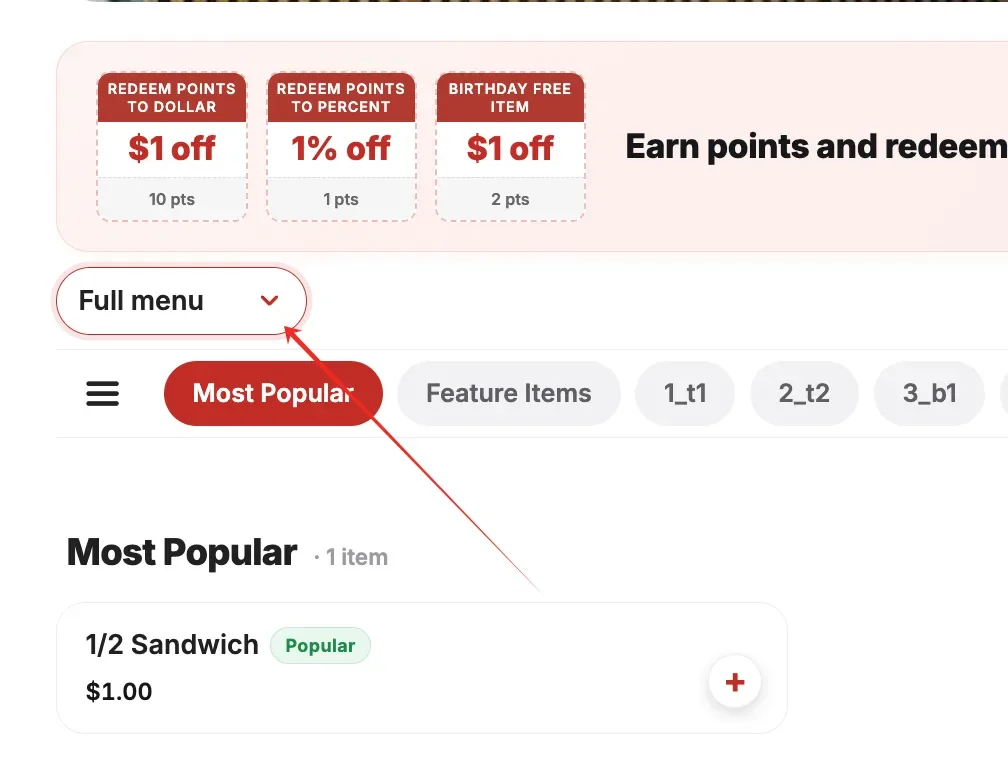
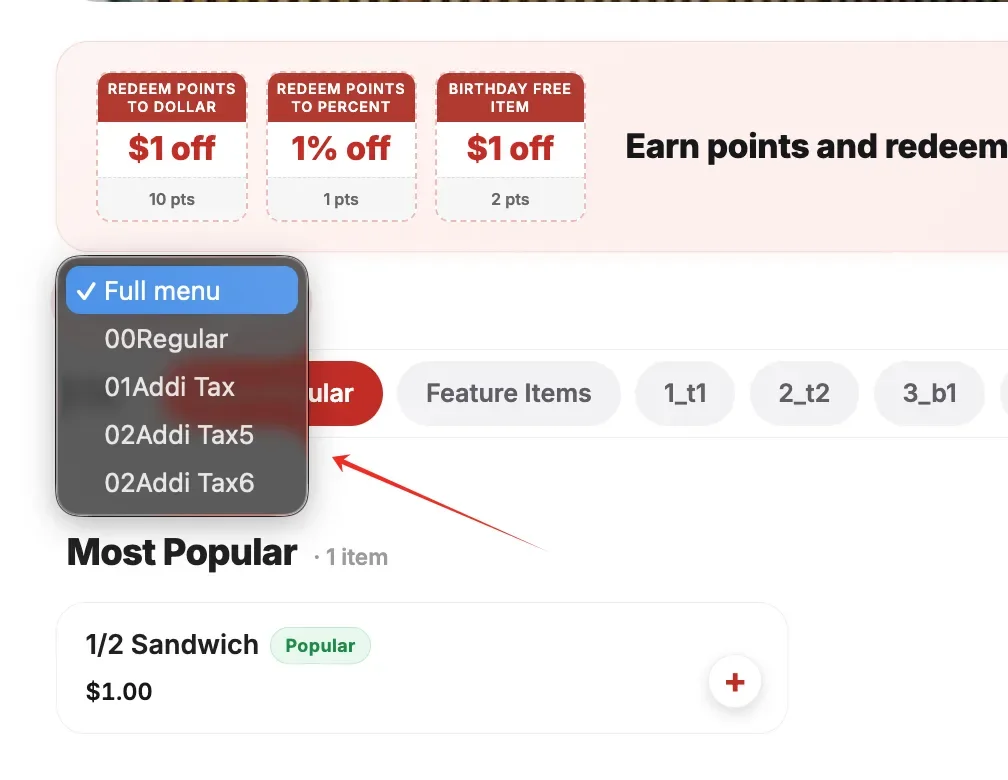
- In the new version, the Online Menu supports a menu-level hierarchy in Future Mode. Previously, items could only be viewed by category, but now customers can browse items by different menus for a more organized ordering experience. [Ticket #329643]
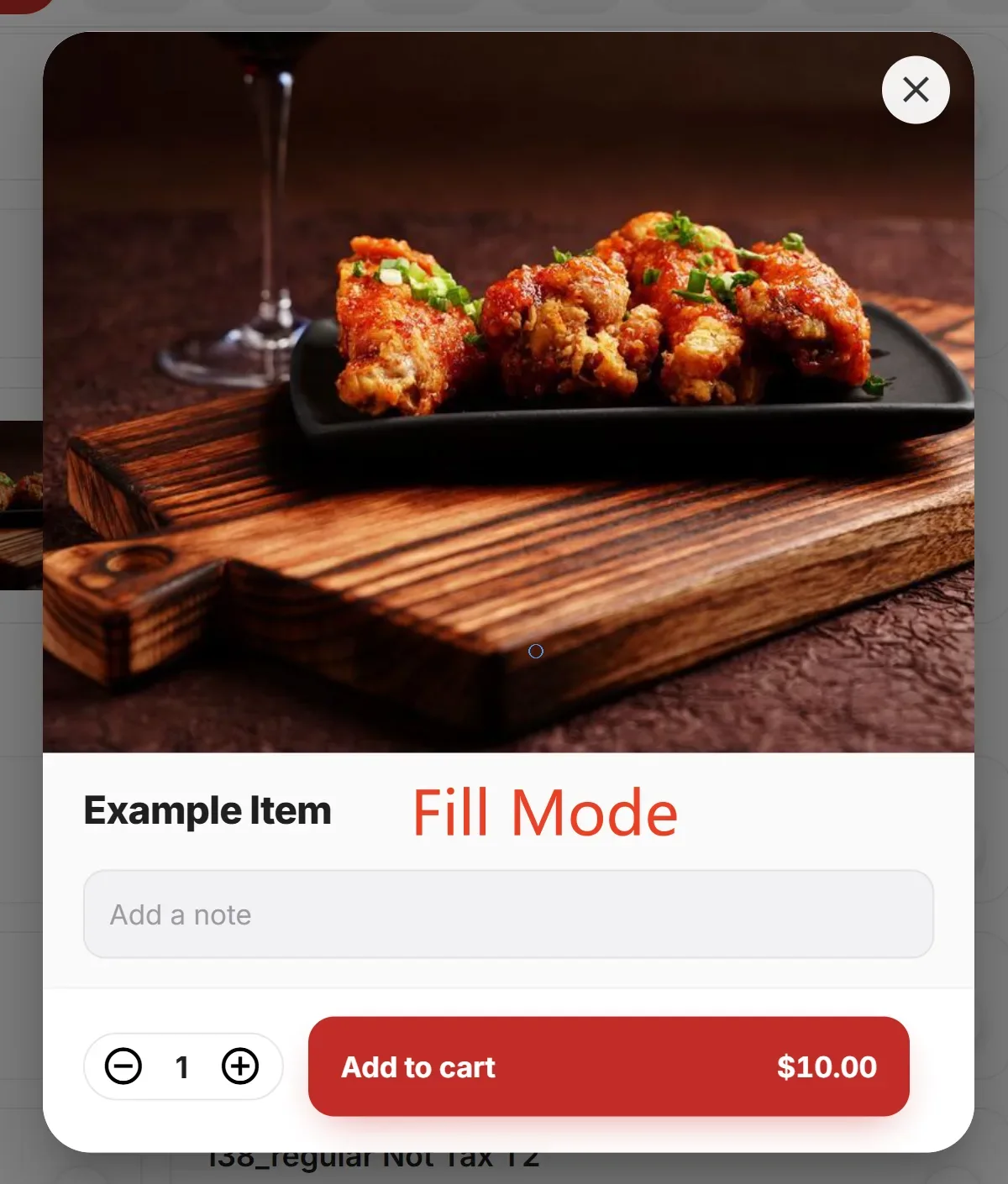
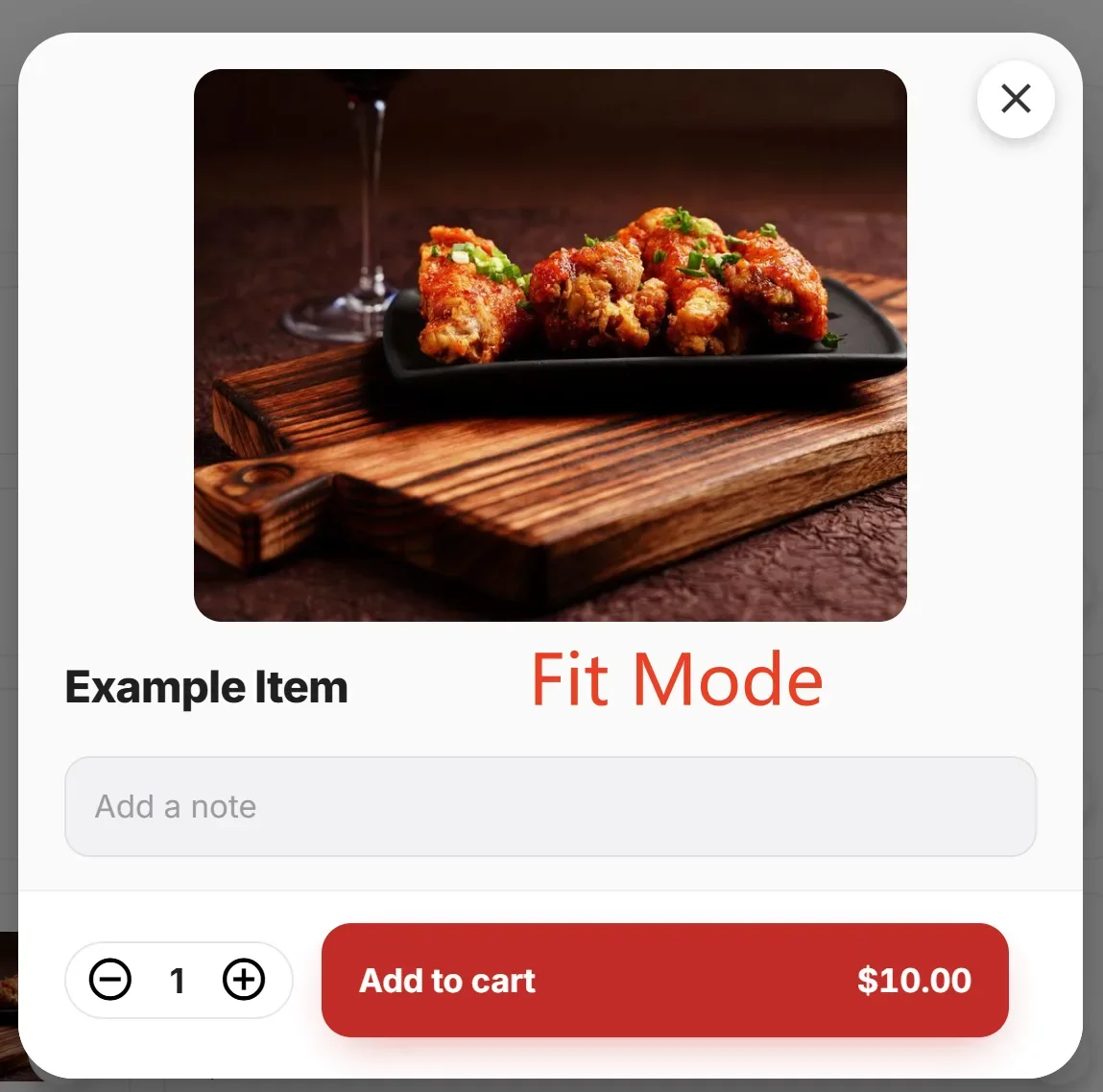
- In the new version, in Future Mode, the Online Menu supports two item image modes: Fill and Fit. This can be configured in Apps > Online Order > Online Website Setting > Item Image Mode.
Other:
- In the new version, the 3-month advance booking limit has been removed for Salon Reservation, allowing customers to book appointments further into the future.
Still need a hand?
Our 24/7 support team can walk you through it.
Call (888) 355-6996