
Release Notes 08/05/2026
Release NotesPOS:
Print:
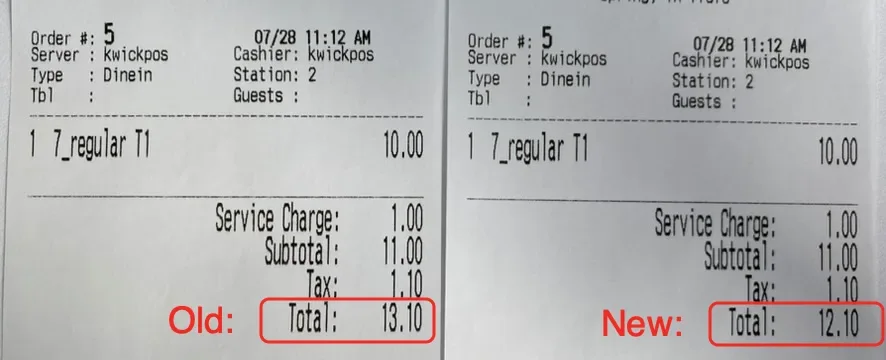
- In the previous version, when using Native Printer Mode for the customer receipt printer, orders with taxable service charges would incorrectly add the service charge twice to the total on the customer receipt. This issue has been fixed in the new version, and the receipt total is now calculated correctly. [Ticket #331522]
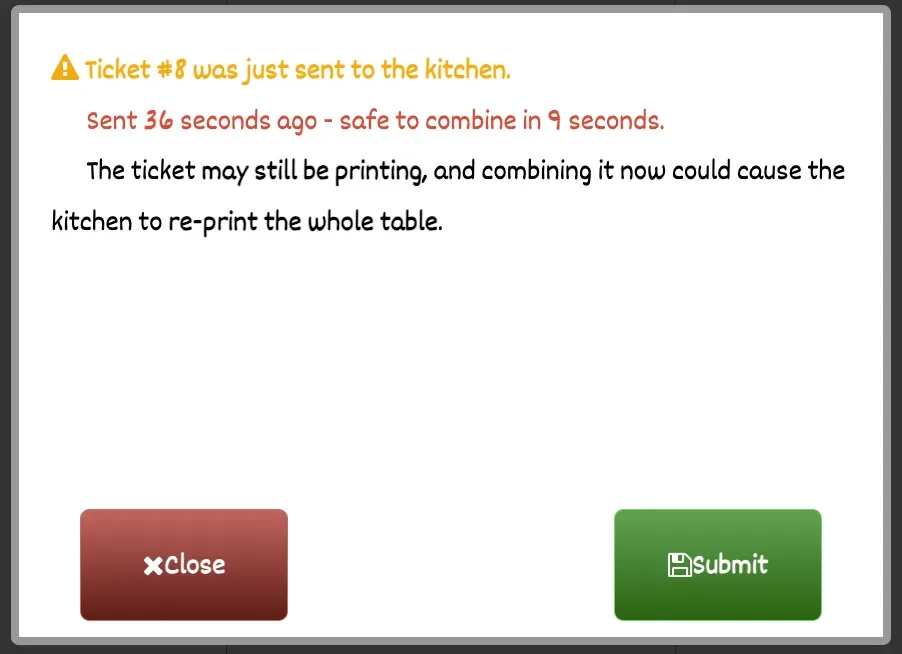
- In the previous version, combining an order within 30 seconds after it entered the POS could cause the printed ticket to print together with the newly entered ticket. In the new version, a message will appear asking users to wait a few seconds and will show how many seconds remain before the order can be safely combined. configure at Setup -> Orders -> Misc -> Hold combine for 1 minute after a ticket goes to the kitchen[Ticket #333767]
Payment:
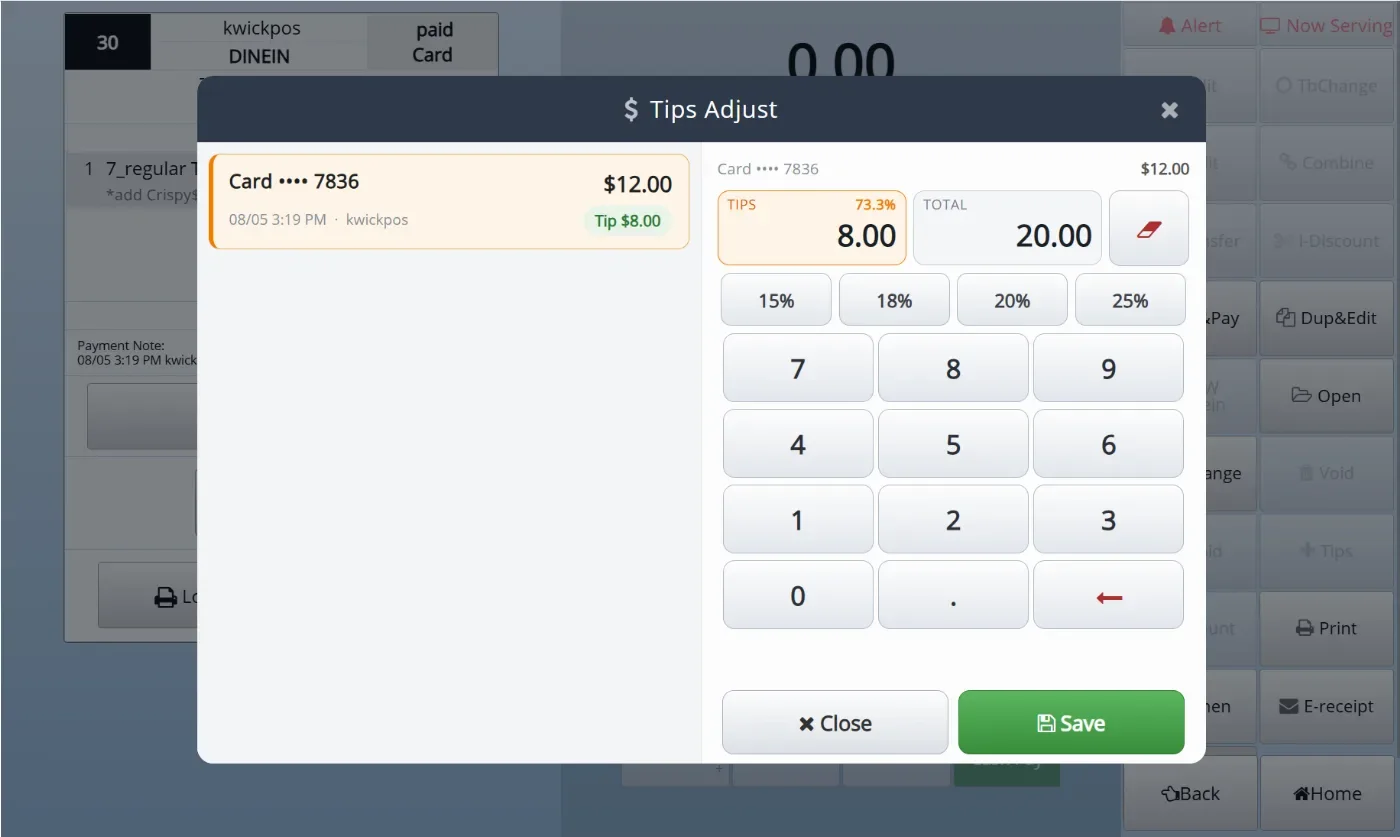
- In the new version, you can add a button to adjust the tip of a CC transaction in the payment page. Configure at: Setup -> Tip -> Allow tip adjust on payment page (after payment taken) [Ticket #327153]
Other:
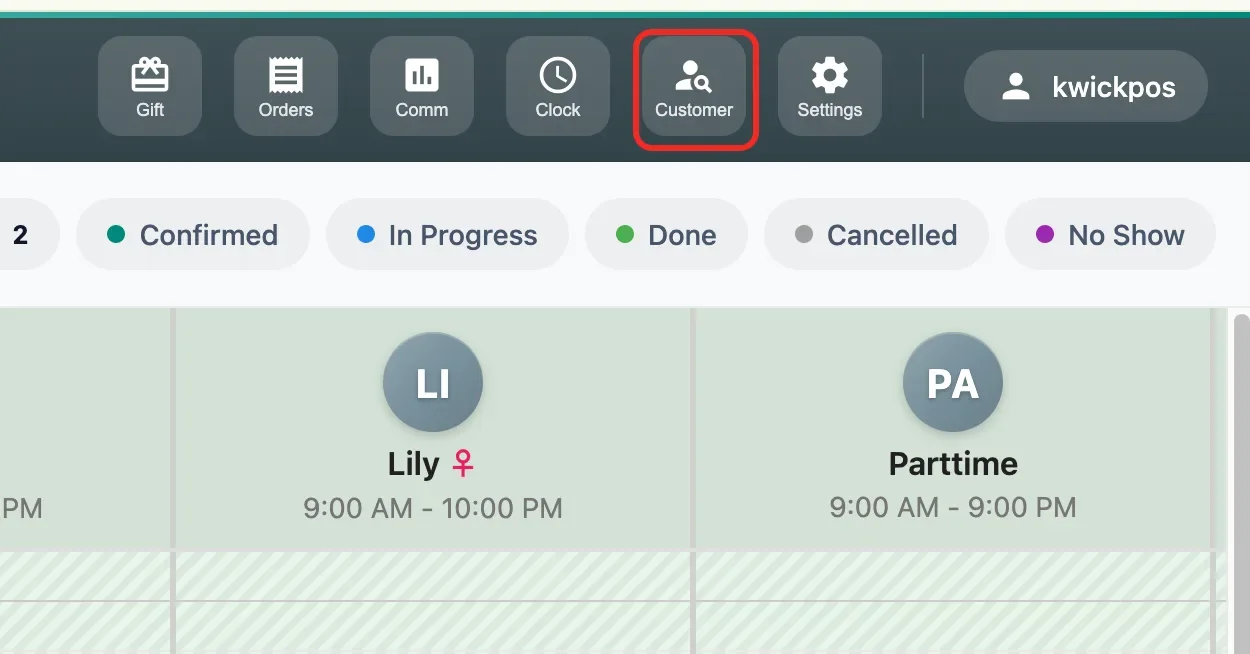
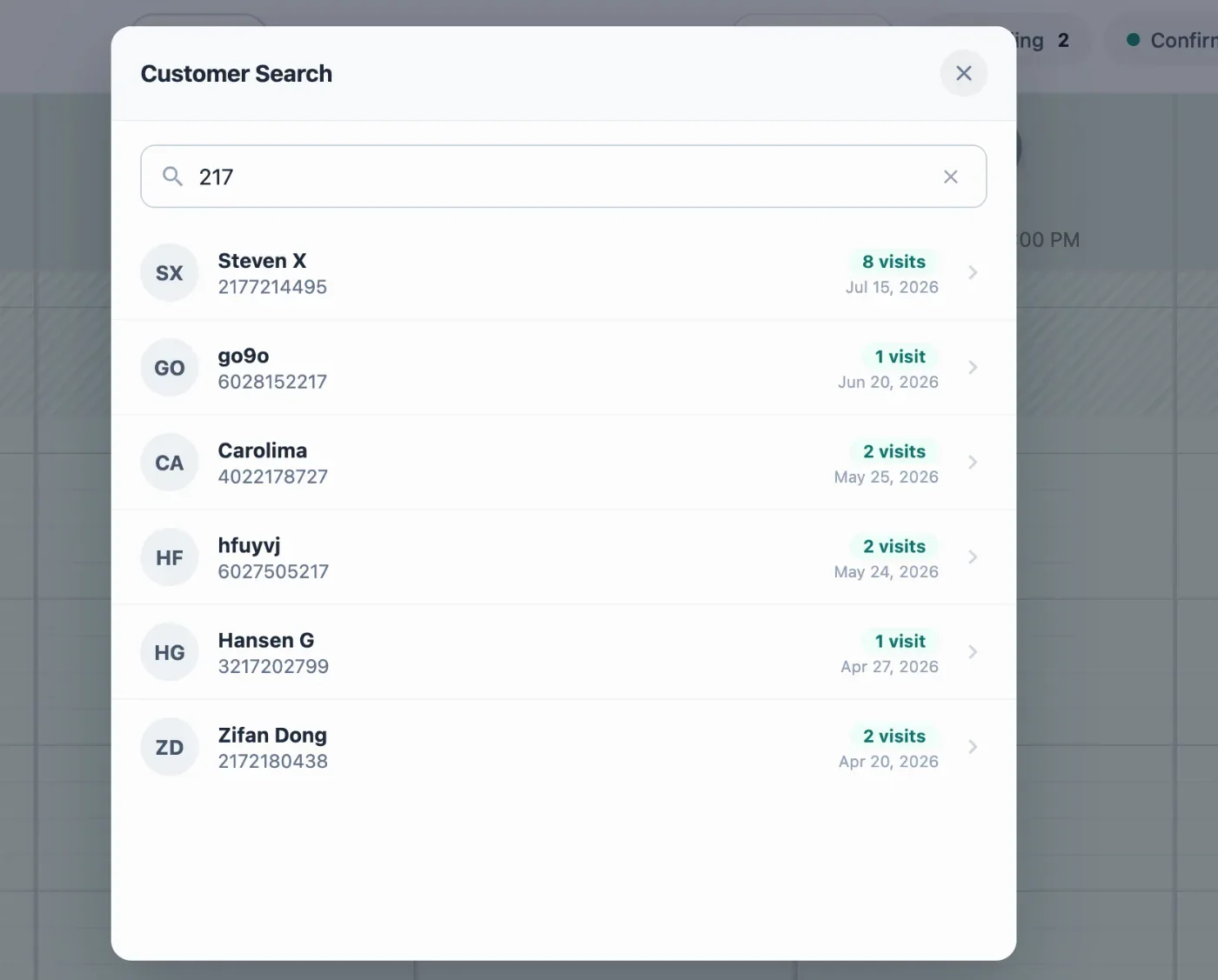
- In the new version, users can search for customers and view their historical appointments and visit history in Salon. Access is limited to Owner, Manager, and Cashier roles. Configure at Apps > Salon Settings > Display > Customer Search.
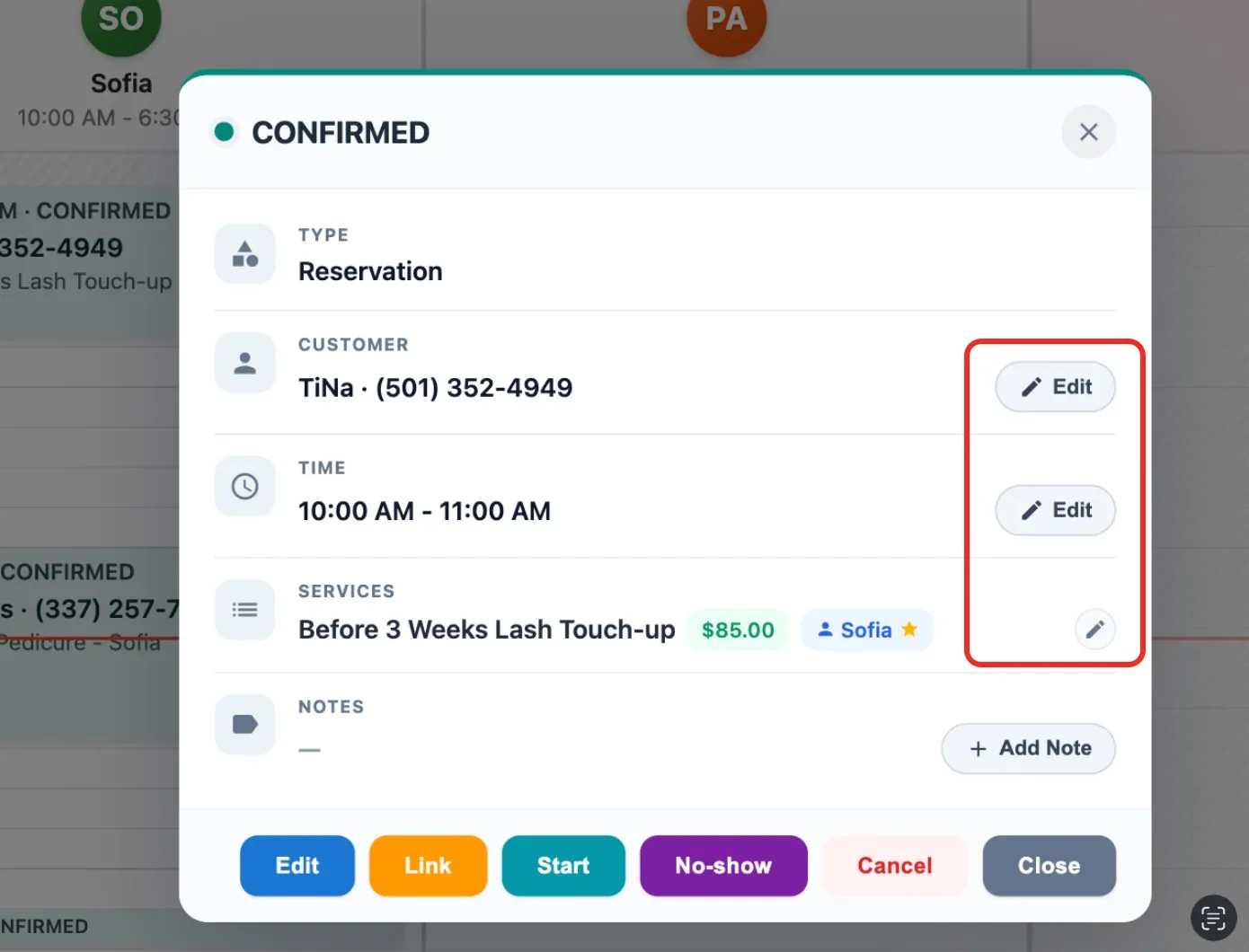
- In the new version, salon reservations can be edited directly from the preview page, including the service, appointment time, customer information, price, and technician.Configure at: Apps - > salon setting -> reservation- > quick edit on detail popup.
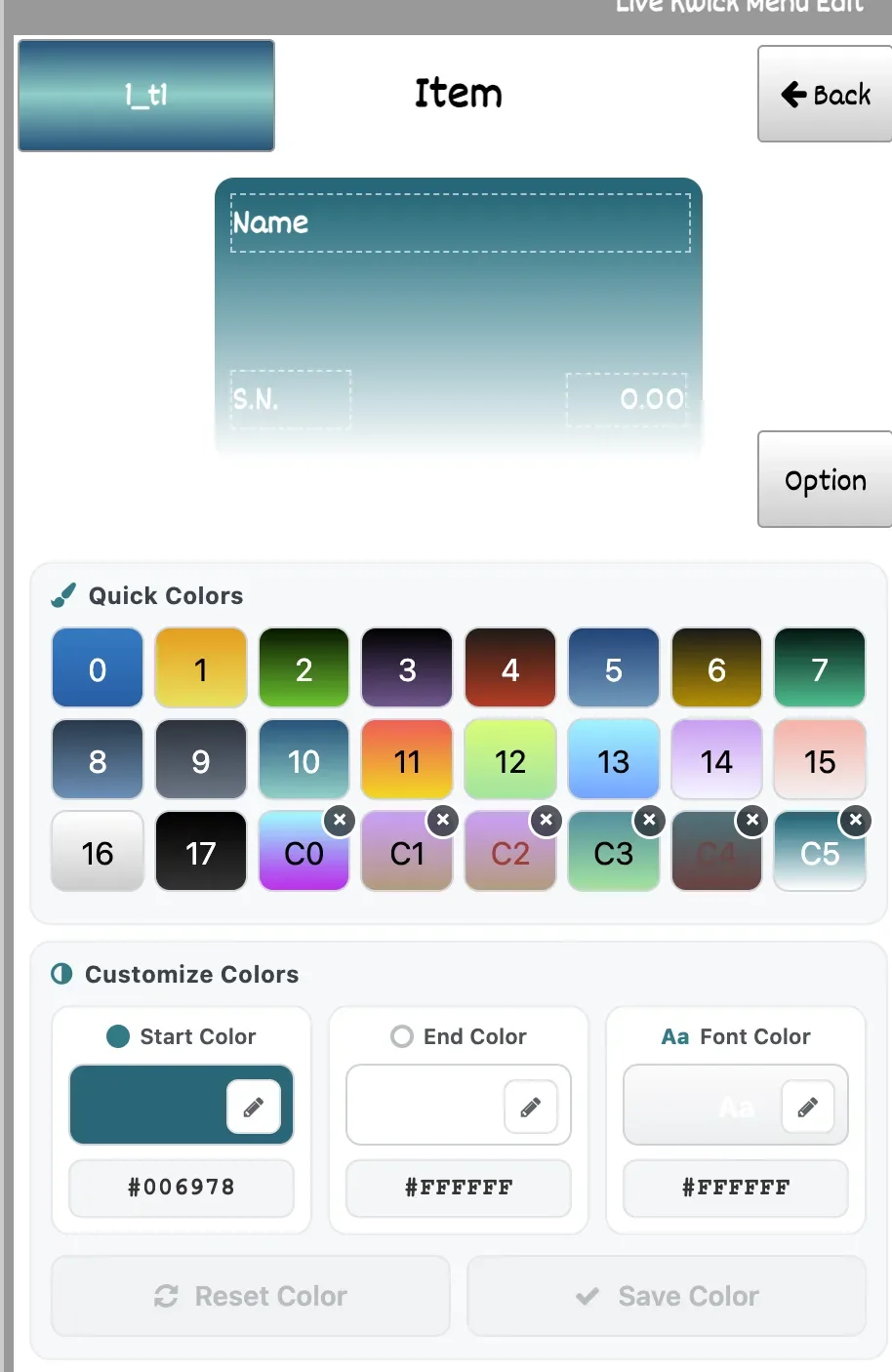
- In the new version, hex color codes can be entered to customize the start color, end color, and font color for Live Menu items, with support for saving up to six custom colors.[Ticket #329644]
- In the new version, item discounts can be hidden from KDS tickets. Configure at: Setup > Order > KDS > Hide Discount on KDS.[Ticket #332458]
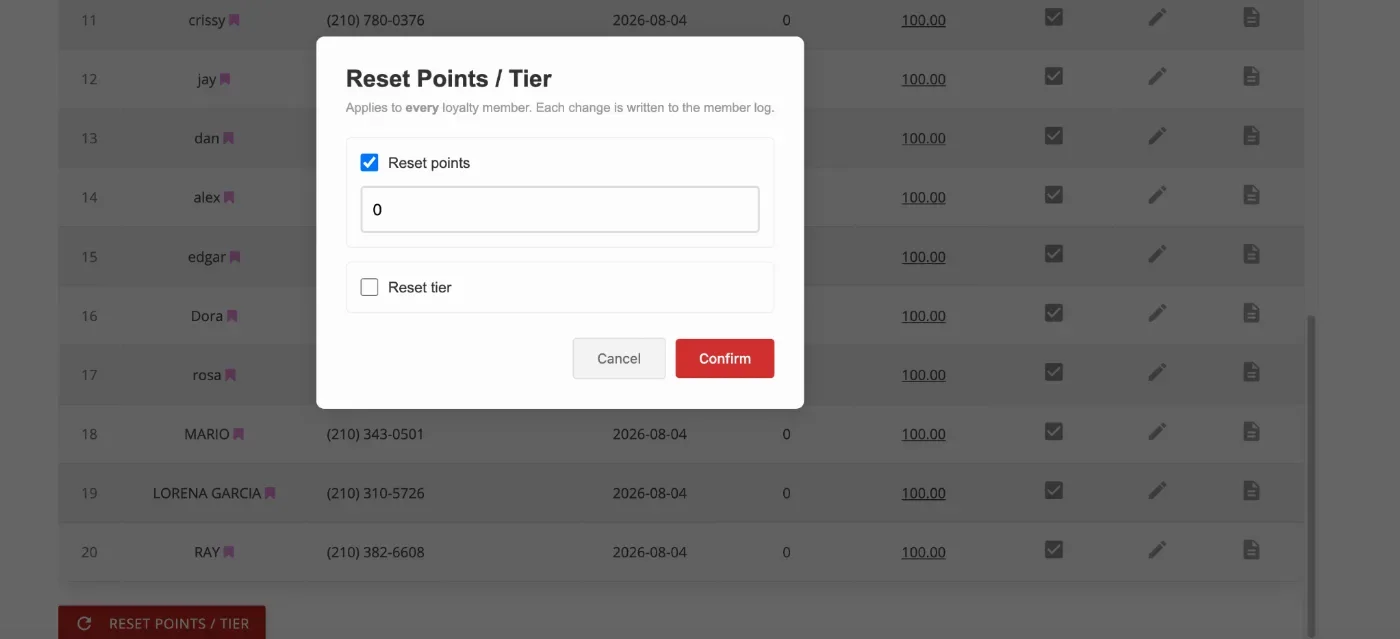
- In the new version, points and tiers can be reset for all loyalty members. Configure at: Loyalty > Setting > Reset Points and Tier > Allow reset point and tier.
- In the new version, you can hide services from being displayed online. Configure at: Apps -> Salon Setting -> Reservation- > Online Service Filter [Ticket #335827]
- In the new version, you can configure separate booking times for online and POS reservations. Configure at: Employees -> Salon Technician -> Edit -> Schedule -> Set “Different online hours” [Ticket #330092]
- In the new version, a new KDS setting has been added to control when scheduled tickets appear on the KDS before their ready time. This helps prevent tickets scheduled for later in the day from filling the KDS screen too early. This feature can be configured under Setup > Order > KDS > KDS Show Scheduled Ticket This Long Before Its Ready Time.[Ticket #327865]
- Merchants can now configure the number of gift card digits shown on the Order Payment screen and receipts, via Apps -> Gift Card -> Gift Card Display Digits (e.g., showing only the last 4–8 digits) for improved security and flexibility [Ticket #324614]
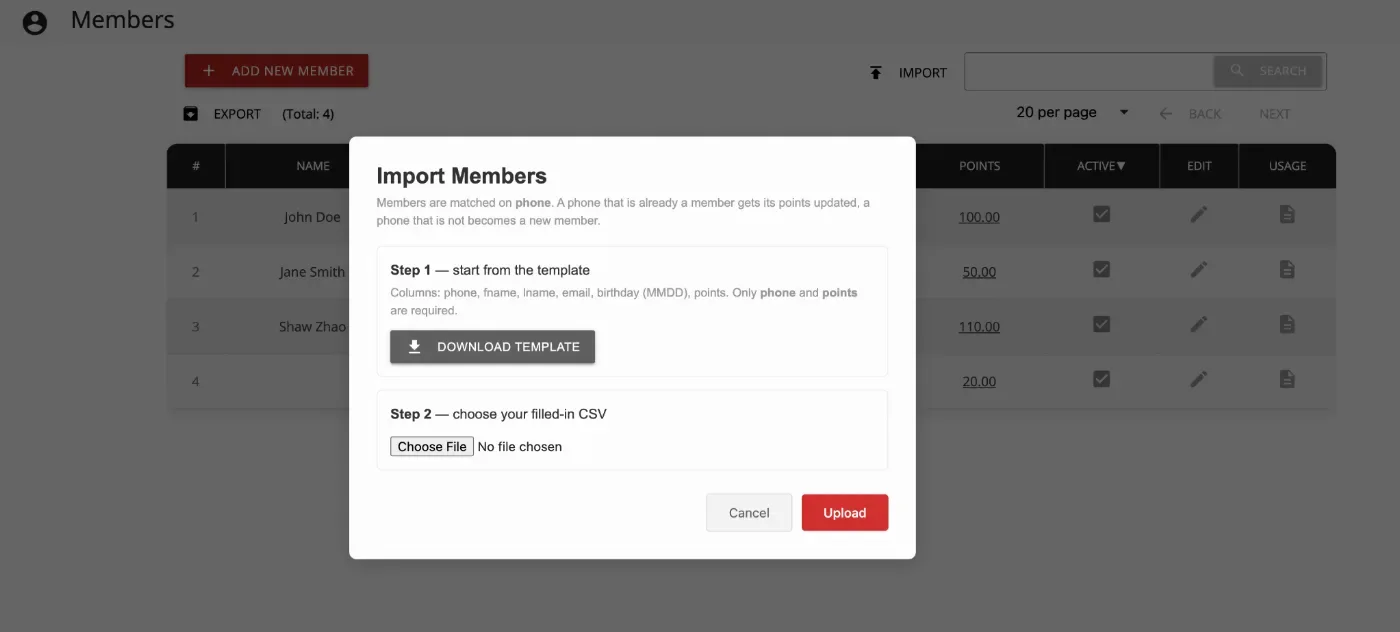
- In the new version, loyalty members can be imported from a CSV to update existing members’ points. Configure at: Loyalty > Setting > Allow Member Import from CSV.[Ticket #332320]
Online:
KwickMenu.com:
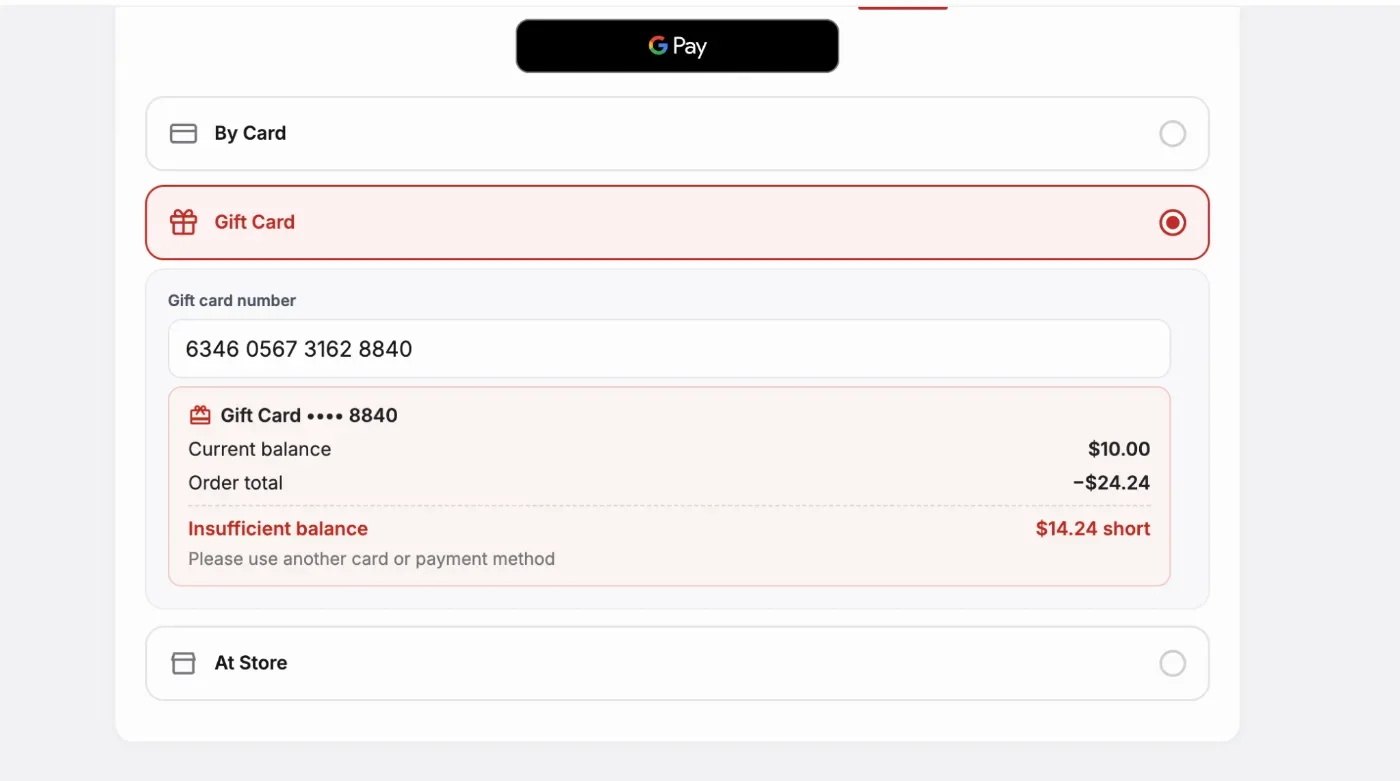
- In the new version, the gift card balance will be displayed after entering the card number, and the remaining amount due will be shown if the balance is insufficient to cover the full order.
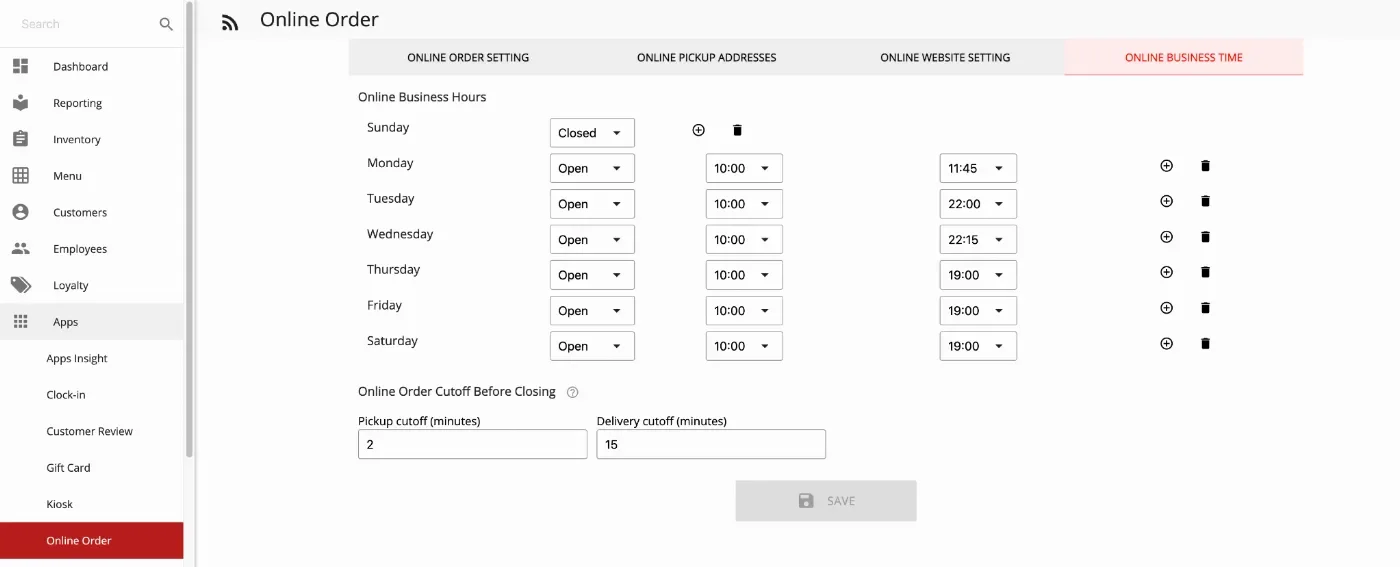
- In the new version, separate cutoff time settings have been added for delivery and pickup orders, allowing delivery to stop before closing while pickup remains available until the restaurant closes. Configure at: Apps > Online Order > Online Business Time.[Ticket #327621]
Other:
- In the new version, an Online View Only switch has been added for online salon reservations, allowing reservations to be displayed without accepting new bookings. This feature can be configured under Apps > Salon Settings > Reservation > Online View Only. [Ticket #325358]
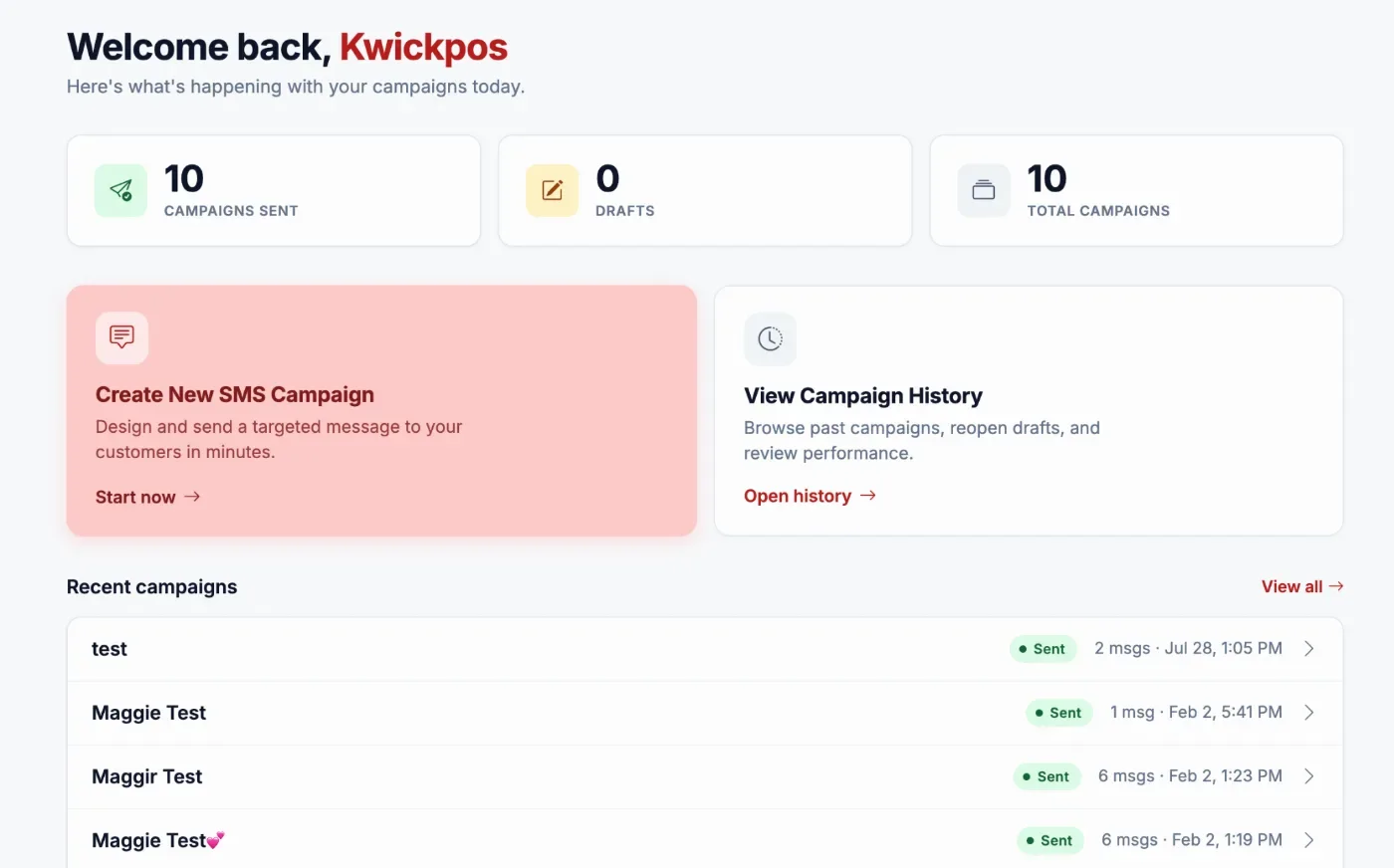
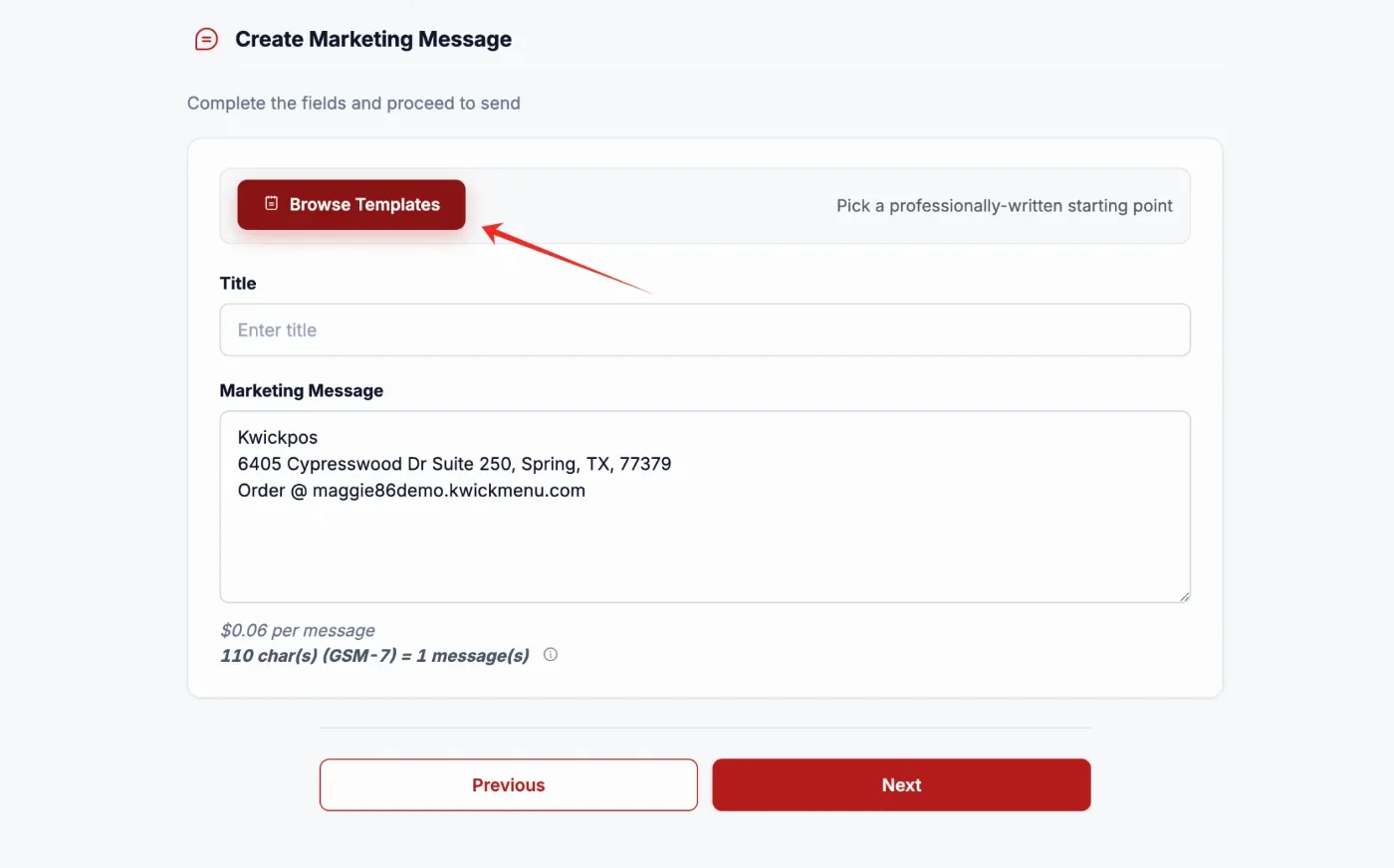
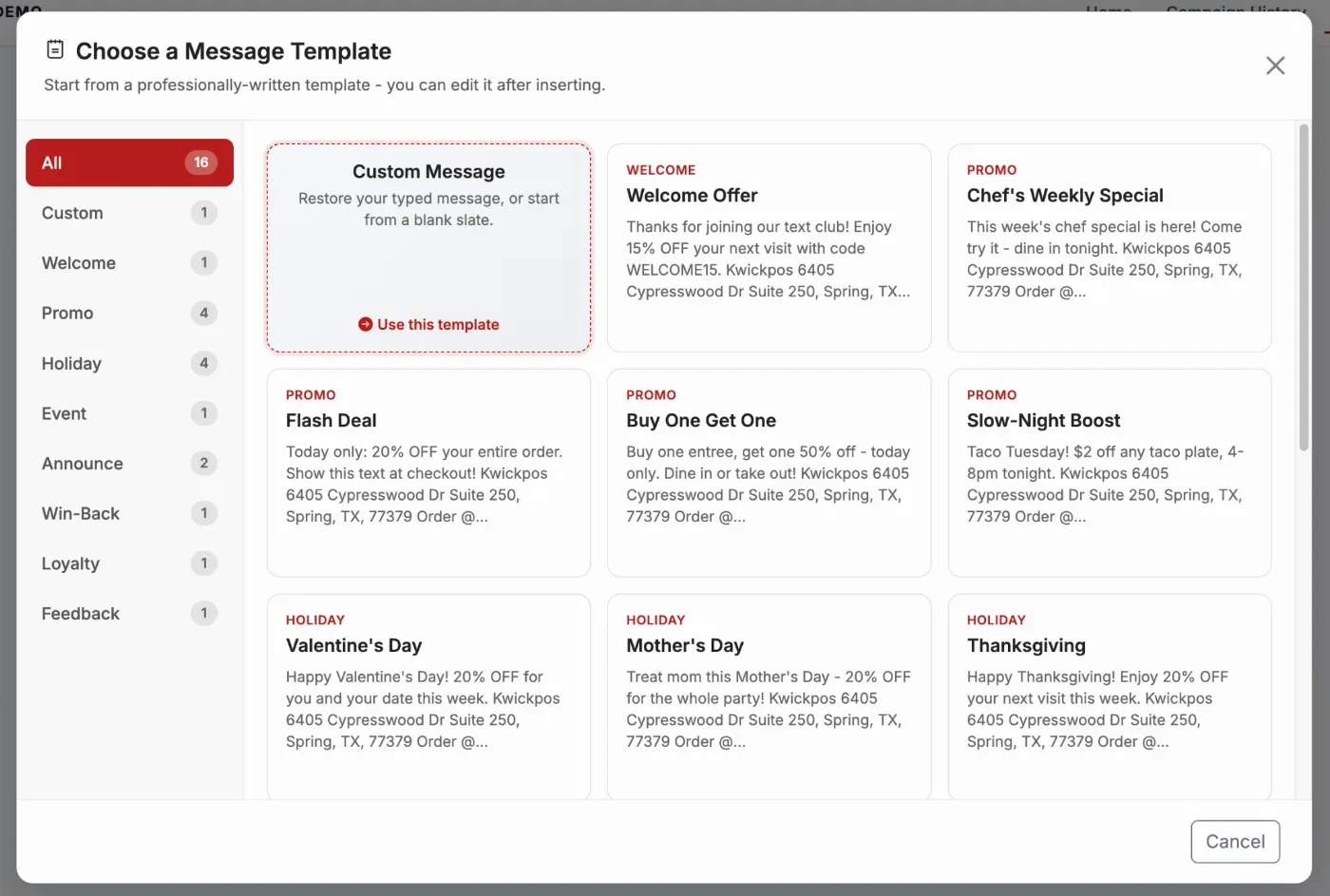
- The Marketing Tools UI has also been improved with a more modern design. SMS templates have been added to Marketing Tools, allowing merchants to quickly create standardized and professional-looking SMS messages. Templates are only available when creating or drafting a campaign and will not appear when editing a sent campaign.
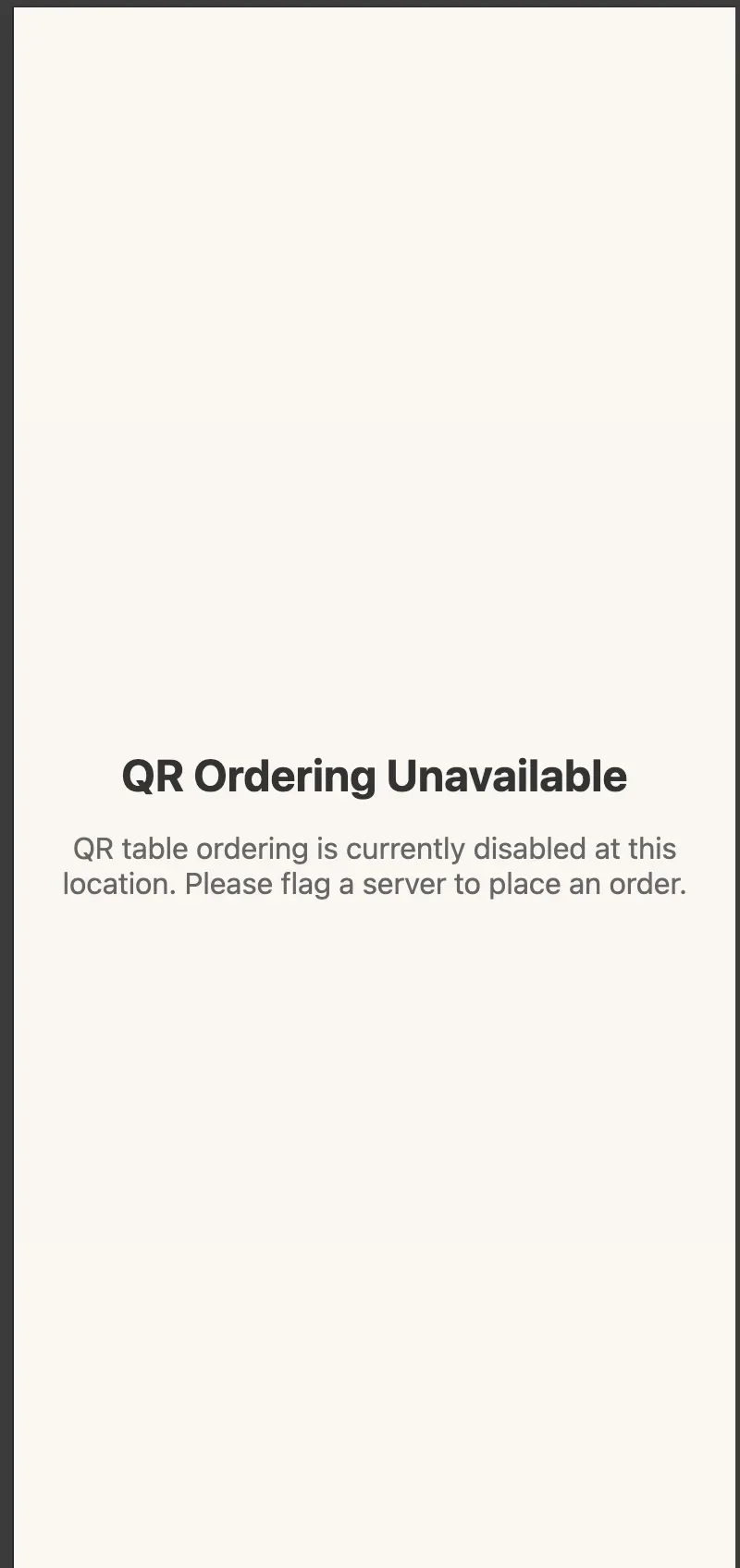
- In the new version, POS includes a master toggle to turn QR Table ordering on or off. The toggle is located at Apps -> QR Table Order -> QR table ordering. [Ticket #331734]
Still need a hand?
Our 24/7 support team can walk you through it.
Call (888) 355-6996