
New Back Office
Back Office & Settings- Back Office: Going into the back office will allow you to make changes to the pos and view reports
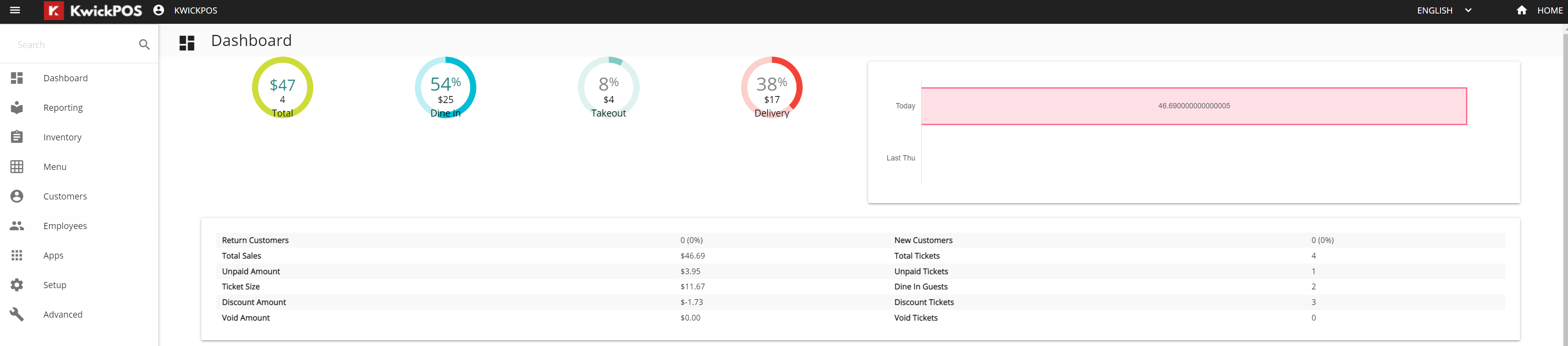
- Dashboard: It shows several charts & graphs that breakdowns different data
- Total Sales
- Dine In Sales
- Takeout Sales
- Delivery Sales
- Chart comparing Today’s sales and Last Week’s sales on the same day
- Return Customers
- Unpaid Amount
- Ticket Size
- Discount Amount
- Void Amount
- New Customers
- Total Tickets
- Unpaid Tickets
- Dine In Guests
- Discount Tickets
- Void Tickets
- Graph of Payment Types
- Graph of Order Types
- Graph of Hourly Sales
Still need a hand?
Our 24/7 support team can walk you through it.
Call (888) 355-6996